A charity sends over a 40-minute interview with its founder and asks for a 90-second film for its website, plus a vertical cut for social. You drop the files into Premiere, with automatic transcription switched on, and make a coffee. By the time you sit down, the interview is transcribed, the B-roll is indexed so you can type “close-up of hands packing boxes” and jump straight to the shot, and one button in the Essential Sound panel will strip most of the café chatter out of her voice. What the software hasn’t done is decide which 90 seconds of that 40 minutes are worth anyone’s time.
That gap is the honest answer to the question. AI isn’t replacing video editors and motion designers who make the decisions; it is taking over tasks inside the job – finding, transcribing, cleaning and masking – that used to fill the hours between creative choices. Choosing the story, timing a logo to the beat, reading a client’s notes and signing off what goes out are still human work. The people most exposed are those who only ever did the mechanical parts, which is why learning the craft properly, AI tools included, is the safest move you can make.
What the AI in Premiere, After Effects and DaVinci Resolve actually does
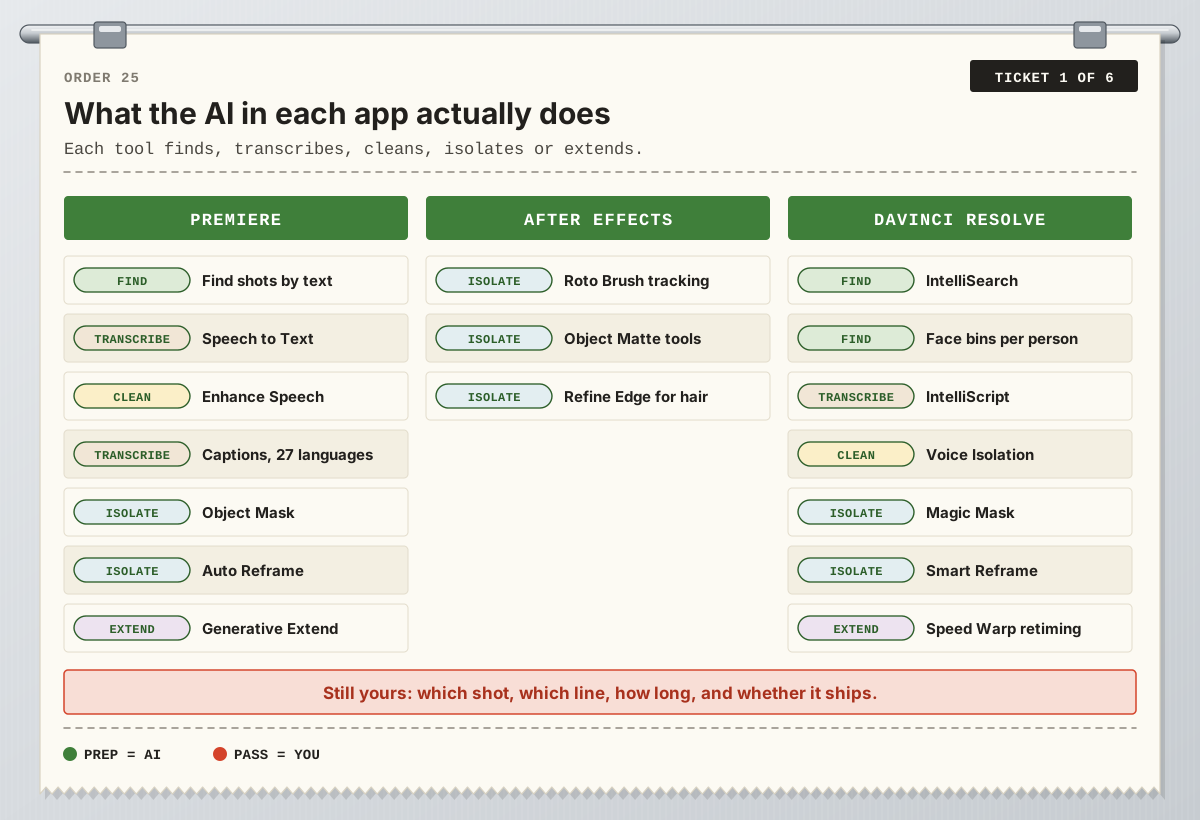
It helps to be precise, because “AI” covers very different things. In Premiere, Speech to Text transcribes interviews and turns them into captions, and captions can be translated automatically into 27 languages. Text-Based Editing lets you cut by deleting words from the transcript. Media Intelligence analyses your footage on your own computer, so the Search panel can find “overhead shots of plates of food” from a plain description. Enhance Speech cleans up dialogue, Auto Reframe turns a 16:9 edit into square or vertical versions, and the Object Mask tool masks and tracks a moving person or object with a hover and a click. Generative Extend adds up to two seconds of new frames to the start or end of a shot; it won’t create dialogue and won’t extend music, and the generated frames are labelled in the timeline.
In After Effects, Roto Brush uses AI to follow a subject from frame to frame, the newest version copes far better with hair, overlapping limbs and transparency, and Object Matte tools let you select a subject and spread the matte across the shot. In DaVinci Resolve, the Neural Engine in the Studio version powers Magic Mask, Smart Reframe, Speed Warp retiming and face recognition that sorts clips into bins by person. Voice Isolation cleans dialogue, IntelliSearch finds objects, spoken words and faces, and IntelliScript matches a written script to transcribed takes to build a first cut you then refine with the normal editing tools.
Here’s the pattern we see when we line them up: every one of these tools finds, transcribes, cleans, isolates or extends something. None of them decides anything. Even IntelliScript follows a script a person has already written.
One editing job, task by task
Back to the charity film. This is how we would split the work today between the software and the editor.
Task | What AI does now | What still needs you |
|---|---|---|
Finding shots | Search by description, spoken words or faces | Picking the take that feels true, not just the one that matches |
Transcribing | Speech to Text drafts every word | Checking names, jargon and who said what |
Rough assembly | Cutting from the transcript or a script | Choosing the story, the order and what to leave out |
Cleaning dialogue | Enhance Speech, Voice Isolation | Stopping before a voice sounds processed |
Captions | Auto captions and translation | Line breaks, house style, a native speaker’s check |
Vertical version | Auto Reframe, Smart Reframe | Recomposing shots where the subject isn’t a face |
Masking | Object Mask, Roto Brush, Magic Mask | Fixing edges and deciding what the effect is for |
A shot that’s too short | Generative Extend (up to two seconds) | Deciding whether a held beat helps the story |
Pace, music, sign-off | Very little | Rhythm, feeling and the client’s approval |
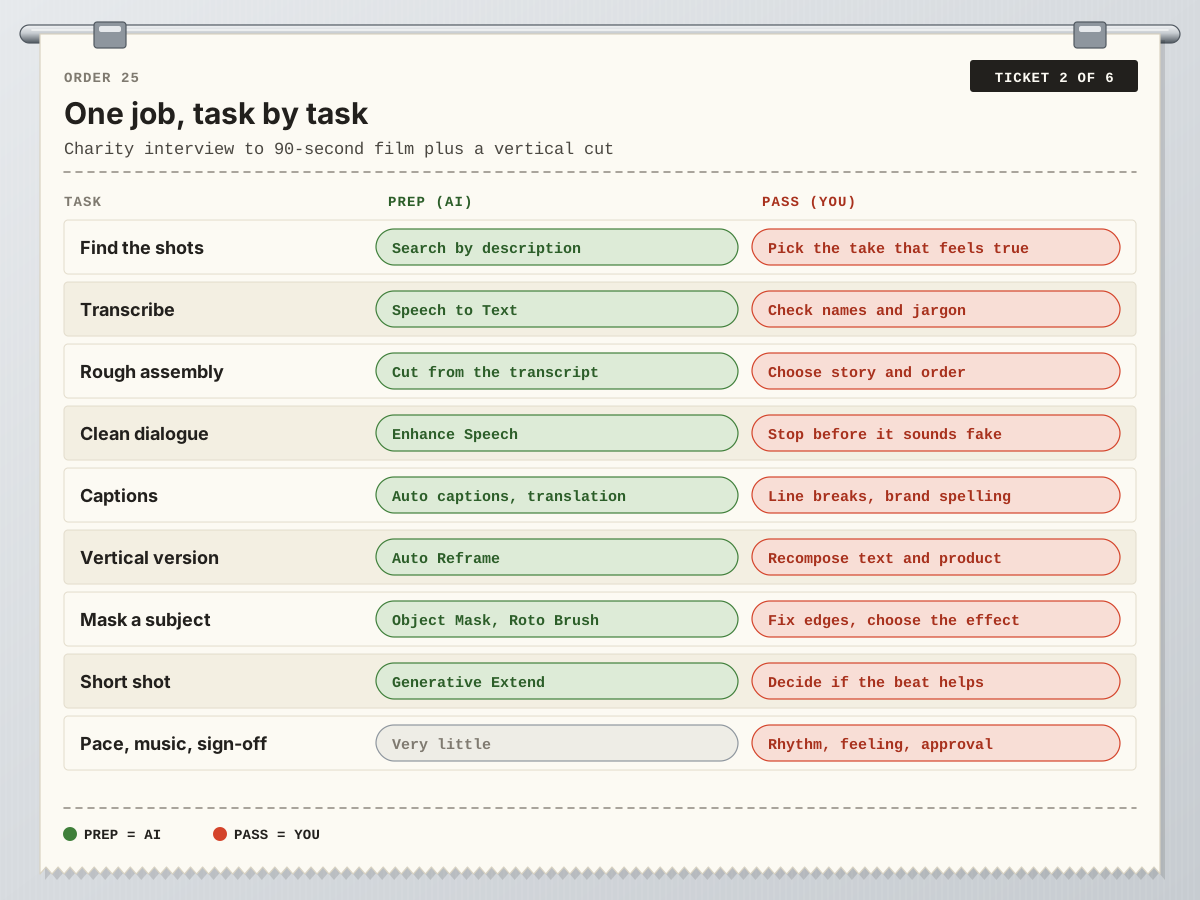
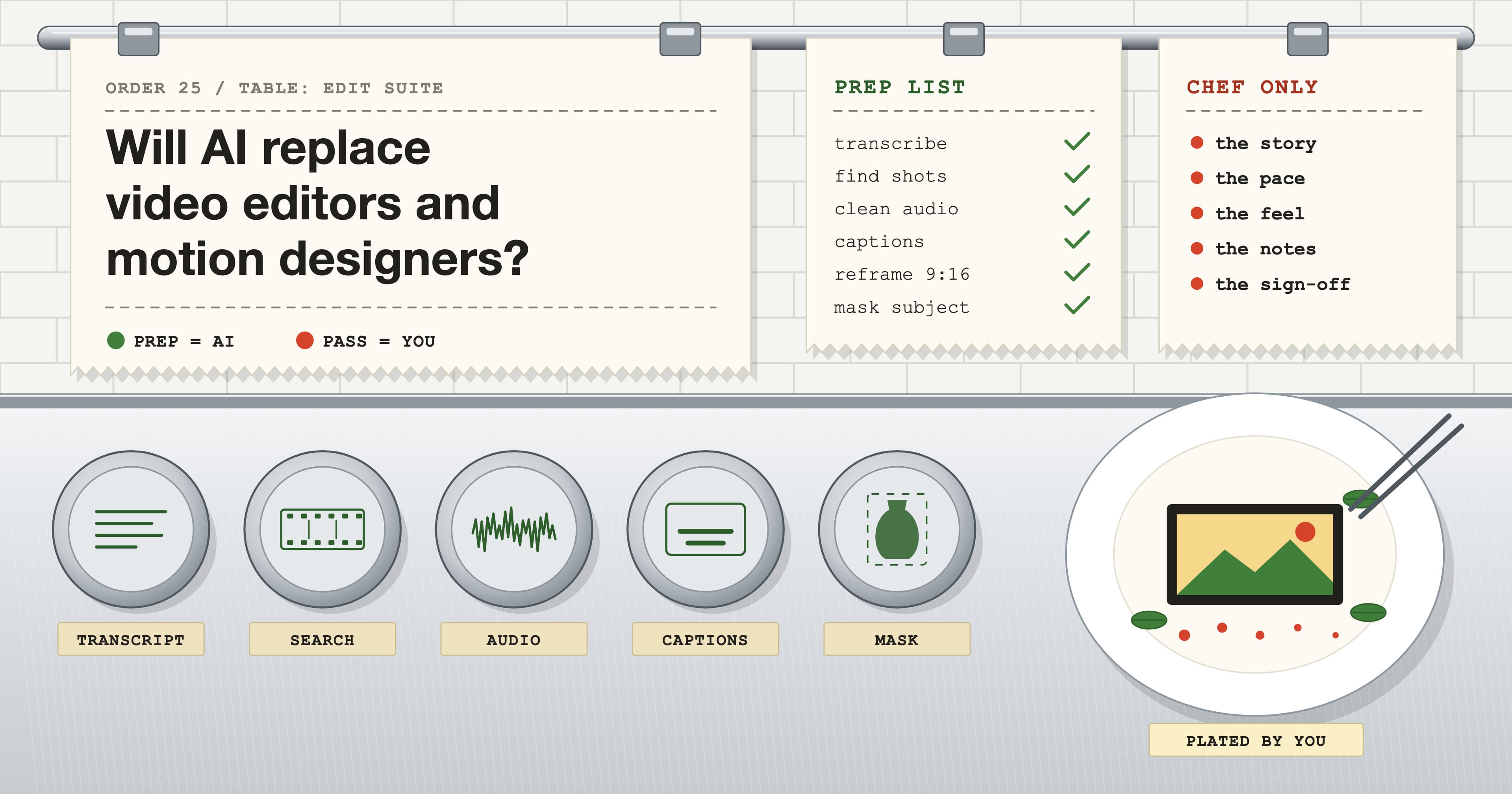
AI touches eight of the nine rows. In every one, the final call is still made by a person. That’s why we describe AI as the prep cook rather than the chef: the chopping is faster, but someone still has to taste the dish.
Why can’t AI just make the whole edit?
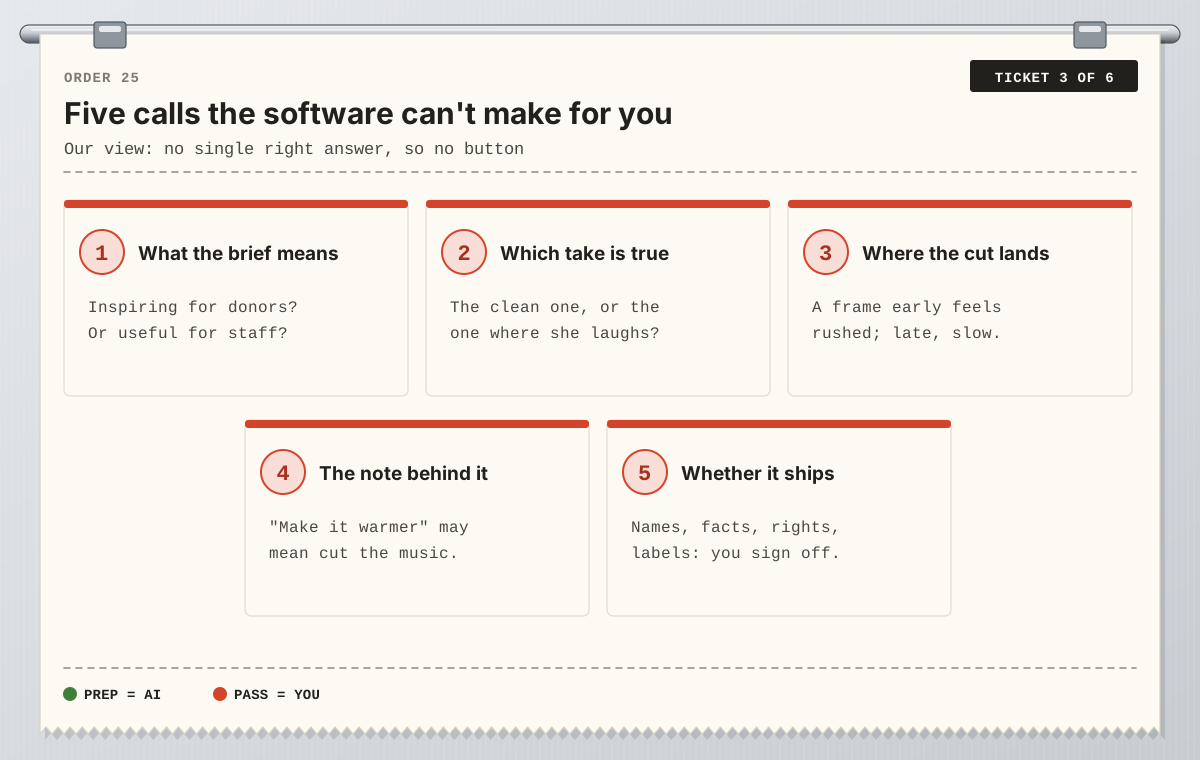
Our view is that the tools are good at tasks with a checkable right answer. Was that word transcribed correctly? Does the mask sit on the edge of the vase? An edit is a chain of choices with no single right answer, only a best answer for this audience, this brief and this client.
Think about what an editor actually weighs. The founder’s clean take or the one where she laughs halfway through. A cut one frame early that feels rushed. A note asking you to “make it warmer” that really means “lose the music in the middle”. None of that is in the footage, so no amount of footage analysis finds it. And someone has to put their name to the final film: the spelling of a trustee’s name in a caption, whether a generated frame needs flagging, whether the music is licensed. That responsibility doesn’t move to the software.
Motion design: AI cuts the roto, not the idea
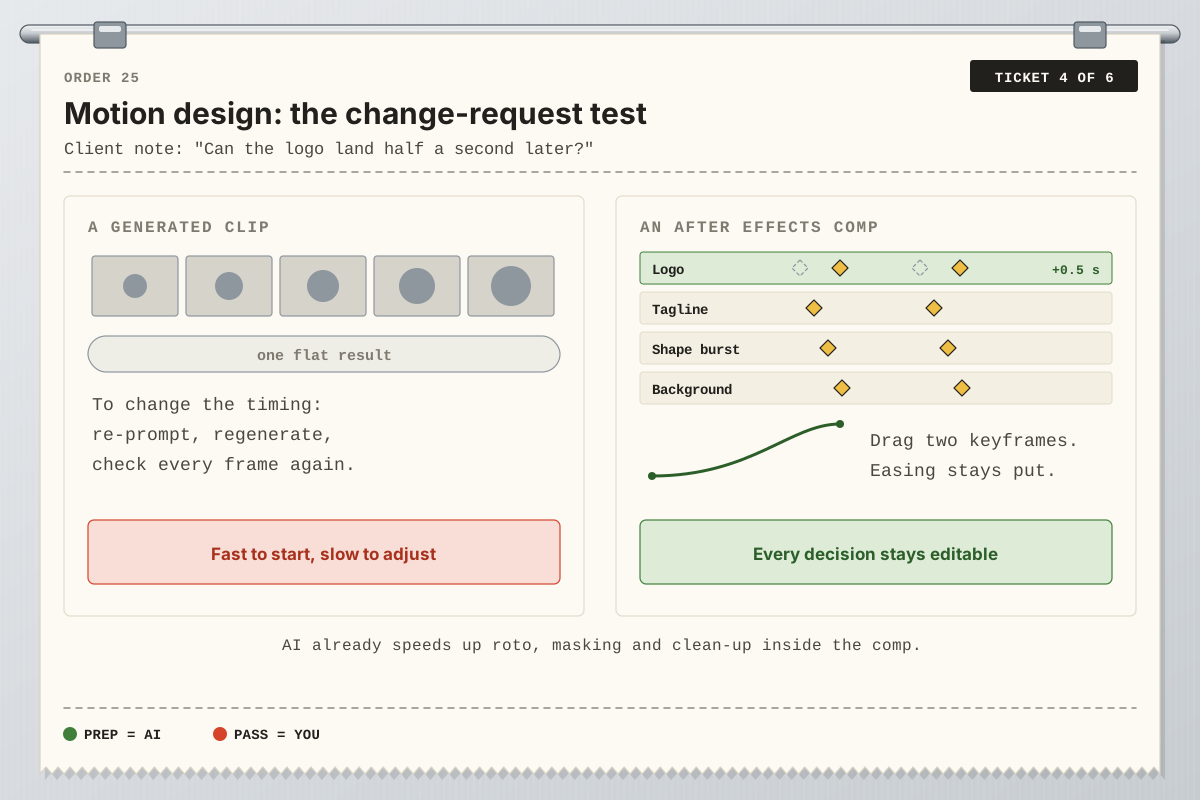
Motion designers have had the most dramatic AI help on the dullest job. Cutting a subject out of a moving background used to mean hours of frame-by-frame masks; Roto Brush and Object Matte often get most of the way and leave you to tidy the edges. That’s time back for design.
Generated video is a different thing, and we use a simple check to explain it: the change-request test. A client asks for the logo to land half a second later. In an After Effects comp, you drag two keyframes and the easing, typography and colour stay exactly as approved. With a generated clip you have one flat result, so you re-prompt, regenerate and check every frame again. A comp is a stack of editable decisions; that is what clients pay for when they come back with notes. If you’re new to the field, our guide to what motion design is covers the craft side, and how long it takes to learn After Effects sets realistic milestones.
Three people, three answers
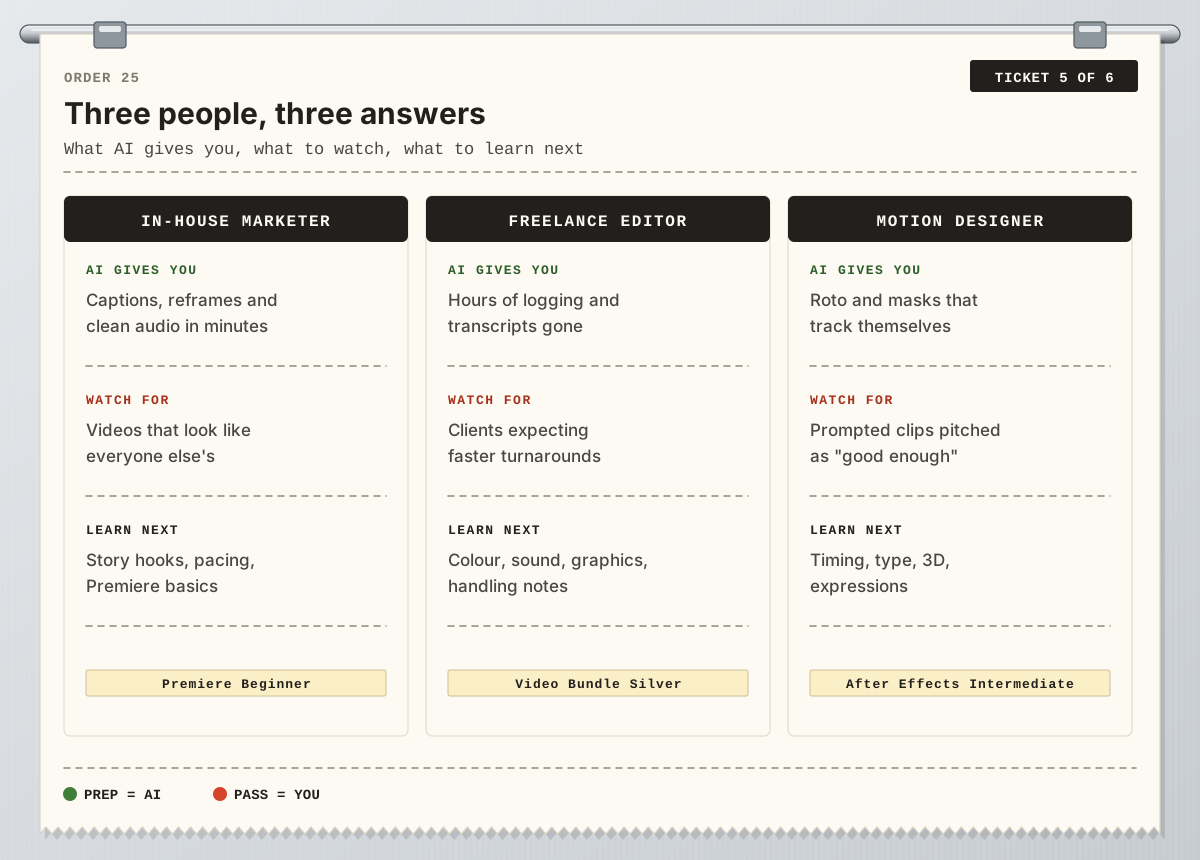
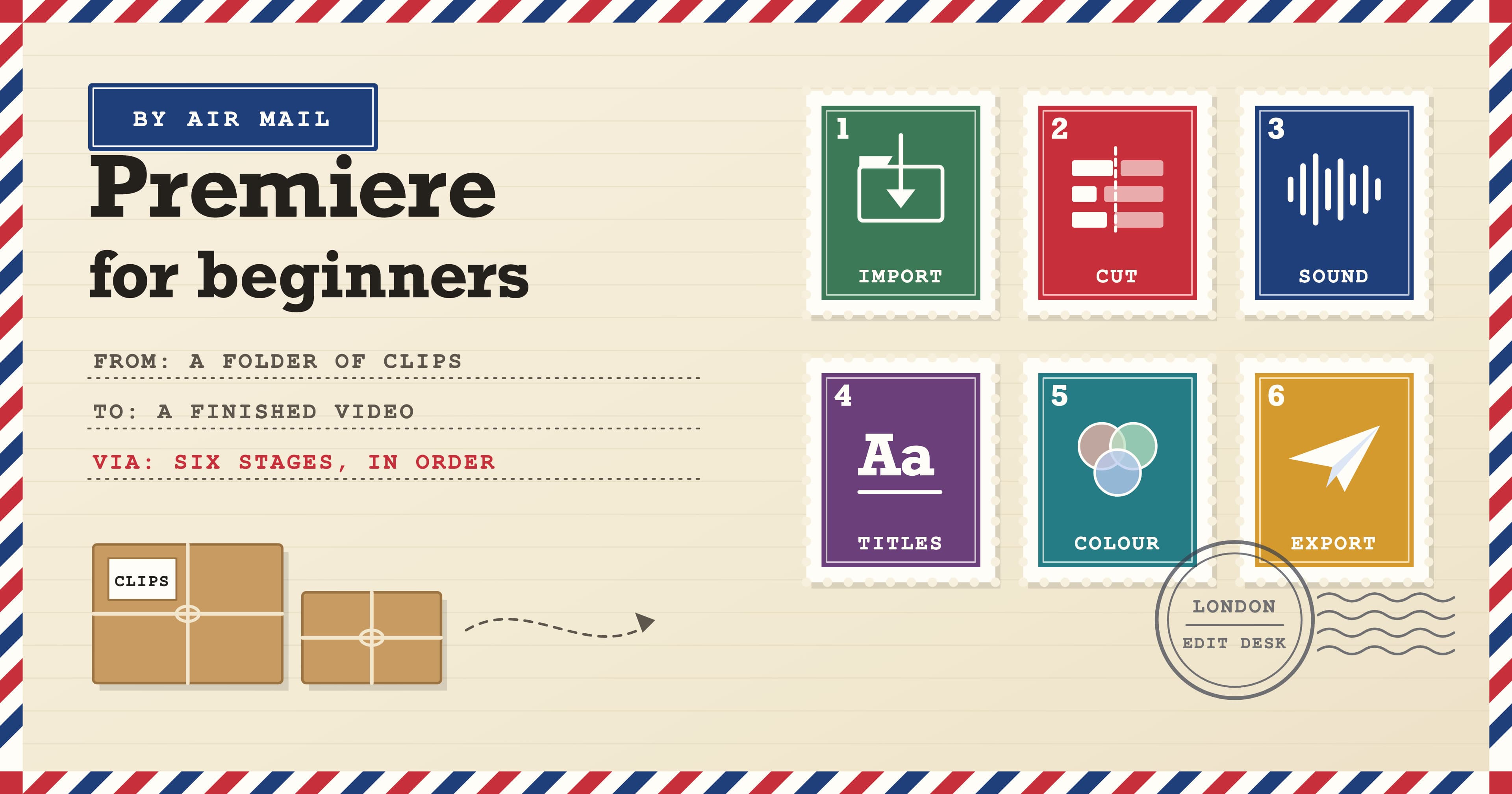
The in-house marketer. You make social clips between other jobs. Auto captions, Auto Reframe and Enhance Speech get you to a publishable video much faster than before. The risk is that your videos look like everyone else’s, because everyone has the same buttons. Spend your learning time on hooks, structure and pacing; the Premiere Beginner course covers the editing foundations, and our Premiere for beginners walkthrough shows a full job from import to export.
The freelance editor. Logging and transcribing take a fraction of the time they used to, and clients notice. Expect them to expect faster turnarounds. What keeps you hired is the part they can’t do themselves: story, pace, handling notes well, plus the neighbouring skills that make a film feel finished – colour, sound and graphics. The Video Bundle Silver covers Premiere and After Effects at Beginner and Intermediate level, and our DaVinci Resolve colour grading workflow is a good next step for colour.
The motion designer. Masks that track themselves free you to design. Watch out for prompted clips being pitched to your clients as “good enough”; the answer is work that is clearly directed, with type, timing and brand consistency a generator can’t hold. After Effects Intermediate takes you into expressions, 3D layers, cameras and rotoscoping.
Myth vs reality
“There’s no point learning to edit any more.” The AI features live inside the editing apps. Using them well, and spotting when they get it wrong, takes the same skills as editing.
“AI can cut a film from a prompt.” Current tools build a first assembly from a transcript or a script. The pacing, the order and the polish are still done by hand with ordinary editing tools.
“Generative video means no more reshoots.” Generative Extend adds a couple of seconds to a shot. It is a rescue tool for a cut that is a beat short, not a replacement for footage.
“AI tools are only for professionals.” Many are a single button. Beginners often gain the most, because the fiddly technical jobs no longer stand between them and a finished video.
A rule of thumb for what to learn
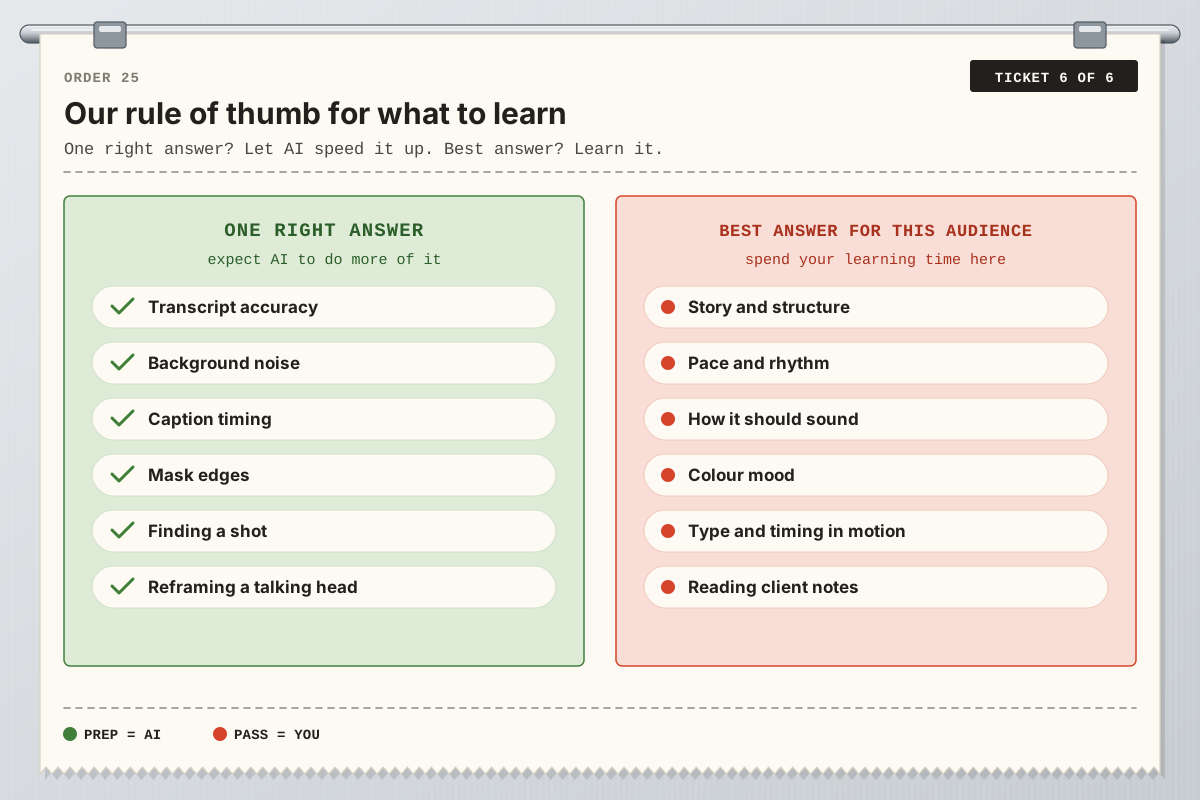
Here’s the rule we give students. If a task has one right answer – an accurate transcript, a clean mask edge, a level caption – expect the software to do more of it with every update, and learn just enough to check its work. If a task has a best answer for this audience – the story, the pace, how it should sound, the colour mood, how type moves – that’s where to spend your learning time, because that’s the part people will keep paying for.
In practice that means learning the apps properly rather than collecting tricks: how a timeline is built, how sound and colour shape feeling, how keyframes and easing control motion. AI then makes you faster rather than replaceable.
Learning editing and motion with Docklands Media
Docklands Media is authorised by Adobe, Autodesk, Maxon, Blackmagic Design and Certiport, and our courses run in small groups in London or live online. Every course includes a certificate of completion.
Video Bundle Silver: ten days across Premiere Beginner and Premiere Intermediate plus After Effects Beginner and After Effects Intermediate, for editors who also want motion graphics.
Premiere Fast Track Silver or After Effects Fast Track Silver: five days each, Beginner and Intermediate together.
DaVinci Resolve Beginner: two days of editing, audio and colour basics in Resolve.
Motion Graphics Bundle Silver: After Effects with Photoshop, Illustrator and Cinema 4D for motion designers.
Fast Tracks prepare you to take and pass the Adobe Certified Professional exam at the end of the course. The Beginner days run consecutively, and the Intermediate part can follow in the same week or a later one. Learn the decisions, let the software do the donkey work, and you’ll be the editor people still want in the room.