A finished image gives you something to publish. An editable project gives you somewhere to go when the client changes their mind. That difference is the most interesting part of Adobe's move into agent-driven creative work.
Adobe's local MCP integrations will let third-party AI agents work directly in native Photoshop, Illustrator, Premiere and After Effects projects on your computer, while keeping the work editable. They are a preview, with a private beta planned, not a public feature you can install now. Existing Adobe connectors in chat assistants and Adobe's own in-app AI Assistants are separate ways of working.
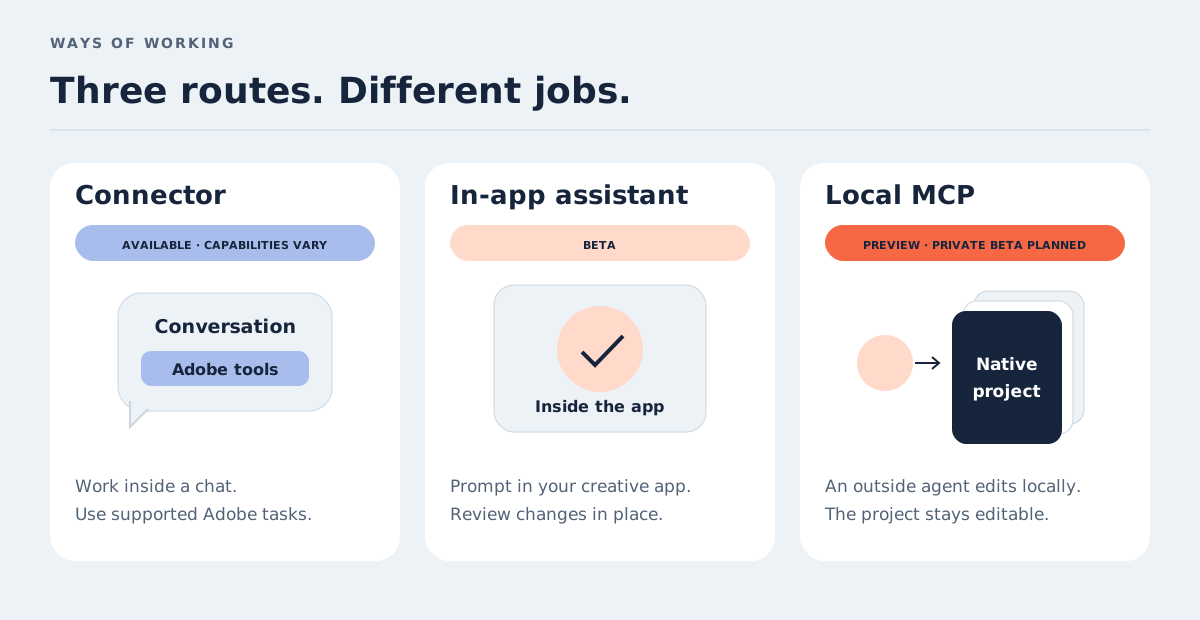
Three different things are being called “Adobe AI”
The Creative Cloud announcement brings several developments together. Separating them makes it much easier to understand what you can actually use.
Adobe connectors: Adobe capabilities inside an external conversation. Depending on the connector, you can upload images for batch edits, customise a template, resize video or create a document without starting in a desktop application.
Adobe AI Assistant: an assistant inside the creative application, powered by the Adobe Creative Agent. The assistants are in beta across apps including Illustrator, InDesign, Premiere, After Effects and Frame.io. Photoshop's assistant is in the separate Photoshop beta app.
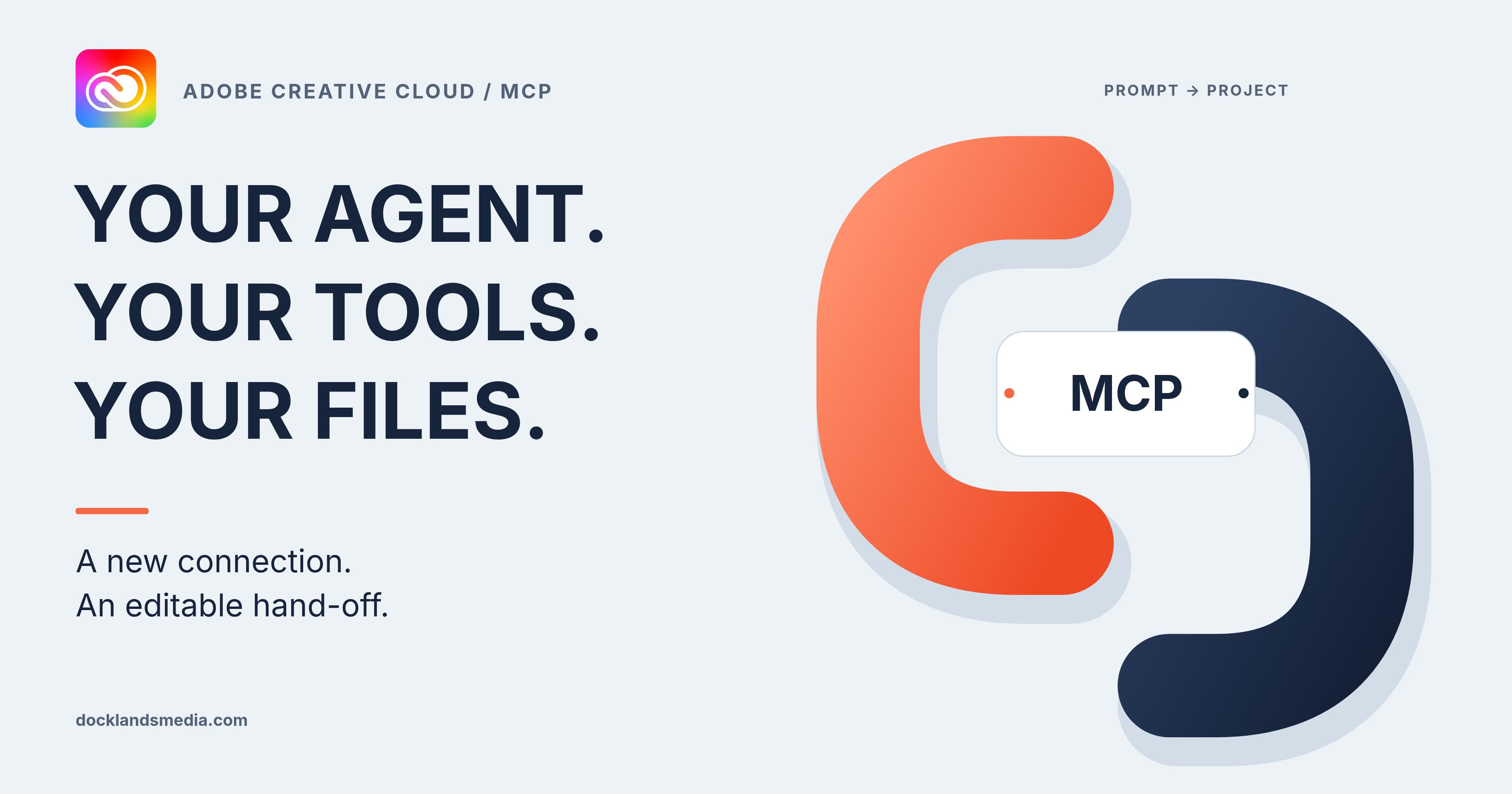
Local MCP integrations: the previewed connection through which an outside agent can change your native desktop project. This is the route that promises editable layers, vectors, bins and sequences rather than simply another finished download.
Firefly is not another name for MCP. It is Adobe's creative AI environment, with its own tools and assistant. Our guide to Firefly and commercial use explains that side of the workflow.
What is MCP, in plain English?
Model Context Protocol is an open standard for connecting AI applications to external tools and information. It is not an image generator, a new Adobe file format or an AI model.
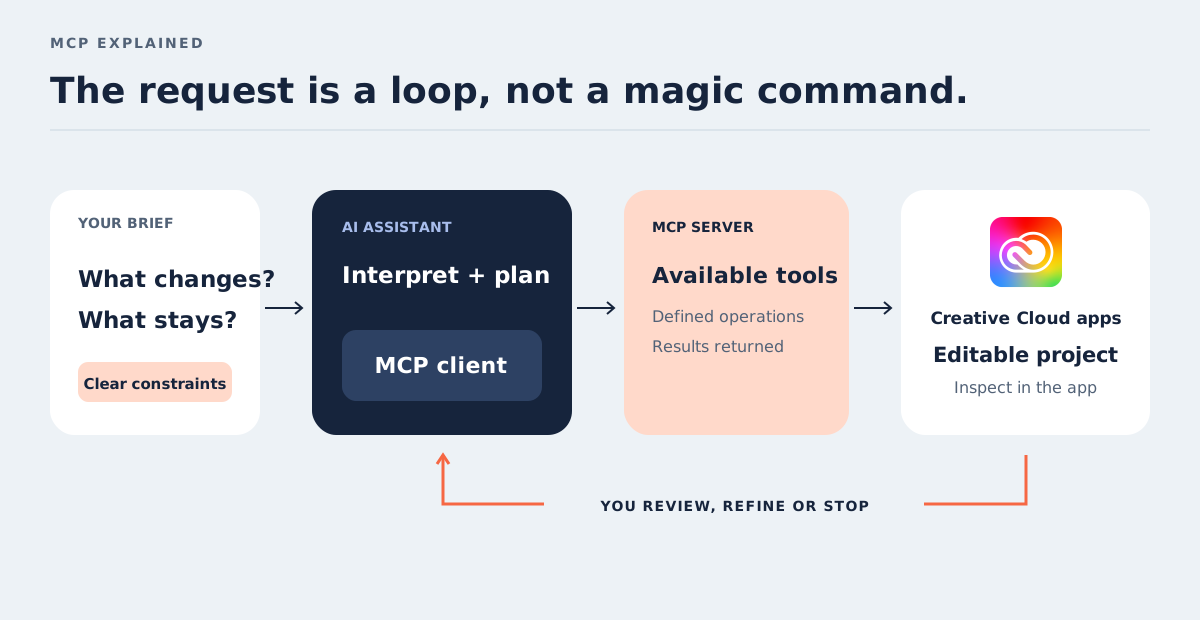
The assistant interprets your request. An MCP client inside that assistant connects to a server, which exposes a defined set of tools or resources. The assistant can discover those tools, call a supported operation and use the result to decide what to do next.
That last detail matters: the available tools set the boundaries. “Make this brochure better” does not give an agent every InDesign feature, and supporting MCP does not automatically make every assistant compatible with every integration.
Which apps and AI assistants are covered?
The local preview names Photoshop, Illustrator, Premiere and After Effects. InDesign, Lightroom, Express and Frame.io are not on that named local-MCP list. InDesign does have an in-app AI Assistant; that does not make it part of this particular preview.
For the services already available, Adobe connectors support Claude, ChatGPT, Google Gemini and Slack, with different capabilities and account requirements. Claude's connector covers capabilities from a broad range of Adobe products, including InDesign. That is not the same as unrestricted control of an open desktop document.
Microsoft 365 Copilot has a separate Adobe Express agent for template-based design and customisation. It should not be read as confirmation that Copilot can operate desktop Photoshop through the new local integration.
There is also a free Adobe Express Developer MCP Server. It supplies add-on documentation and TypeScript definitions to coding assistants, including compatible setups in Cursor, Claude Desktop and VS Code. It is a developer reference tool, not a replacement for the Creative Cloud local preview.
Availability, plans and cost: what is actually settled?
The local integrations are awaiting private beta. A final supported-client list, per-app command catalogue, operating-system requirements, eligible subscription tiers and separate pricing have not been set out in the announcement. Do not assume that “Creative Cloud” means every plan includes unlimited agent work.
The existing connectors have their own rules. Adobe for Claude supports guests and free or paid Claude users. Both Claude and ChatGPT can offer a starting experience without an Adobe account, while additional capabilities can need an Adobe login or eligible subscription. Gemini requires an Adobe sign-in. Host-platform restrictions also apply.
Inside InDesign, some AI Assistant actions consume AI credits on paid plans, with usage varying by action. There is no sound basis for turning that into a price-per-task estimate for the forthcoming local MCP tools.
The choice of capabilities to expose is still being worked through. That makes a demonstration a useful illustration of direction, not a complete specification for your production workflow.
A practical batch-editing brief for Photoshop work
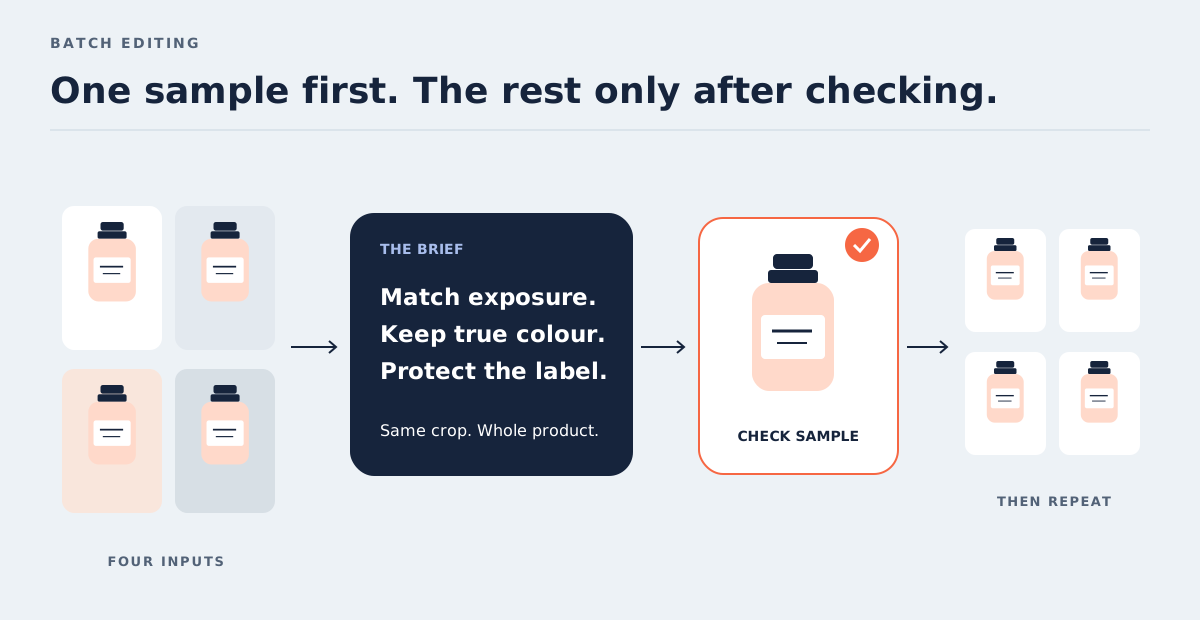
For a small business, consistent product photography is a better starting point than asking an agent to invent an entire campaign. The existing ChatGPT connector supports batch photo adjustments, cropping and resizing. Here is a brief we would test with four uploaded product images:
“Prepare square product images from these four photographs. Balance exposure and white balance without changing the product colours or label text. Keep each whole product visible with similar space around it. Show me one sample first and identify anything you cannot do before continuing.”
Check the first result against the original, not just against the other outputs. A neat set can still share the same mistake: a cream label turned white, a cap clipped by the crop or an artificial-looking reflection.
The local Photoshop preview points towards a different hand-off: continuing inside an editable native project. Our suggested acceptance condition would be separate, intelligible edits with the original retained. That is a test to apply when access arrives, not a claim that every connector already returns a layered Photoshop document.
InDesign: let the assistant handle repetition, not the hierarchy
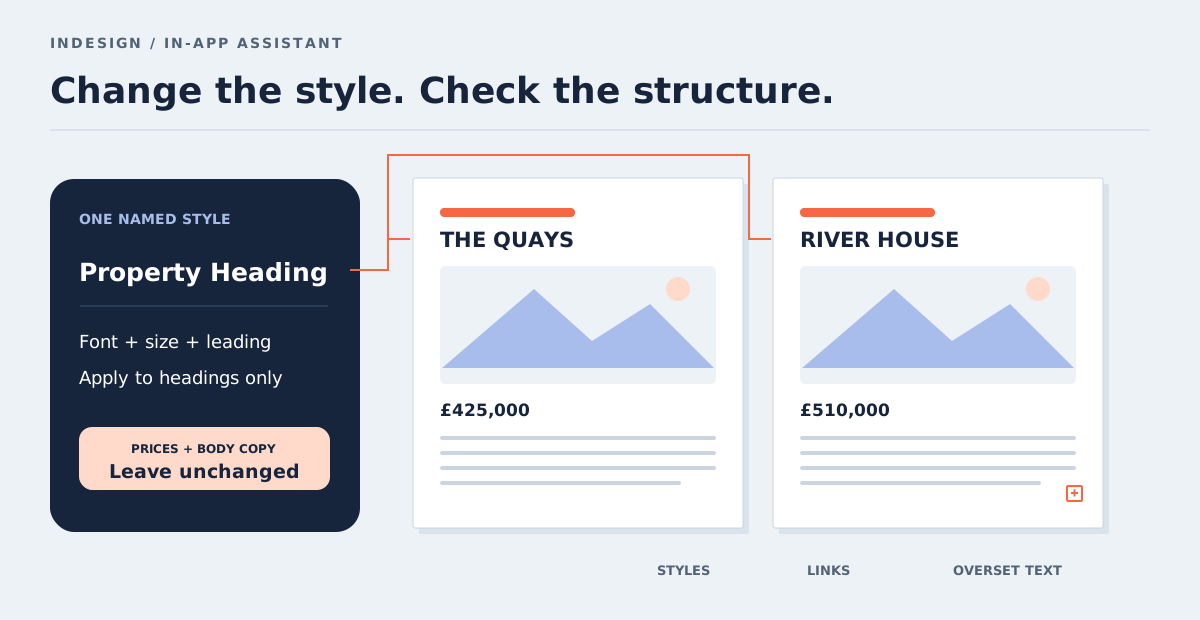
A property business updating a brochure has a different problem: repeated headings, inconsistent descriptions and photographs that no longer fit. The in-app InDesign AI Assistant can work on layouts and objects and run multi-step workflows. Use that route for this suggested test, rather than looking for an announced InDesign local connector.
“In this working copy, create a paragraph style called Property Heading using our supplied type specification. Apply it to the property headings only. Keep prices and body copy unchanged. Stop after the first spread so I can inspect the result.”
The important words are “working copy”, “only” and “stop”. Inspect the actual style definition and its application, not merely the appearance. Then check text overflow, line breaks, image fitting and links. A brochure can look tidy while hiding overset text.
Knowing frames, styles and preflight gives you a way to diagnose that, which is why those foundations in our InDesign Beginner course remain useful in a prompt-led workflow.
What this means for designers and video editors
Illustrator's in-app assistant can organise layers and artboards, recolour artwork and export assets. The useful distinction is between specifying a colour precisely and asking for something vaguely “more premium”. Paths, typography and brand judgement still need a designer who can inspect them.
Premiere's in-app agent can apply effects across clips in a sequence, track masked subjects and adjust sequence-wide colour and exposure. Those are substantial operations, but applying one treatment everywhere does not establish that every shot needs it. Watch the result in motion and check the awkward shots individually.
After Effects adds another kind of checking: whether a composition remains understandable and adjustable. Our article on AI and the work of video editors looks more closely at the decisions behind the output.
Our view: judge the second revision, not the first result
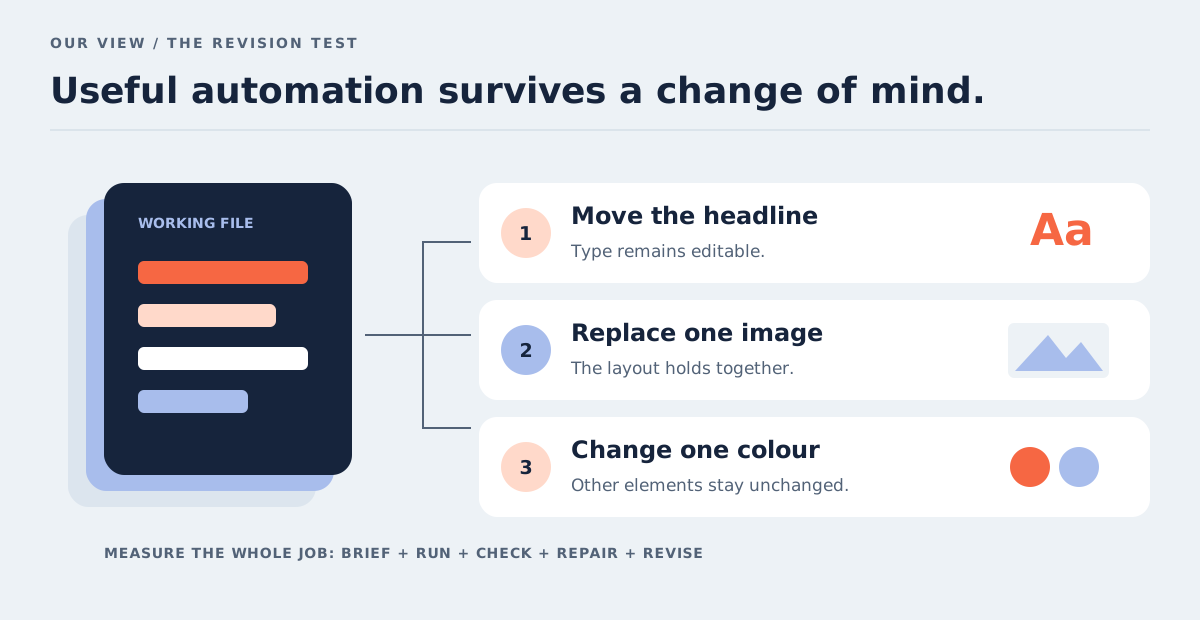
Our most useful test for an agent-assisted project would be a deliberately ordinary change request: move the headline, replace one image, change one product colour or shorten one section of a sequence.
Can you make that change without rebuilding the result? Are the relevant layers named? Is the type still editable? Can a colleague understand what happened? Native editability is valuable, but it is only the starting point for a maintainable file.
We would measure time saved across the whole job: instructions, processing, inspection, repairs and the next revision. If a batch saves twenty minutes but needs twenty-five minutes of correction, it has not yet improved that workflow. A small, repeatable trial tells you more than a spectacular demonstration.
Our view: the approval boundary matters as much as the connector
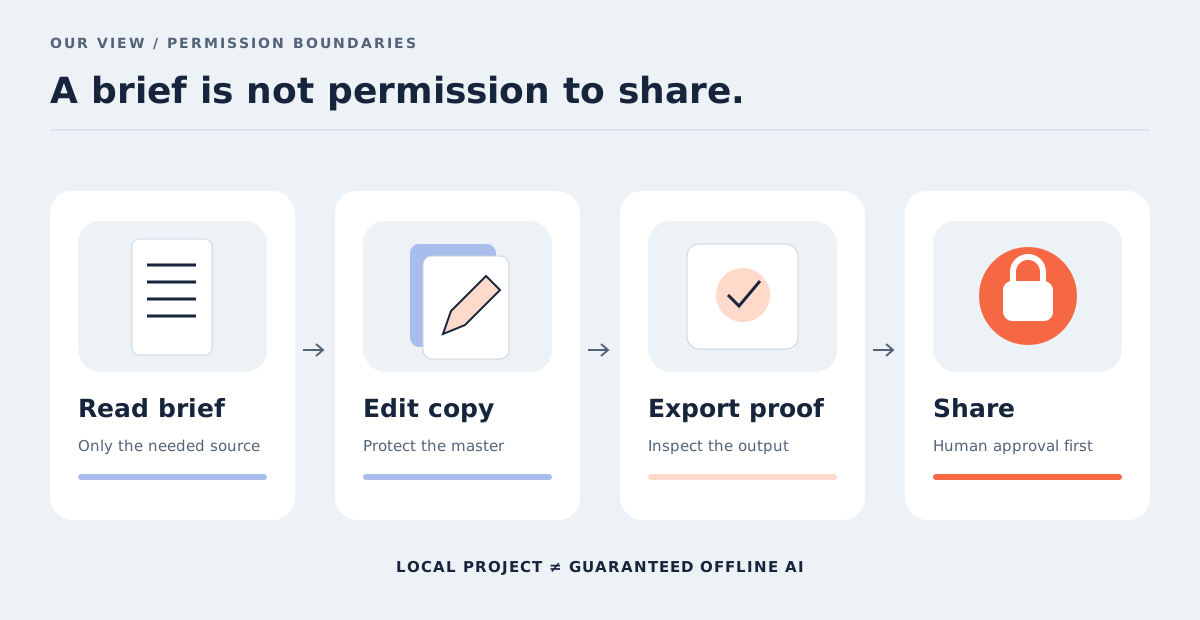
“Local” describes where the project is being changed. It does not establish that the AI runs offline, that no information leaves the computer or that every connected service has the same privacy terms.
A joined-up workflow might read a brief from Drive, edit a project and prepare a Slack hand-off. We would keep those permissions separate: permission to read a brief is not permission to overwrite a master, and permission to export is not permission to send work to a client.
Start with duplicate files, non-sensitive assets and an explicit review stage. Check the assistant's data handling and your organisation's rules before connecting confidential projects. Treat instructions found inside an imported document as content to assess, not automatic authority to share files.
The software skills worth building alongside it
At Docklands Media, we are an authorised training partner for Adobe, and Ozgur is an Adobe Certified Instructor. Our view is that automation makes a clear understanding of the working file more valuable: you need to describe the change, spot an error and repair it confidently.
For image work, our Photoshop Beginner course develops the foundations, while Photoshop Intermediate builds further editing control. For vector work, start with Illustrator Beginner; for moving images, Premiere Beginner and After Effects Beginner cover their different disciplines.
The sensible first experiment is one modest job with a clear finish line and a file you can inspect. Ask the agent to do the repeatable part. Keep responsibility for what leaves your desk.