Blender

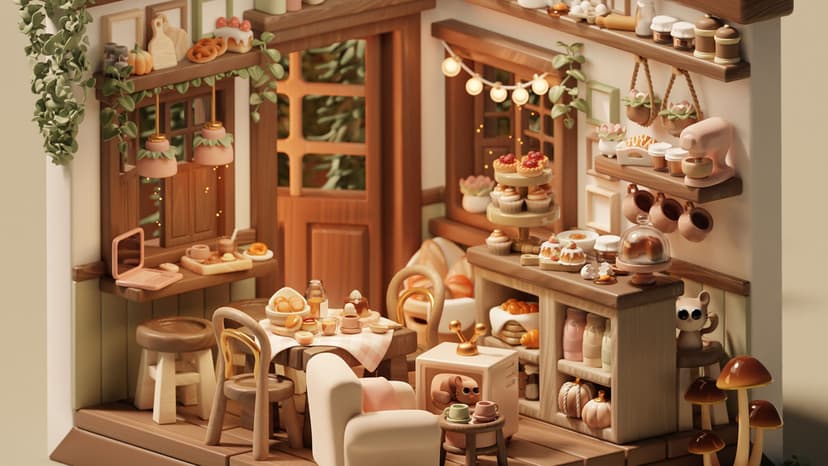
Turn your ideas into fully realised 3D worlds with Blender. Learn to model, sculpt, texture, animate and render from a single powerful creative platform—ideal for artists, designers and 3D professionals looking to build everything from detailed assets to cinematic scenes.

Course Promo

What's Included

Every Docklands Media course comes with a range of added benefits to support your learning at no extra cost.

Course Certification

Course Certification

Receive an official certificate of completion to validate your training. Ideal for portfolios, CVs, or proving your skills in Blender.

Lifetime Support

Lifetime Support

Access our email and phone support for a lifetime. Contact us with any technical questions related to what you have learned on your Blender course.

Free Course Retake

Free Course Retake

Need a refresher? Retake the same Blender course for free within 24 months. A great way to solidify your learning or get up to speed with new software updates.

Course Materials & Videos

Course Materials & Videos

Receive training notes, project files, and 7-day access to instructor-led video tutorials. Perfect for reinforcing key lessons and practising at your own pace.

Testimonials

Hear directly from professionals and teams who’ve trained with us, sharing their experiences and the impact our training has had on their creative journeys.

Jessica Parker

I already had a reasonable grasp of Blender, but this course filled in a lot of gaps. I learned more efficient modelling techniques, improved my materials and rendering, and started exploring more procedural approaches. It has definitely expanded what I can do with Blender.

Michael Edwards

The intermediate training gave me a much better understanding of how to approach more complicated Blender projects. Modifiers, materials, lighting and animation all made more sense once I could see how they worked together. The practical exercises were especially useful.

Sophie Turner

I particularly enjoyed the more advanced modelling and animation work. It was a good progression from the beginner level and gave me plenty of techniques to experiment with. I’m now much more confident tackling projects that involve several different elements and effects.

Ben Richardson

The biggest improvement for me was workflow. I learned better ways of building and modifying models rather than constantly starting over. The more advanced techniques have made a noticeable difference to both the quality and speed of my work.

Amelia Scott

I’d already been using Blender for basic interiors, but I wanted to improve the quality of my work. The course helped me work more efficiently with complex models, materials and lighting, and I’m now producing much stronger visualisations.

George Harris

There was a lot more depth to the intermediate course than I expected. We covered more advanced modelling techniques, modifier stacks, materials and animation, and I came away with a much better understanding of how everything fits together.

Natalie Brooks

The training helped me improve both my modelling and rendering skills. I learned better ways to structure objects, use modifiers and create more convincing materials and lighting. My product visuals now look considerably more refined.

Ryan Cooper

I wanted to move beyond basic modelling and start using Blender more creatively. The course covered animation, materials, lighting and more advanced workflows, which has given me a much better foundation for creating 3D motion graphics.

Chloe Martin

I already knew the basics of Blender, but this course helped me work much more efficiently. The more advanced modelling techniques and modifier workflows were particularly useful, and I’m now producing much cleaner architectural models and renders.

Thomas Walker

The intermediate course took my Blender skills quite a bit further. I’m now much more comfortable with more detailed modelling, modifiers, materials and lighting, and I’ve got a much better understanding of how to build a scene efficiently.

Hannah Lewis

This was a really good introduction to Blender. Everything was explained clearly and the practical exercises helped me remember the different tools and techniques. I now feel comfortable opening Blender and starting a project rather than feeling completely lost.

Oliver Reed

I’d tried learning Blender from videos online but kept getting stuck. Having someone explain the tools and workflow properly made a huge difference. By the end I could model simple objects, add materials, set up lights and produce a finished render.

FAQs

Find answers to common questions about Blender and general inquiries.

  • No. Blender training is available for people who are completely new to the software as well as those who already have some experience and want to develop their skills further.

Book / Enquire

Fill out the contact form and a member of our team will get back to you shortly—usually within minutes. Whether you're looking to book a course or just need advice, we're happy to assist.

Docklands Media’s Blender Tailored Training is designed for individuals and teams who need a fully customised learning experience. If a standard course doesn’t match your creative goals, production requirements, or existing workflow, this bespoke Blender training allows the content, structure, and outline to be tailored to your specific projects.

© 2026 Docklands Media. All rights reserved.