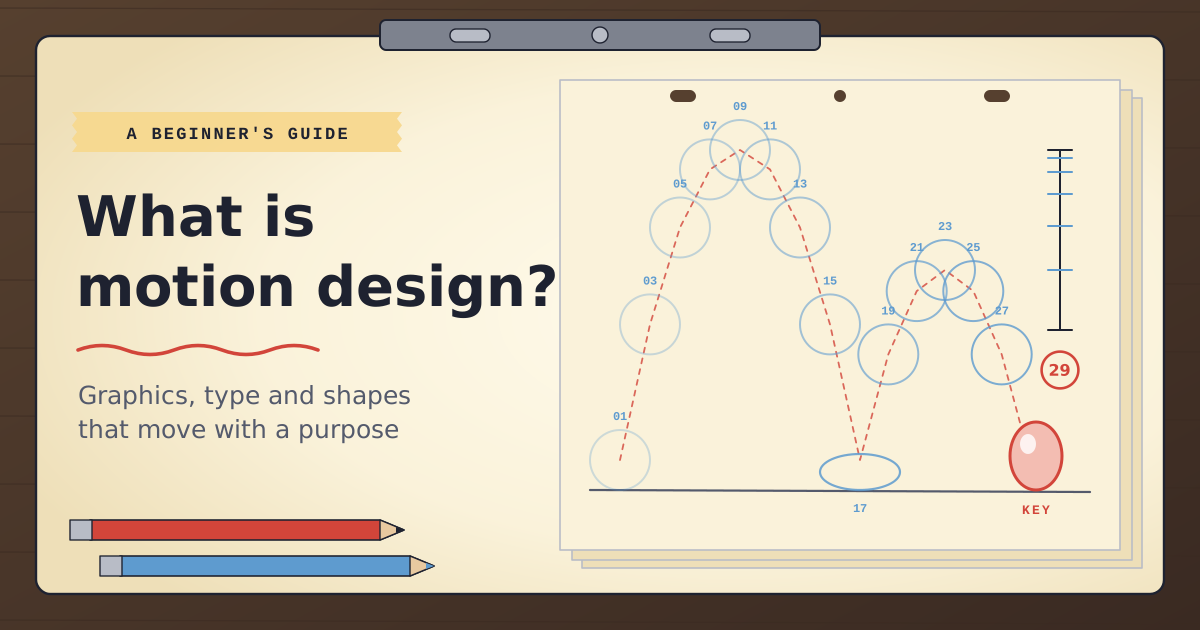
Count the moving graphics you saw before lunch. The weather map where the rain symbols slid in from the west. A product card that bounced into your feed and looped. The departure board at the station wiping one message off and the next one on. The little tick that drew itself in your banking app after a payment. None of them had an actor, a camera or a cartoon character, and every one was designed to move.
That’s motion design: graphic design that moves. Type, shapes, logos, icons, charts and illustrations are animated so they explain, sell or set a mood better than a still image could. “Motion graphics” usually means the finished pieces and “motion design” the discipline that makes them, though most people use the two terms interchangeably. It sits between graphic design, animation and video editing, and borrows something from each.
This guide covers how motion design differs from its neighbours, the 12 classic principles of animation translated for graphics, a five-second logo sting broken down frame by frame, and where to start if you want to learn it. If you already know you want to, our Motion Graphics Bundle: Beginner teaches the whole workflow in eight days.
Motion design, animation, editing and VFX: who does what?
The quickest way to pin motion design down is to ask what moves. In character animation, it’s characters with weight and personality. In video editing, it’s filmed footage, cut into an order that tells a story. In visual effects, it’s filmed shots being changed or layered with new elements. In motion design, it’s designed material: type, shapes, logos and data.
The tools follow from that. Motion designers mostly work in After Effects, often with artwork built in Illustrator and Photoshop, and many add Cinema 4D when a job needs 3D. Editors live in Premiere or DaVinci Resolve. If you’re unsure where the line between the two Adobe apps falls, our post on Premiere vs After Effects follows one project through both.
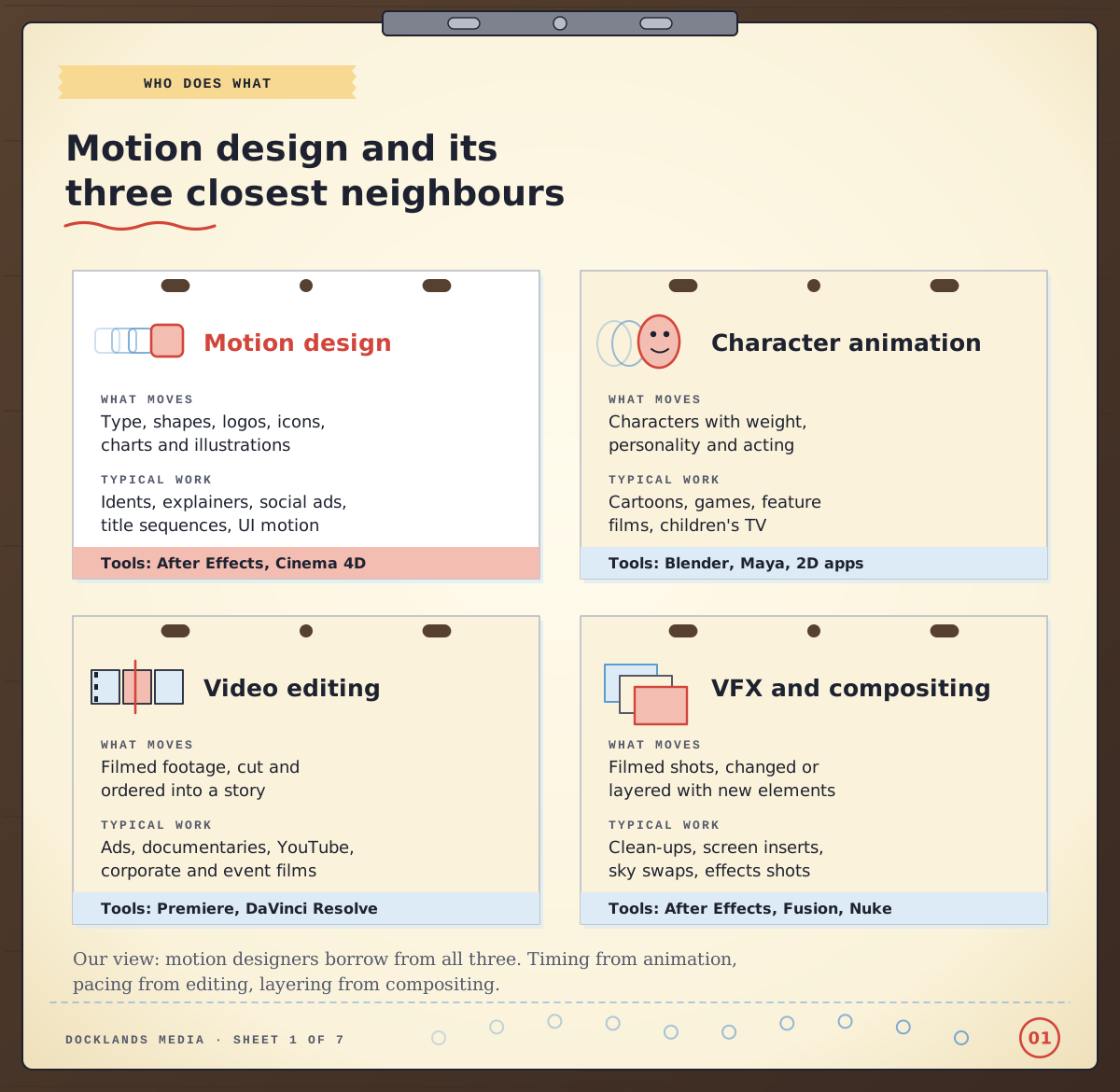
Our view: the boundaries are soft, and the best motion designers borrow from all three neighbours: timing from animation, pacing from editing and layering from compositing.
Where do you see motion design?
Once you start looking, it’s everywhere. Broadcast is the classic home, with channel idents, news lower thirds, sports scoreboards and weather maps. Title sequences are another, and the best are as memorable as the films they open. Marketing is now the biggest everyday user: social ads, animated product cards, explainer videos and digital billboards. Then there’s interface motion, the small transitions and button responses in apps and websites, and data visualisation, where a chart builds in front of you so the number lands.
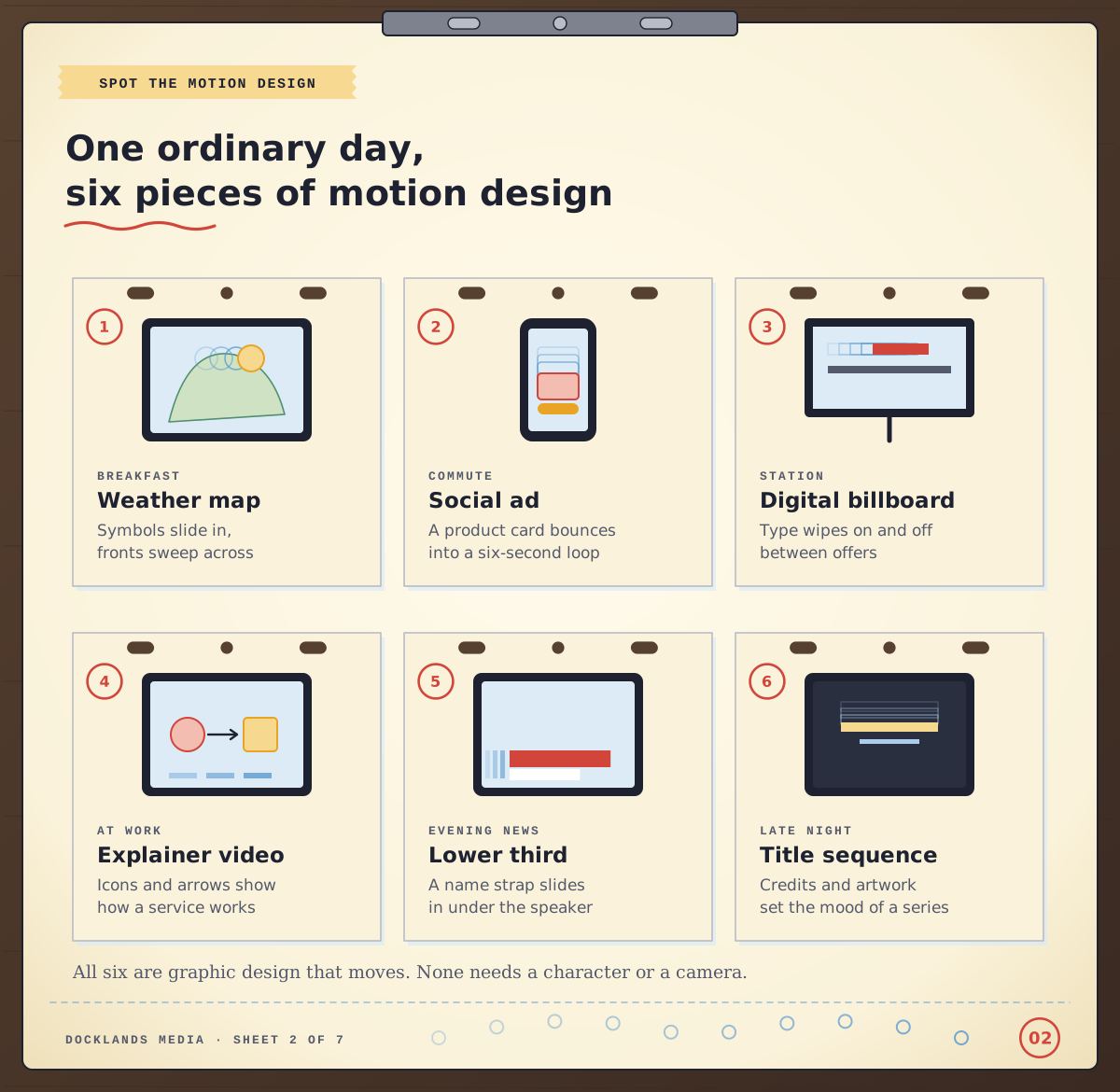
What links them is purpose. A moving graphic is there to direct attention, explain something one step at a time or give a brand a personality you’d recognise with the sound off. Movement for its own sake usually gets cut.
The 12 principles of animation, translated for graphics
The principles most motion designers learn first come from the Disney animators Frank Thomas and Ollie Johnston, who set them out in their book The Illusion of Life. They were written for drawn characters, which is why beginners sometimes assume they don’t apply to a logo or a line of text. They do, once you translate them.
Take squash and stretch. A cartoon ball flattens when it hits the floor. A button that compresses slightly as it lands, or a logo that squashes on impact before settling, feels springy for exactly the same reason. Slow in and slow out becomes easing: a move between two plain keyframes looks mechanical, and shaping its speed in the After Effects Graph Editor is what makes it feel finished. Follow through and overlapping action becomes staggering. If every word in a title arrives on the same frame, the eye has nothing to follow, so you offset each layer by a few frames.
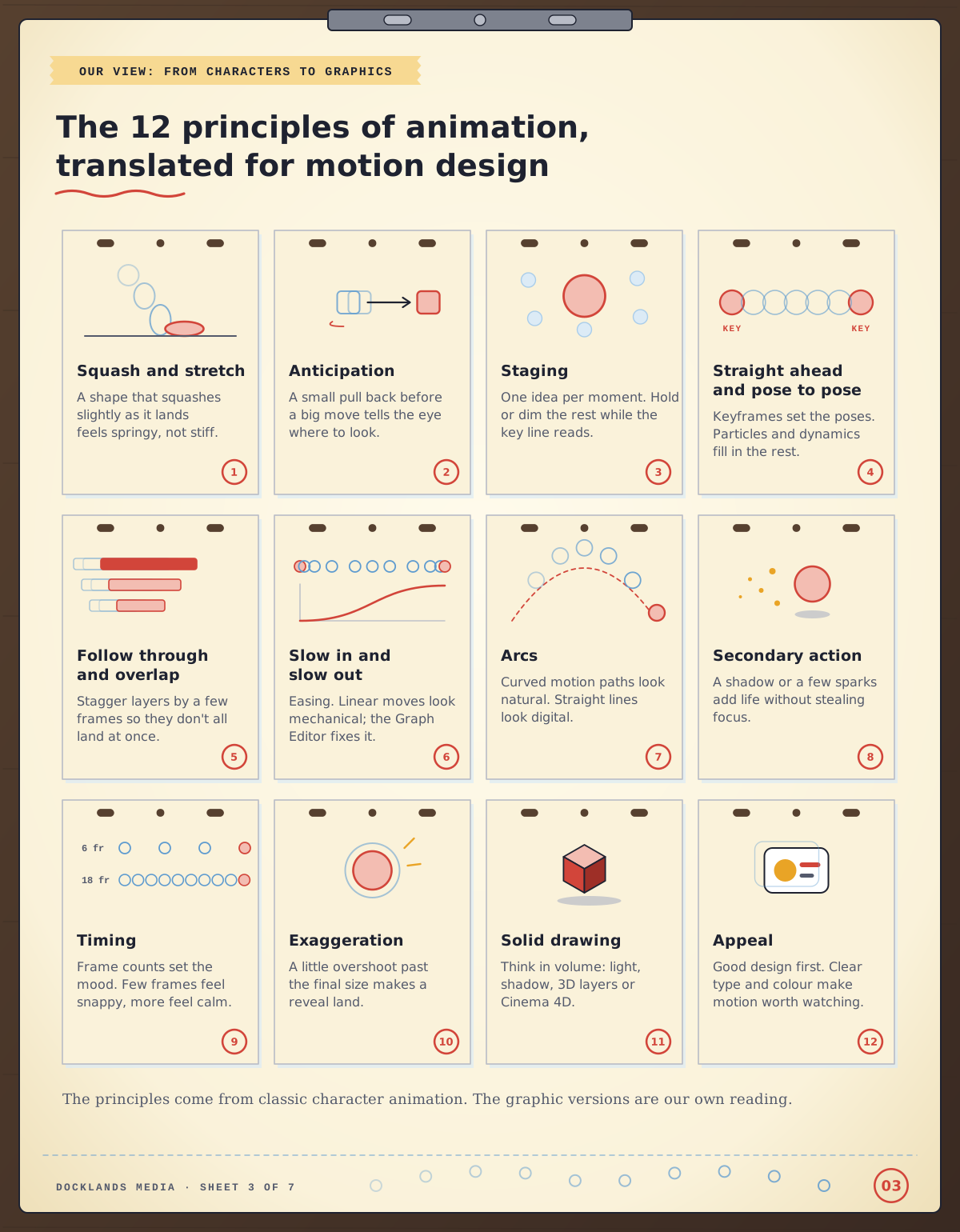
Our view: in graphics work, easing, timing, staging and overlap do most of the heavy lifting. Squash and stretch, arcs and exaggeration add character once those four are right. Here’s where each principle turns up in our course outlines:
Principle | Where you practise it | Course |
|---|---|---|
Slow in and slow out, timing | Keyframe animation and basic motion principles | |
Arcs | Motion paths and custom animations | |
Follow through and overlap | Parenting and pre-composing | |
Staging | Animating text for impact | |
Squash and stretch | Puppet pins | |
Exaggeration | Advanced techniques for smooth motion | |
Secondary action | Simple particle effects | |
Solid drawing | Lights, materials and cameras in 3D | |
Straight ahead action | Dynamics, particles and MoGraph effectors |
A five-second logo sting, frame by frame
The principles are easier to see in a real piece, so here’s a worked example of our own: a five-second logo sting at 25 frames per second, the UK broadcast standard. That’s 125 frames, and every one of them is a decision.
Frames 1 to 12 are anticipation: the mark dips and squashes slightly, as if gathering itself. Frames 13 to 30 are the move, a rise along an arc that’s eased in and out. Frames 31 to 45 are the overshoot, where it grows a touch past its final size and settles back, which is exaggeration and follow through at once. Frames 46 to 80 build the name, each letter landing a few frames after the one before. Frames 81 to 110 are a hold where nothing moves at all. Frames 111 to 125 bring in a small tagline and a sparkle of secondary action before the cut.
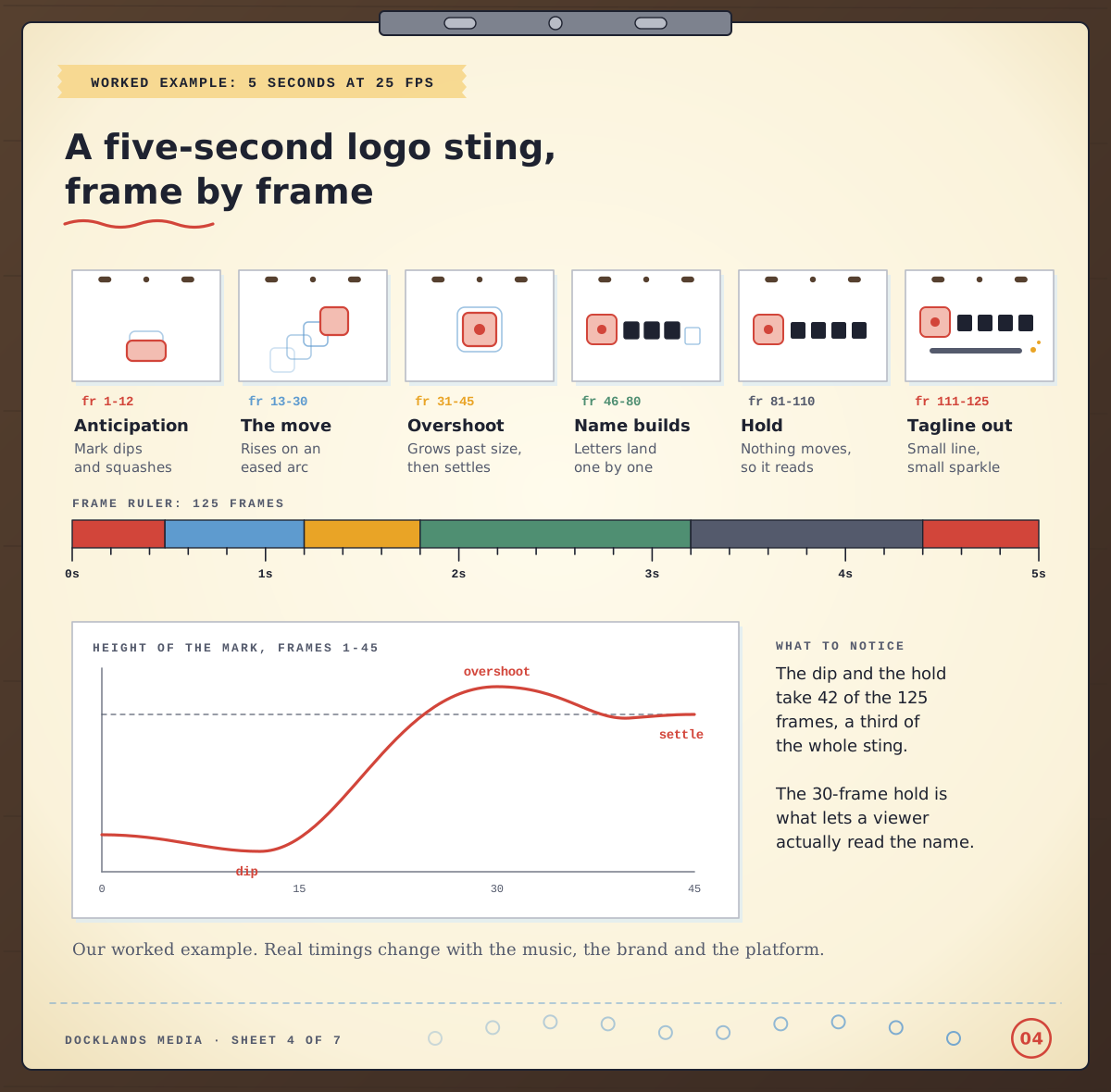
The part beginners tend to skip is the hold. The dip and the hold take 42 of the 125 frames between them, a third of the sting, and that stillness is what gives a viewer time to read the name. First attempts usually fill every frame with movement and end up feeling busy. A sting like this makes a good first project, and it’s one of the pieces in our guide to what you can make with After Effects as a beginner.
Myths that put beginners off
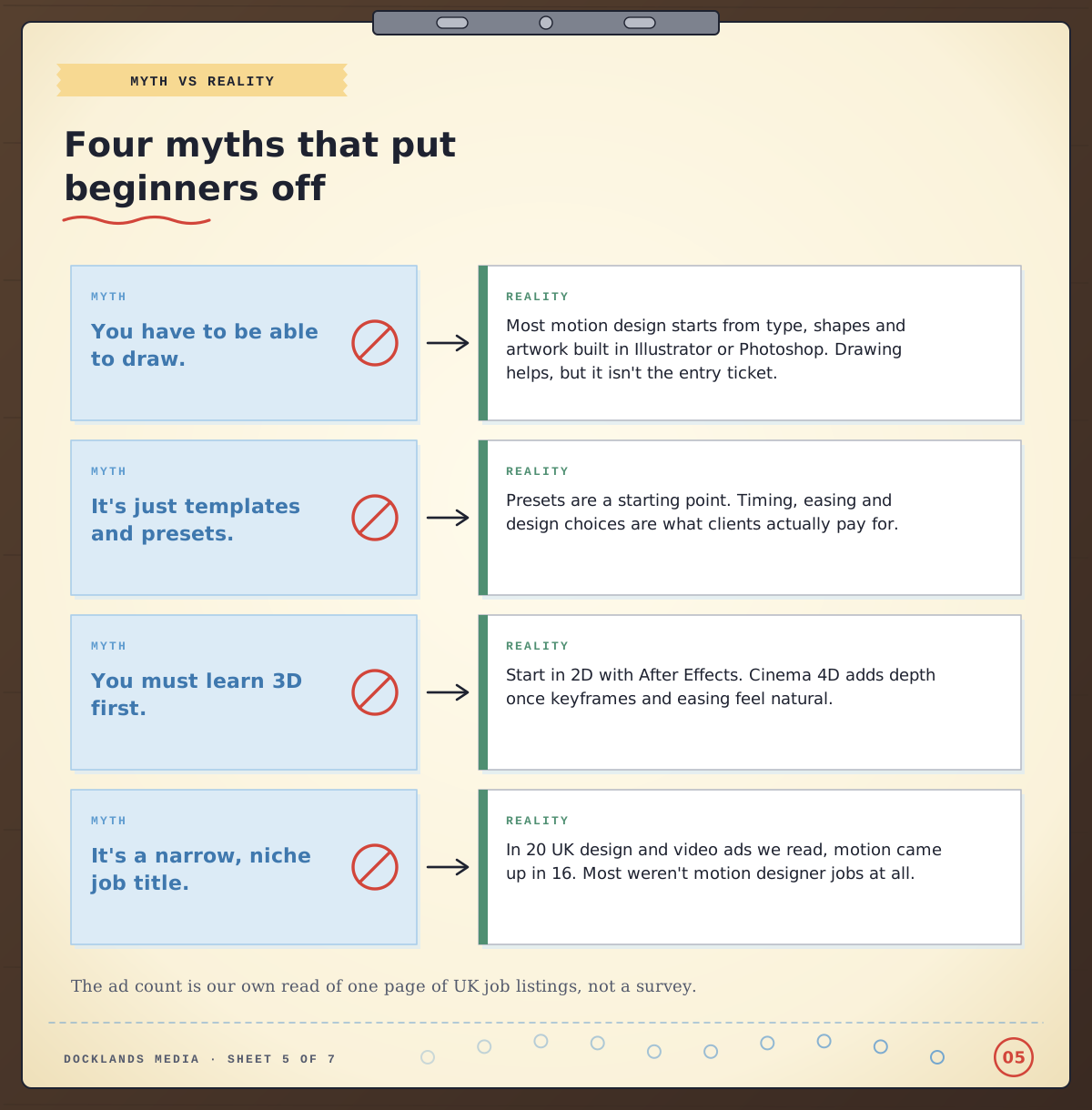
“You have to be able to draw.” Most motion design starts with type, shapes and artwork built in Illustrator or Photoshop. Drawing is a bonus, not the entry ticket.
“It’s just templates and presets.” Presets are a starting point. Clients pay for timing, easing and design judgement, and those don’t come in a preset folder.
“You have to learn 3D first.” Start in 2D with After Effects. Cinema 4D adds depth once keyframes and easing feel natural, and our post on what Cinema 4D is used for shows where it fits.
“It’s a narrow, niche job.” We read the first page of UK listings on Reed for “motion designer”: 25 ads, or 20 once duplicates and two unrelated roles were taken out. Only four were motion designer jobs, yet motion or animation came up in 16 of the 20, in roles from graphic and social designer to video editor, multimedia designer and data designer, either as part of the work or as a welcome extra. After Effects was named in 10. Our reading is that motion has become a skill that widens a designer’s options, as well as a job title in its own right.
Which route fits you?
Here are four people we hear from often, and where we’d point each of them.
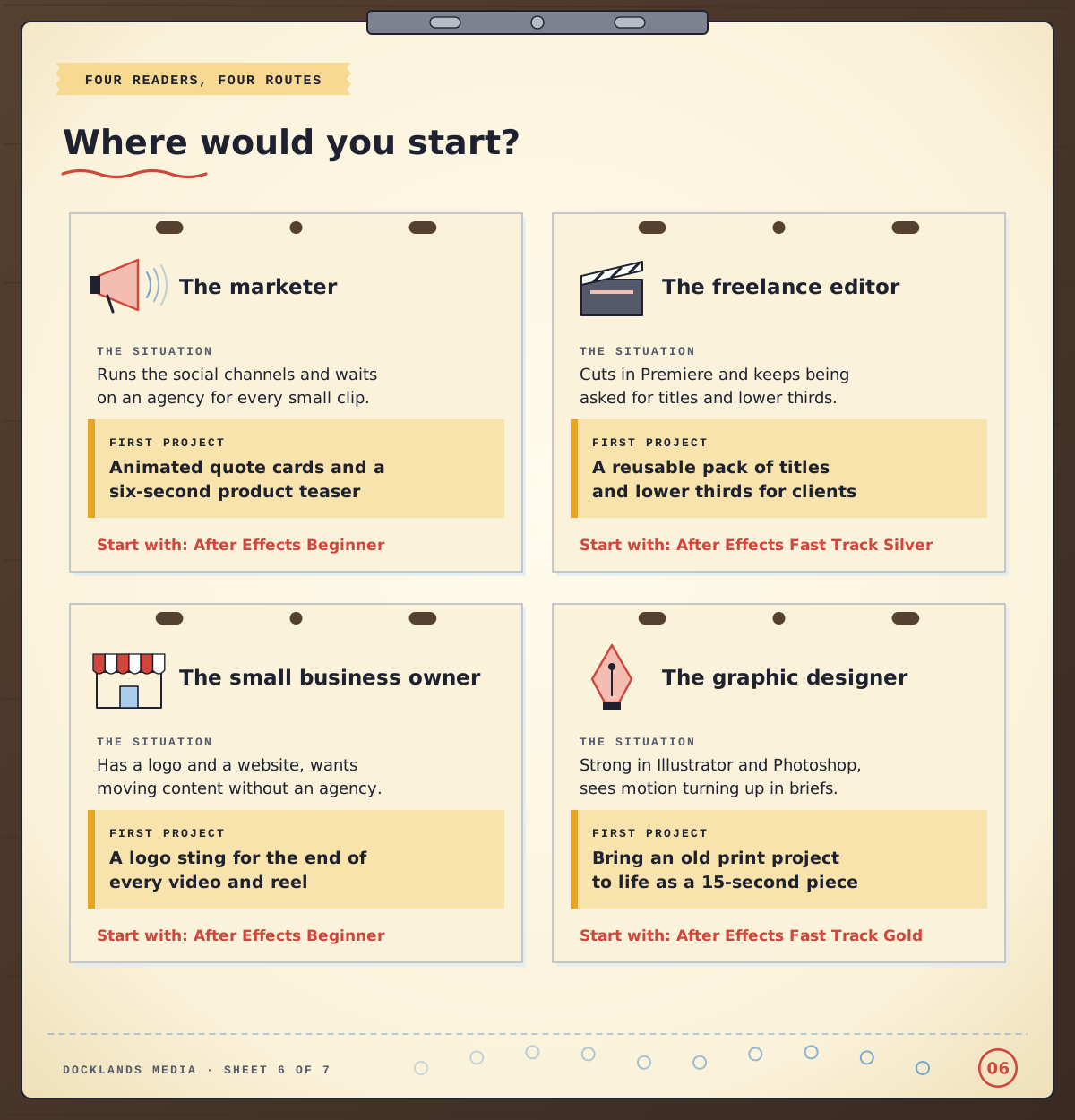
The marketer. You run the social channels and wait on an agency for every small clip. Start with After Effects Beginner: two days covering keyframes, text animation, motion tracking and exporting for web and social. Animated quote cards and a six-second product teaser make a good first project.
The freelance video editor. You cut in Premiere and keep being asked for titles and lower thirds. After Effects Fast Track Silver combines Beginner and Intermediate in five days, adding 3D layers, cameras, expressions and working with audio. Build a reusable title pack for clients as you go.
The small business owner. You have a logo and a website and want moving content without briefing an agency every time. After Effects Beginner is enough to build a logo sting and simple social posts. If your logo only exists as a JPEG, Illustrator Beginner will help you rebuild it as clean vector artwork first.
The graphic designer moving into motion. You already know Illustrator and Photoshop, and motion keeps turning up in briefs. After Effects Fast Track Gold takes After Effects from Beginner to Advanced in eight days, including kinetic and 3D text and shape-layer animation. Try turning an old print project into a 15-second piece. It’s a quick way to show clients you can do both.
If you’re starting from scratch and want a career in motion design, the Motion Graphics Bundle: Beginner is the most complete starting point, because it teaches the whole workflow rather than a single app.
Where should a beginner start?
The Motion Graphics Bundle: Beginner runs over eight days, two each in Photoshop Beginner, Illustrator Beginner, After Effects Beginner and Cinema 4D Beginner. You design assets in Photoshop and Illustrator, animate them in After Effects with keyframes, text effects and transitions, then learn the basics of modelling, lighting and rendering in Cinema 4D. It mirrors how a lot of real motion work gets made: design first, then movement, then depth.
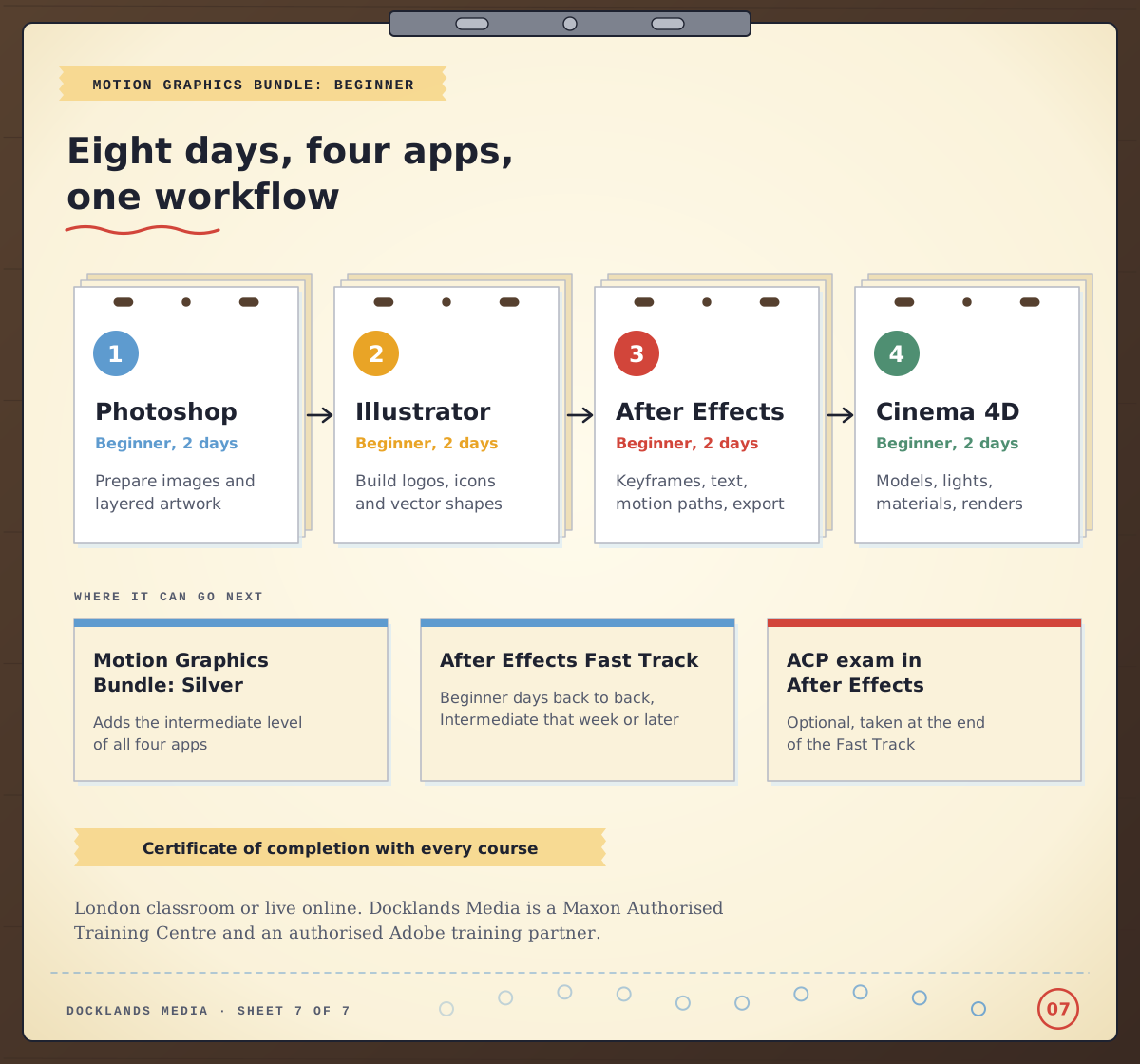
From there, the Motion Graphics Bundle: Silver adds the intermediate level of all four apps, and the Motion Graphics Bundle: Gold goes on to the advanced level. If After Effects is your focus, After Effects Fast Track Silver and After Effects Fast Track Gold prepare you to take and pass the Adobe Certified Professional exam in After Effects at the end of the course. The Beginner days run back to back, and the Intermediate part, also on consecutive days, can follow in the same week or a later one.
Every course includes a certificate of completion, and you can train in our London classroom or live online. Docklands Media is authorised by Adobe, Autodesk, Maxon, Blackmagic Design and Certiport, and we’re a Maxon Authorised Training Centre for Cinema 4D.
Next time a weather map or a logo sting goes past, count how long it holds still and watch where it eases. You’re already thinking like a motion designer.