Plenty of motion designers put off Cinema 4D because they picture months of modelling before anything moves on screen. That isn’t how it works. Most of the 3D you see in idents, title sequences and social loops is built from simple shapes, text and clones, and you can light, animate and render a scene of your own on your second day. If you’re still working out where 3D fits in your work, our guide to what motion design is and our look at what Cinema 4D is used for are good places to start.
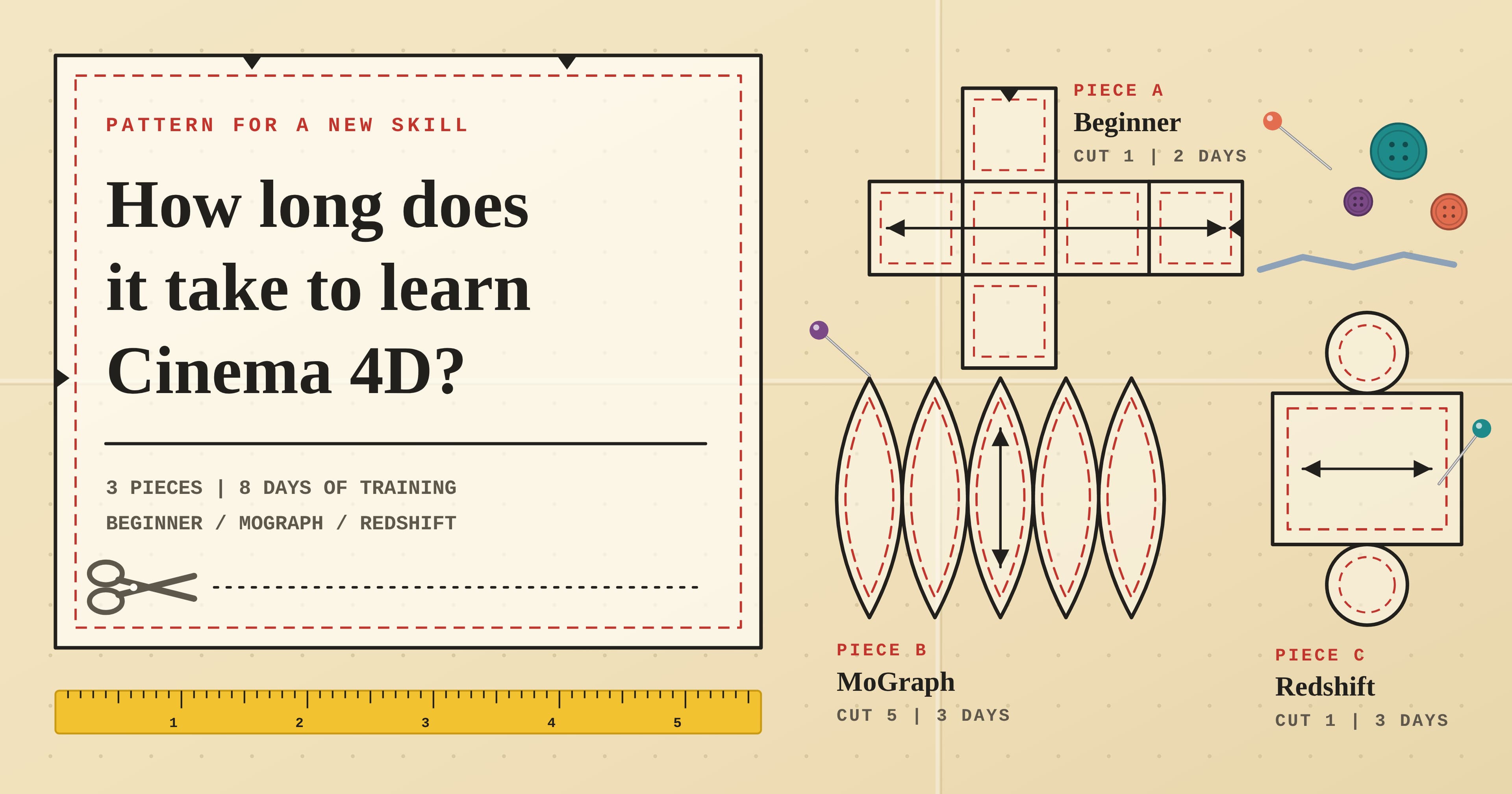
So, how long does it take? With structured training, two days gets you comfortable with the basics, five days takes you through MoGraph, the cloning toolset most motion design runs on, and eight days covers Redshift rendering, XPresso and character basics too. Teaching yourself from tutorials, the same ground usually takes a few months of evenings in our experience, mostly because you spend so much time working out what to learn next. Either way, a few weeks of your own briefs afterwards is what turns the tools into habits.
What you can make after 2, 5 and 8 days
We find it more useful to measure progress by what you can deliver than by hours logged. Here’s our rule of thumb, mapped to what each of our courses actually covers.
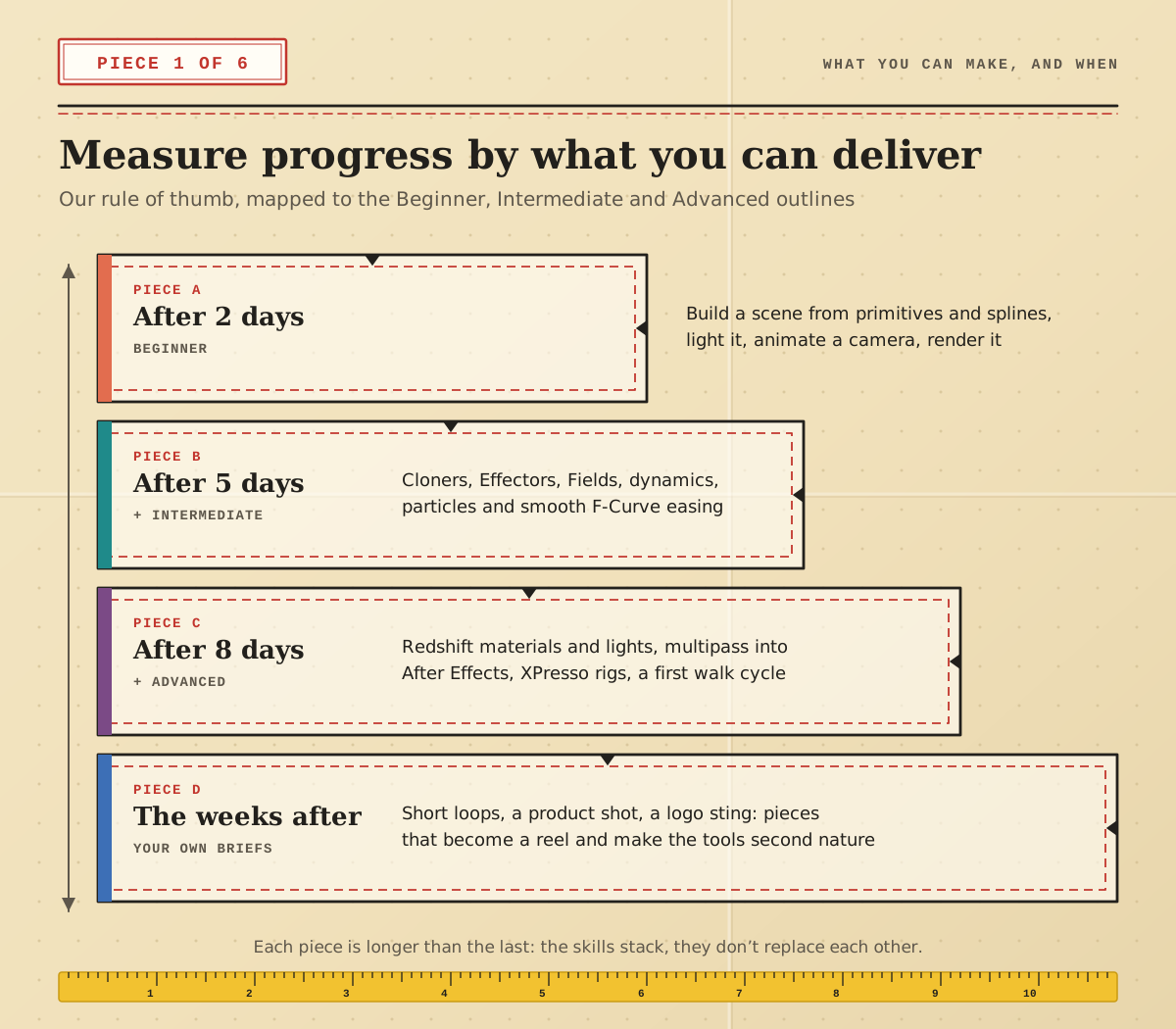
After 2 days. The Cinema 4D Beginner course covers the interface, hierarchies and Nulls, splines, generators such as Extrude, Sweep and Lathe, deformers, three-point lighting, materials, keyframes, cameras and rendering. That’s enough to build, light and animate a simple product or logo scene and export it.
After 5 days. Intermediate is where it starts to feel like motion design: MoGraph Cloners, Effectors and Fields, the F-Curve Manager for smooth easing, dynamics, particles, depth of field and motion blur.
After 8 days. Advanced adds Redshift’s node-based materials and lights, multipass rendering for compositing in After Effects, advanced MoGraph, cloth and soft bodies, XPresso and a first character walk cycle.
The weeks after. Short loops, a product shot, a logo sting. Each finished piece makes the shortcuts automatic and gives you something to show.
Why MoGraph comes before serious modelling
Ask a 3D forum how long Cinema 4D takes and you’ll get answers anywhere from a month to two years. The gap is mostly modelling. Building a detailed character or a car from polygons is the slowest skill in 3D to get good at, and it’s the one a motion designer needs least in the first few months.
MoGraph is the opposite. Three ideas do most of the work:
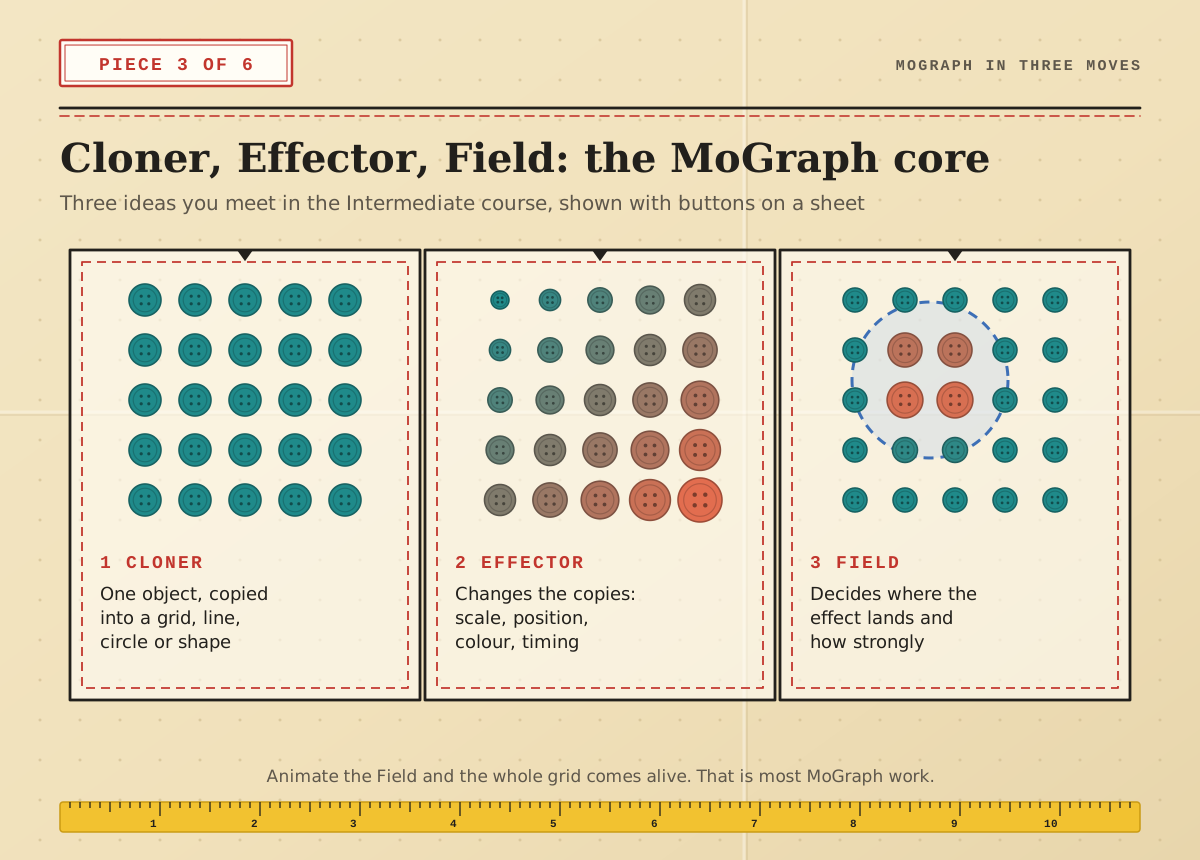
Cloner: one object copied into a grid, a line, a circle or across another shape.
Effector: something that changes the copies, such as their scale, position, colour or timing.
Field: a shape that decides where an effect lands and how strongly.
Animate a Field across a grid of clones and you have the kind of rippling, reacting motion that fills a lot of brand work. So our recommended order for motion designers is: getting around and hierarchies, then splines and generators, then MoGraph, then lighting and materials, then Redshift. Polygon modelling and character work can grow alongside your client work instead of holding it up.
Coming from After Effects: what carries over
If you already animate in After Effects, a lot transfers straight away. Keyframes, easing in a graph editor, parenting to a Null and moving a camera all work in the same spirit. Our post on how long it takes to learn After Effects covers that side, and if you’re new to both, After Effects Beginner is the other half of the pair. What’s new is thinking in objects and hierarchies instead of layers, lighting a scene instead of faking depth, and waiting for renders.
There’s one trap worth knowing about. After Effects comes with Cinema 4D Lite (File > New > Maxon Cinema 4D File), and it’s a fine place to try your first scene. But Lite leaves out polygon modelling, the full MoGraph toolset, dynamics, character animation and Redshift, so you’ll outgrow it quickly.
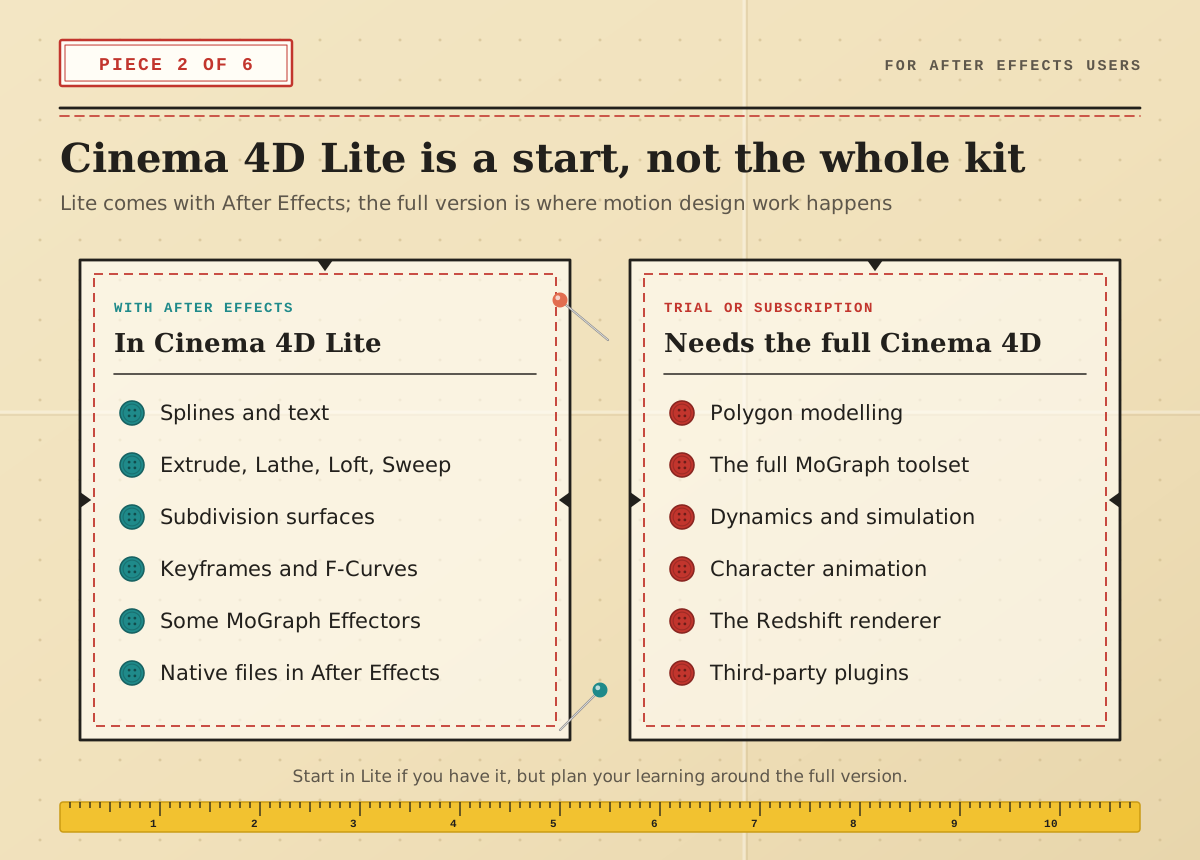
Our advice: start in Lite if you have it, but plan your learning around the full version. The 14-day trial through the Maxon App gives you everything while you learn, and every Cinema 4D subscription includes Redshift. Once you’re rendering in passes, our Cinema 4D and After Effects workflow guide shows how to bring them back into a composition.
Four learners, four plans
Everyone starts with the same two Beginner days. What happens next depends on the work you want to make.
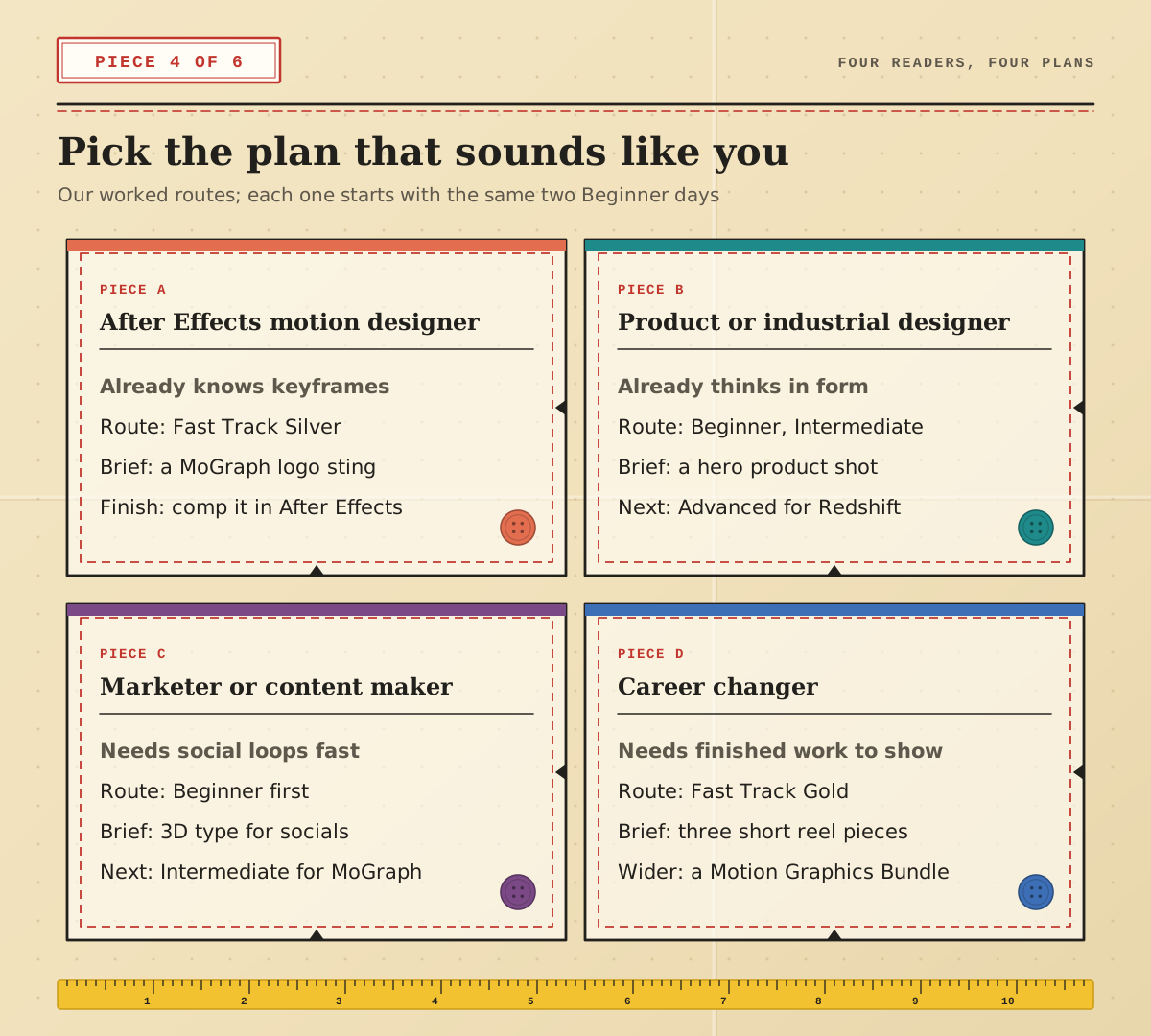
After Effects motion designer. Take the Cinema 4D Fast Track Silver (Beginner plus Intermediate) so you reach MoGraph quickly. First brief: a MoGraph logo sting, rendered in passes and finished in After Effects.
Product or industrial designer. You already think in form, so modelling comes easier. Do Beginner and Intermediate, set yourself a hero product shot, then add Advanced for Redshift lighting. If you’re weighing up other 3D tools, our Cinema 4D vs 3ds Max comparison may help.
Marketer or content maker. Start with the Beginner course and make 3D type for your social channels. Come back for Intermediate when you want animated clones and dynamics.
Career changer. You’ll need finished work to show, so take the Cinema 4D Fast Track Gold and build three short reel pieces straight after. If you want After Effects, Photoshop and Illustrator as well, the Motion Graphics Bundle Silver or Gold covers all four apps. Our Cinema 4D portfolio tips explain what to put in the reel, and if you’re still deciding between programs, here’s our honest take on whether Blender is good enough for professional work.
Fitting a Fast Track around work
The Fast Track Silver runs over five days: two days of Beginner followed by three days of Intermediate. You can take it in one straight week or split it. The Beginner days run back to back and can’t be spread over weeks, and the three Intermediate days can follow in the same week or a later one. The Fast Track Gold adds the three-day Advanced course for eight days in all.
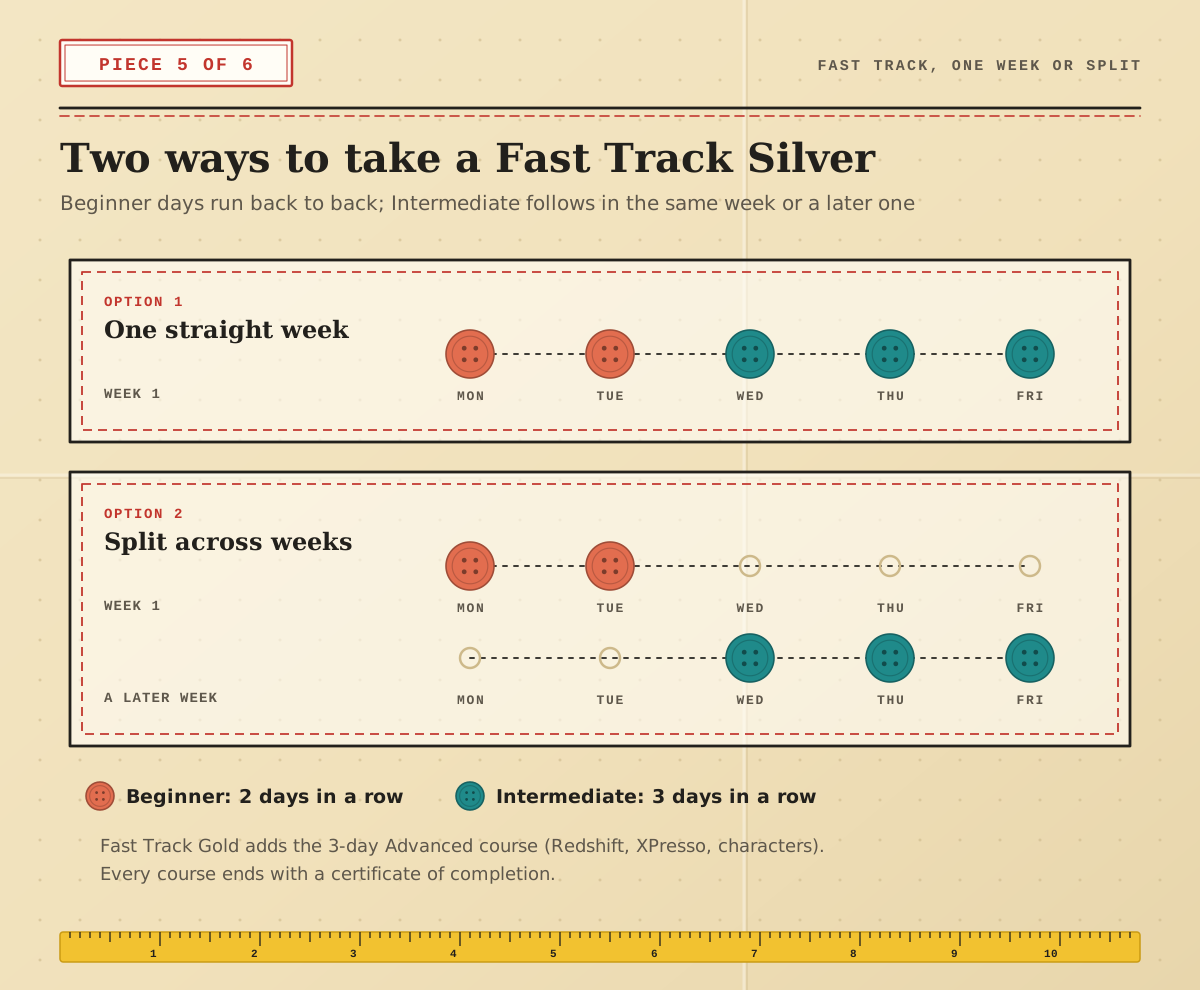
A short gap between levels can actually help. A week of practice between them means you arrive at Intermediate with the basics already in your fingers, and you get more out of the MoGraph sessions.
What slows people down
If you
If you’ve been learning Cinema 4D on and off for a year and still don’t feel confident, it’s usually down to one of these:
rsquo;ve been learning Cinema 4D on and off for a year and still don’t feel confident, it’s usually down to one of these:
Starting with detailed modelling. A month spent on a realistic trainer teaches you polygons but nothing about motion. Build with primitives, splines and clones first.
Tutorial hopping. Following ten half-finished tutorials leaves gaps that a structured outline wouldn’t. Finish one thing before starting the next.
Changing renderers too early. Learn to light with the built-in renderers until shadows and reflections make sense, then move to Redshift. The node materials are far easier once you know what you want them to do.
Never rendering. A scene that only lives in the viewport hasn’t taught you about render settings, passes or export. Render something every session, even a ten-frame test.
How to tell you’re ready for the next step
Hours are a poor guide, so use this self-check instead. If you can tick every box in a group, move up a level.
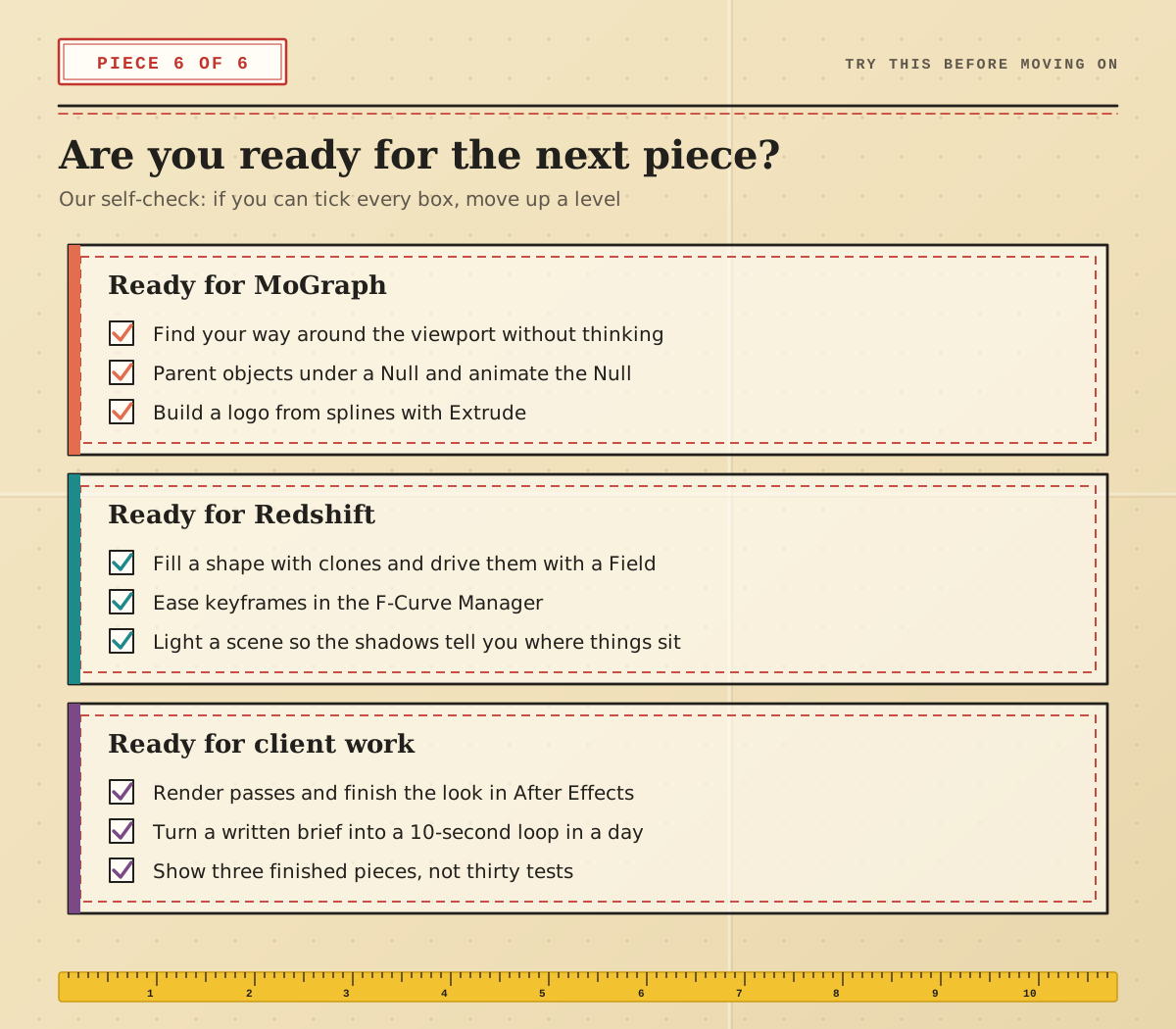
The last group matters most if you’re aiming for paid work. Three finished, well-lit pieces say far more about you than thirty unfinished tests, and producing them is what turns eight days of training into real fluency.
Learn Cinema 4D with Docklands Media
Docklands Media is a Maxon Authorised Training Centre, and Ozgur, who runs it, is a Maxon Master Trainer. We’re also authorised by Adobe, Autodesk, Blackmagic Design and Certiport. Courses run in London or live online, from the two-day Cinema 4D Beginner to the Fast Track Gold, and the Motion Graphics Bundle Beginner pairs Cinema 4D with After Effects, Photoshop and Illustrator. Every course ends with a certificate of completion. Start with two days, make something that moves, and let your next brief decide how far you go.