The first independent film ever to win the Oscar for Best Animated Feature was made entirely in Blender. Flow, the wordless story of a cat riding out a great flood, was rendered in EEVEE, Blender’s real-time engine, on the director’s own computer. There was no render farm and no compositing stage, and most 4K frames took somewhere between half a second and ten seconds.
So yes, Blender is used professionally, and not only on one surprise hit. Makuta VFX delivered 700 visual effects shots for RRR with Blender at the centre of its pipeline, Ubisoft made a 70-minute Rabbids special with it, and Tangent Animation built Netflix’s Next Gen in it. Whether it’s good enough for your work is a narrower question. It usually comes down to who receives your files, who you work alongside, and what the client expects to be handed at the end.
This guide looks at how those productions really used it, the four tests we use to judge any tool, four common situations with our call on each, and how our Blender Intermediate course gets you to a standard clients will pay for.
Where Blender is already earning its keep
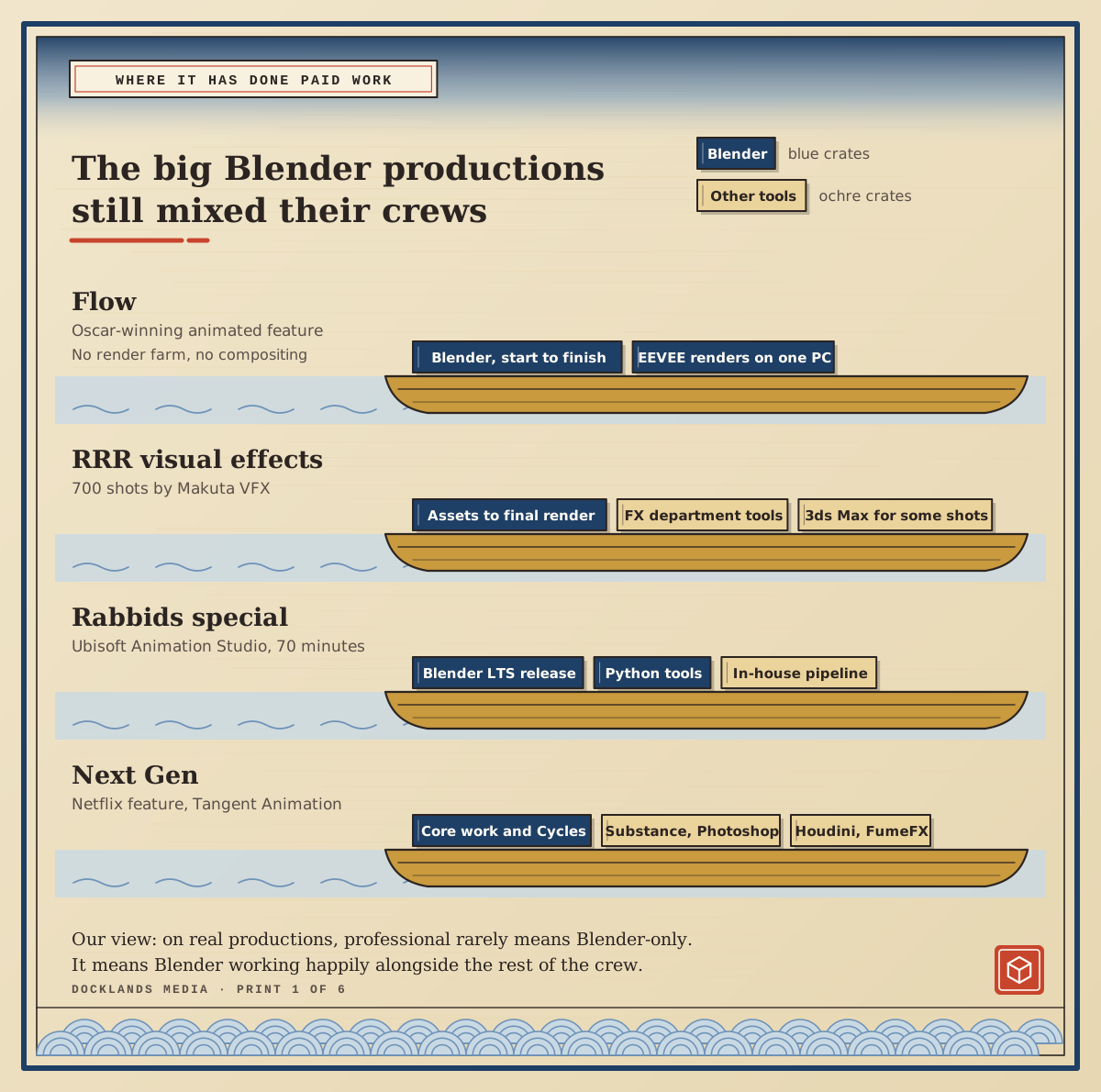
On Flow, Blender did everything: modelling, animation, lighting and the final render, with colours adjusted in the shaders rather than in a separate compositing program. The director moved across from Maya largely because of EEVEE, and many of the animators who joined him took less than a week to switch.
Makuta VFX had been a 3ds Max studio for years before it moved most of its pipeline to Blender for RRR. Everything from asset production to final rendering ran through Blender, while the FX department kept its own tools and some work, including the fireworks and one early sequence, was done in 3ds Max.
For the Rabbids special, Ubisoft Animation Studio picked a Blender LTS release for stability. Its partner studio, Supamonks, built a Blender pipeline for final assets, lighting and rendering in a few months, connected to Ubisoft’s in-house tools through Blender’s Python API. On Next Gen, Tangent did its core work in Blender and rendered in Cycles, with Substance Painter and Photoshop for surfacing and Houdini and FumeFX for some of the effects.
Our view: look at that list again and a pattern stands out. Apart from Flow, none of these productions was Blender-only. Professional use of Blender mostly means Blender working alongside other software, which is how studios use every 3D package. The useful question isn’t “can Blender do everything?” but “can it do my part and pass it on cleanly?”
What does “professional” actually mean?
Forum arguments about Blender tend to be about features. In our experience, features are rarely what decides it. When we judge whether a tool is good enough for a particular job, we run four tests.
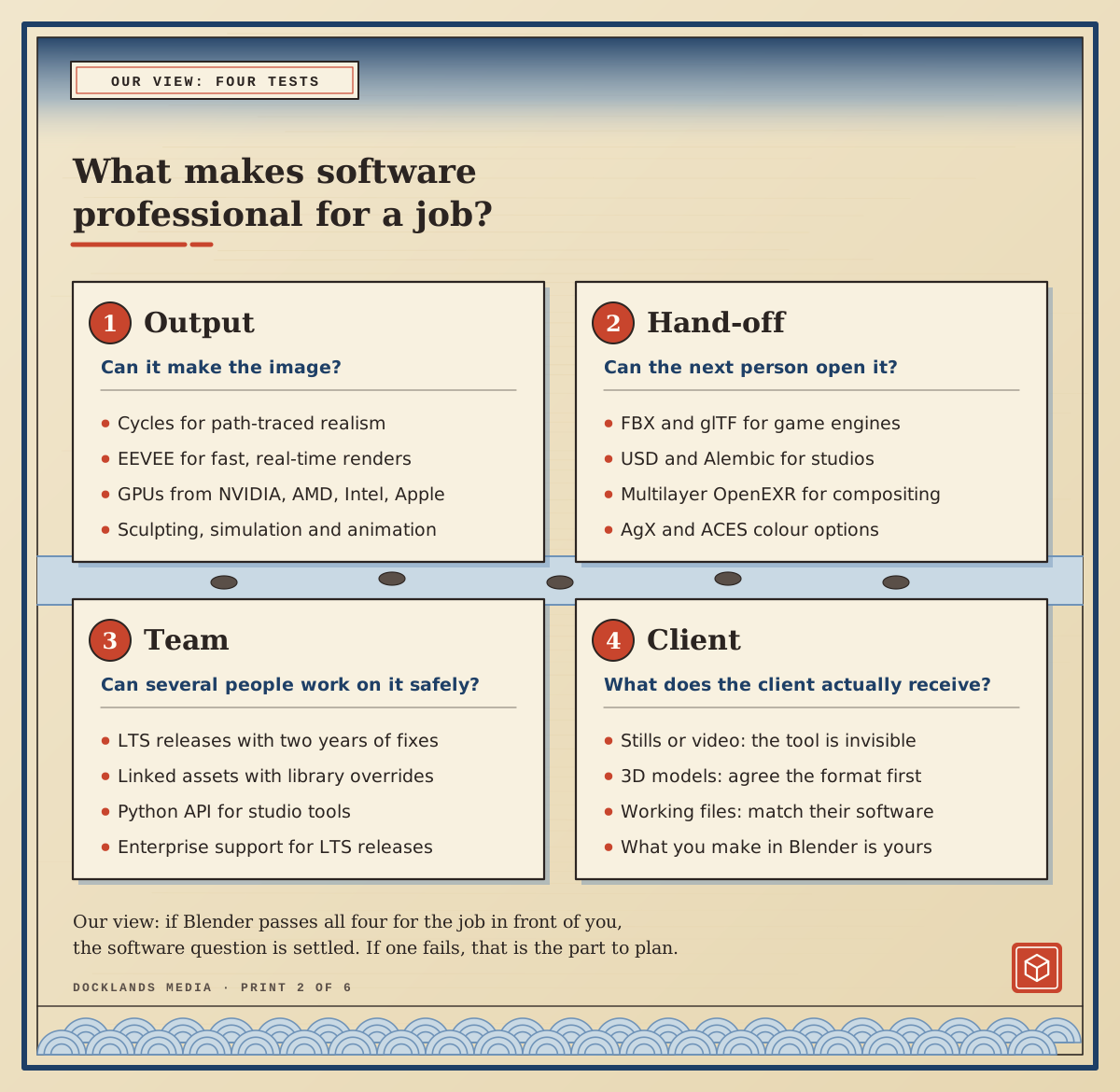
Output: can it make what the job needs? Blender has Cycles for path-traced realism and EEVEE for fast real-time renders, plus sculpting, simulation and a full animation toolset. Cycles renders on GPUs from NVIDIA, AMD, Intel and Apple.
Hand-off: can the next person open it? Blender imports and exports FBX, glTF 2.0, USD, Alembic, OBJ and STL. It writes multilayer OpenEXR files that keep render passes separate for compositing, and offers AgX and ACES colour views with an ACEScg working space.
Team: can several people work on it safely? LTS releases get two years of critical fixes with no new features or API changes, so a studio can lock one version for a whole project. Linked assets with library overrides let many shots share one rigged character, and enterprise support for LTS releases is available from Canonical.
Client: what do they actually receive? This one depends on the client, not the software, and it’s where most of the real decisions happen.
For most jobs Blender passes the first three comfortably. The fourth is the one worth thinking about before you commit.
Who gets your files?
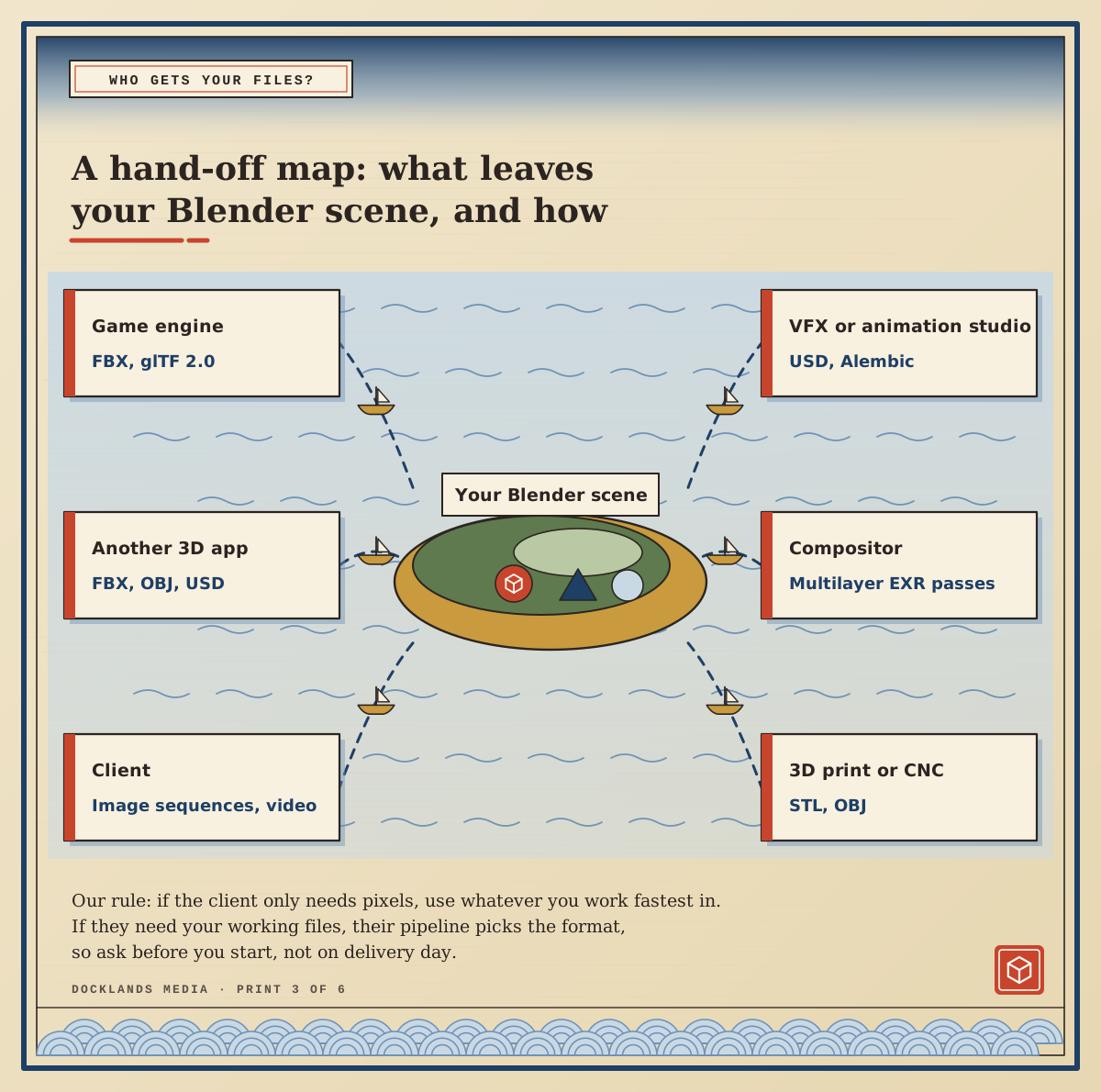
Our view, and the rule we give students: if the deliverable is pixels, meaning stills, video or an image sequence, the software is invisible. Nobody can tell from a JPEG which program made it, and very few clients ask. If the deliverable is working files, the receiving pipeline chooses. An agency that edits your scenes in Cinema 4D needs Cinema 4D scenes. A game studio needs FBX or glTF that drops cleanly into its engine. A VFX house may want USD or Alembic caches and EXR passes.
Blender covers most of those exchange formats, so the question is rarely whether it can export. It’s whether what arrives behaves the way the other team expects. Materials, rigs, scale and colour don’t always travel perfectly between programs, so send a small test file early and agree the colour space before the real work starts, not on delivery day.
Four people, four answers
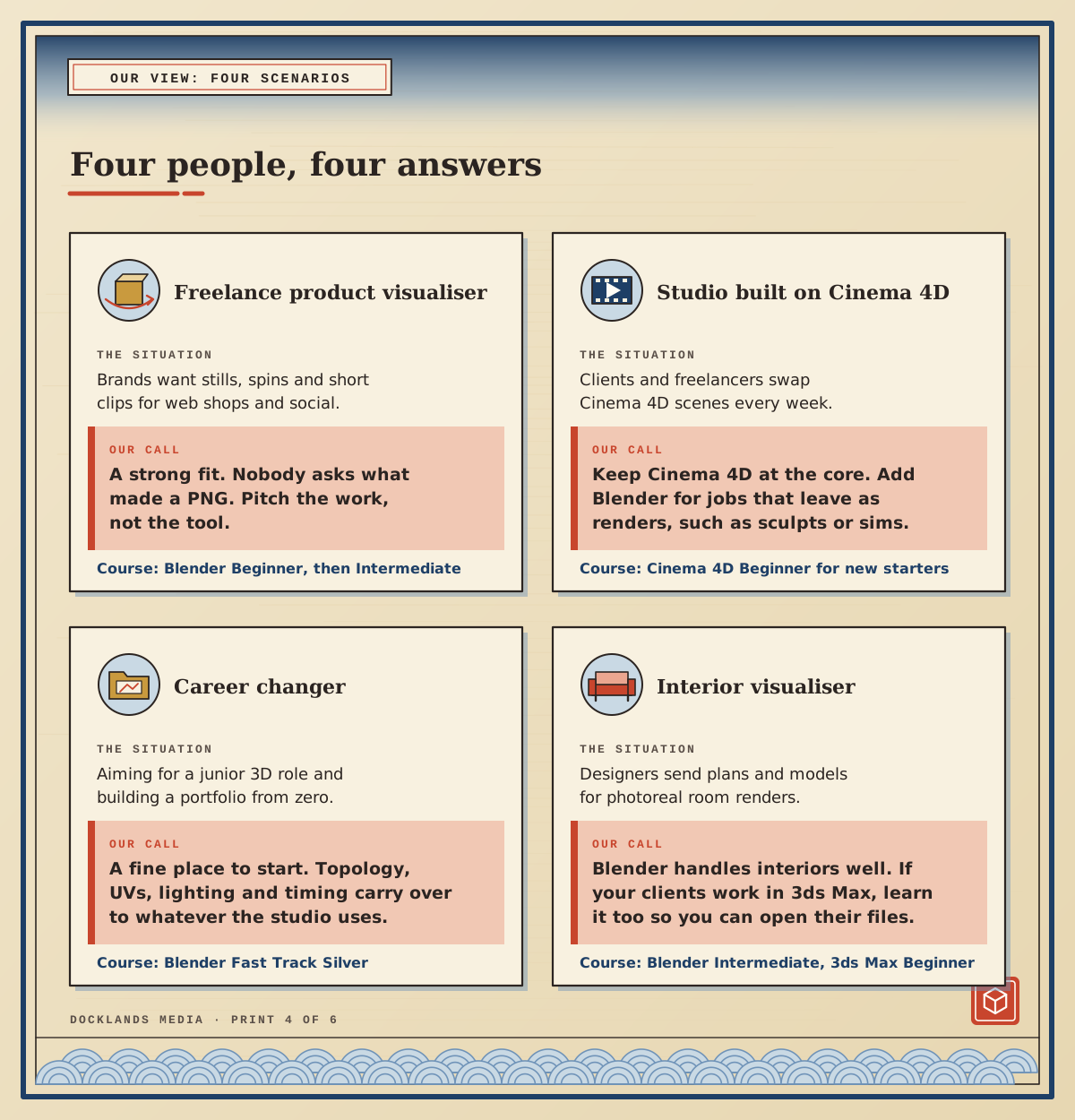
Here’s how that plays out in four situations we hear about often. These are our calls, not rules.
The freelance product visualiser. Brands want stills, turntables and short clips for web shops and social. Blender is a strong fit here, because the client receives finished pixels. Start with Blender Beginner, then move on to Blender Intermediate for studio lighting and render settings that hold up on a product page.
The designer in a Cinema 4D studio. If clients and freelancers swap Cinema 4D scenes every week, keep Cinema 4D at the core and add Blender for jobs that leave the building as renders, such as sculpts or simulations. New starters in that kind of studio should take Cinema 4D Beginner, and our post on what Cinema 4D is used for shows where it fits in motion design.
The career changer. Blender is a sensible place to learn 3D. Topology, UVs, lighting and animation timing carry over to whatever package a studio uses, and what gets you shortlisted is the work itself. Our portfolio tips were written with Cinema 4D artists in mind, but most of the advice applies whatever software you use. Blender Fast Track Silver takes you through both levels in one go.
The interior visualiser. Blender handles interiors well, from daylight systems to studio-style lighting. If the architects and designers you work for send 3ds Max scenes, learn 3ds Max as well so you can open their files without a conversion step.
Free to use is not the same as free to run
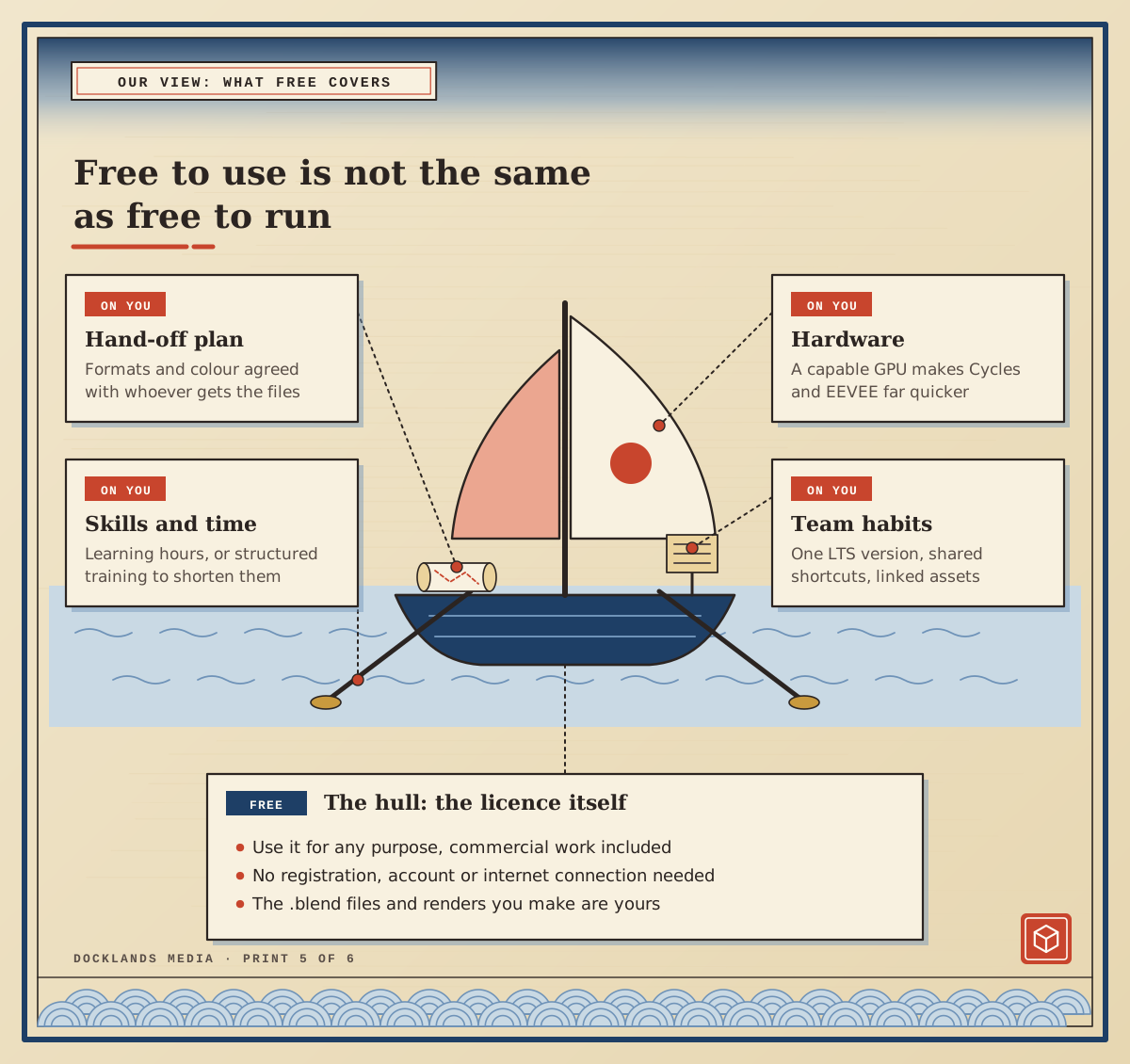
The licence really is free. Blender is released under the GNU GPL, so you can use it for any purpose, commercial work included, with no registration and no internet connection. Everything you make with it, from renders to .blend files, belongs to you. Add-ons you build on its Python API have to be shared under a GPL-compatible licence, but you can still sell them.
Our view: the licence is only the hull of the boat. To run Blender professionally you still need a capable GPU, time to build skills, a hand-off plan and some team habits. Flow’s director found that last one out in a small way: once he was working in a studio, his heavily customised keyboard shortcuts caused trouble whenever he showed something on a colleague’s computer. Flow’s animators also stayed on a single Blender version for the whole of production, which is a good habit to copy. Pin one version, ideally an LTS release, per project, keep shortcuts close to the defaults, and link shared assets rather than copying them between files.
How do you get to a professional standard?
Most people who come to us have already tried tutorials. What usually holds them back is gaps: they can follow a video but can’t take a brief from an empty scene to a finished render. That’s the gap our courses are built around.
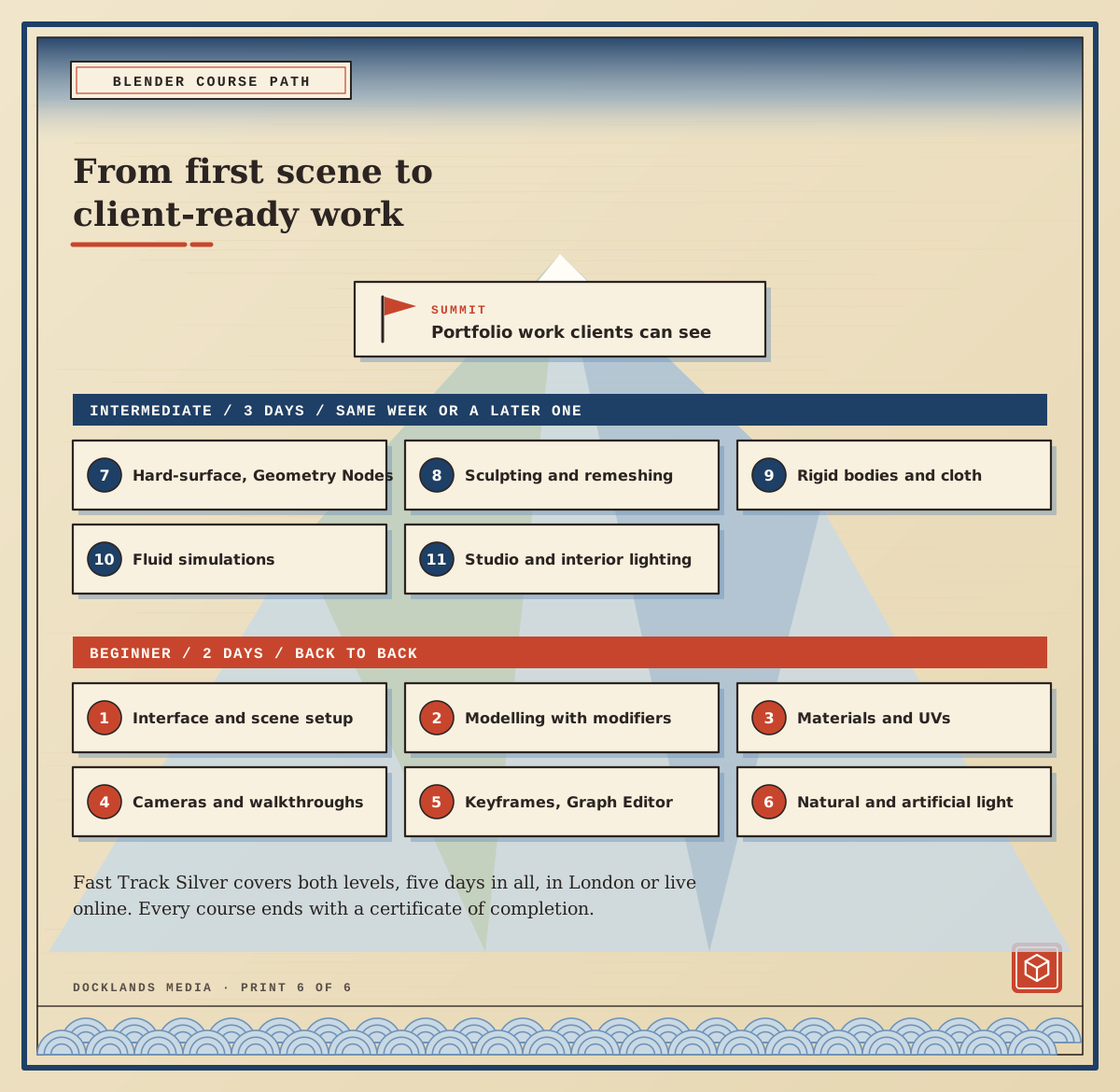
Blender Beginner runs over two consecutive days and covers the interface and scene setup, modelling with curves, Booleans and modifiers, materials, textures and UV unwrapping, cameras and walkthroughs, keyframes in the Dope Sheet and Graph Editor, and lighting and rendering in Cycles and EEVEE.
Blender Intermediate is three days, and it can follow in the same week or a later one. It moves on to hard-surface modelling and Geometry Nodes, sculpting with Dyntopo and remeshing, preparing models for 3D printing, rigid body, cloth and fluid simulations, and advanced rendering with daylight, interior and studio lighting set-ups.
Blender Fast Track Silver combines both levels in five days. The Beginner days run back to back, and the Intermediate part can follow straight on or in a later week. Docklands Media is authorised by Adobe, Autodesk, Maxon, Blackmagic Design and Certiport. Every course includes a certificate of completion, and you can train in our London classroom or live online.
If you can take a brief, model, light and render a scene, and deliver it in the format the client needs, Blender is good enough for professional work. The rest is practice and a portfolio that shows it.



