
Picture a company logo. In Cinema 4D you can extrude it into a solid 3D shape, clone it into a wall of a few hundred copies that ripple in time to a music track, fly a camera through the middle, light it and render a ten-second sting for a TV channel or a social feed. All of that happens in one program, and you’d hardly need to set a keyframe.
That small job sums up what Cinema 4D is used for. It’s Maxon’s 3D software for modelling, animation, simulation and rendering, and it’s best known for motion graphics: channel idents, title sequences, brand animation and social content. It’s also used for product and packaging visuals, advertising effects, event and stage visuals, data visualisation, game assets and some architectural work. A lot of what it makes gets finished in After Effects.
We teach Cinema 4D as a Maxon Authorised Training Centre, and our lead trainer, Ozgur Gorgun, is a Maxon Master Trainer. So rather than stop at a list of industries, this guide looks at which feature earns Cinema 4D each job, what UK job ads actually ask for, and how to tell whether it’s the right 3D app for you.
Where you’ve already seen it
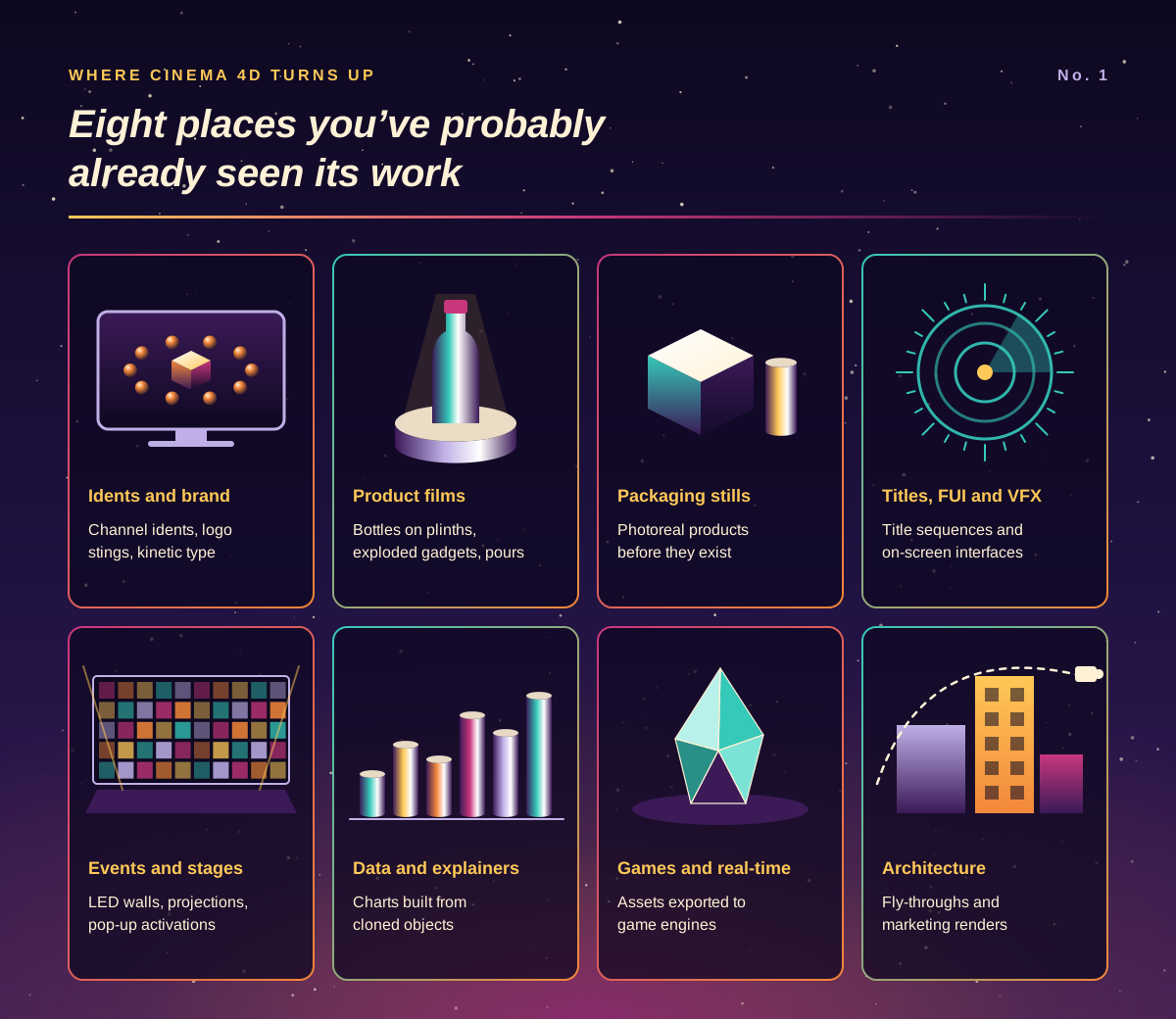
Cinema 4D’s work is mostly on screens rather than in the credits. Some of the places it turns up:
Broadcast and brand animation: channel idents, sports graphics, logo stings and kinetic type.
Advertising and product films: a bottle turning on a plinth, a phone breaking apart into its components, juice pouring over fruit.
Packaging and e-commerce stills: photoreal images of products that haven’t been manufactured yet, or that would be expensive to photograph in every colour.
Titles, film and VFX: title sequences, futuristic on-screen interfaces (often called FUI) and simulation shots. Maxon’s own showcase credits Territory Studio’s work on Pacific Rim, for example.
Events and experiential: content for LED walls, stage screens, projections and pop-up brand activations.
Data visualisation and explainers: charts and diagrams built from cloned objects that grow, stack and rearrange.
Games and real-time: assets and environments for game engines. Maxon lists FBX, Alembic, USD and glTF support, plus a Cineware link to Unreal Engine.
Architectural visualisation: interior and exterior renders and fly-throughs, although, as the job ads below show, it isn’t the first choice in most architecture practices.
The feature that wins each job
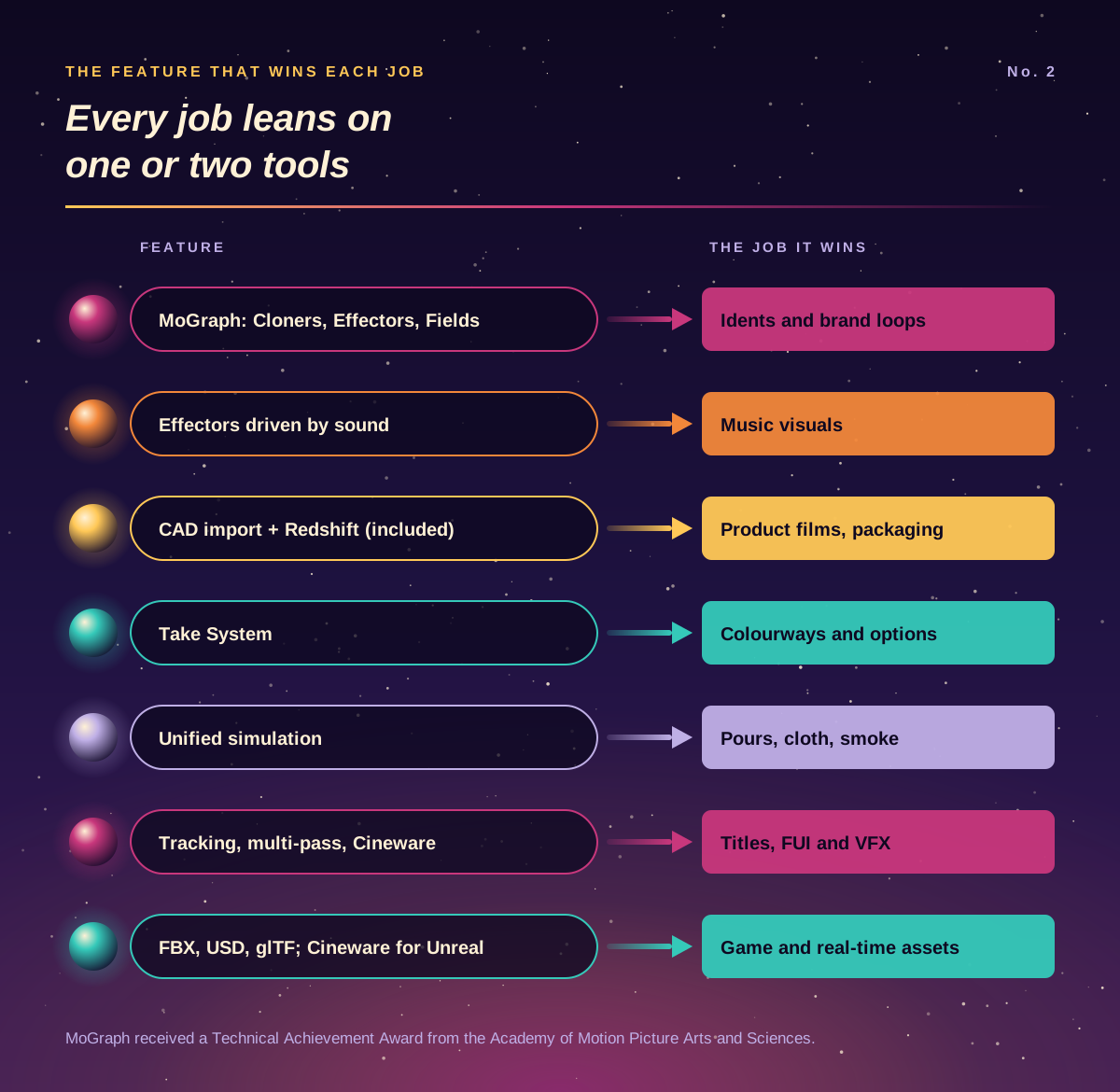
A list of industries doesn’t explain much on its own. What makes Cinema 4D useful is that each kind of job leans on one or two specific tools. Here’s how we’d match them up:
Job | The feature doing the work | Why it matters |
|---|---|---|
Idents, logo stings, abstract brand loops | MoGraph Cloners, Effectors and Fields | Change one setting and hundreds of copies update, so late client changes don’t mean re-animating |
Music-driven visuals | MoGraph effectors driven by sound | Animation reacts to an audio track without hand-placed keyframes |
Product launch films and packaging | CAD import (such as STEP, CATIA and SolidWorks) and Redshift | Start from the manufacturer’s files and render photoreal images; Redshift is included with every Cinema 4D subscription |
Colourways and design options | Take System | One scene holds several versions of materials, lighting and cameras |
Pours, splashes, cloth, smoke | Unified simulation: rigid and soft bodies, cloth, ropes, particles, Pyro and liquids | Different simulation types interact in one scene, on the CPU or GPU |
Titles, FUI and VFX shots | Motion tracking, multi-pass rendering and Cineware for After Effects | Renders drop into an After Effects composite as separate, adjustable passes |
Game and real-time assets | FBX, Alembic, USD and glTF; Cineware for Unreal | Models and animation move into game engines and other 3D apps |
MoGraph is the one people mention first, and with reason: the Academy of Motion Picture Arts and Sciences gave it a Technical Achievement Award. Our reading is that the common thread is change. Motion and marketing work gets revised constantly, and procedural tools like Cloners, Fields and Takes let you adjust a setting instead of rebuilding a scene.
What UK job ads say about where it’s used
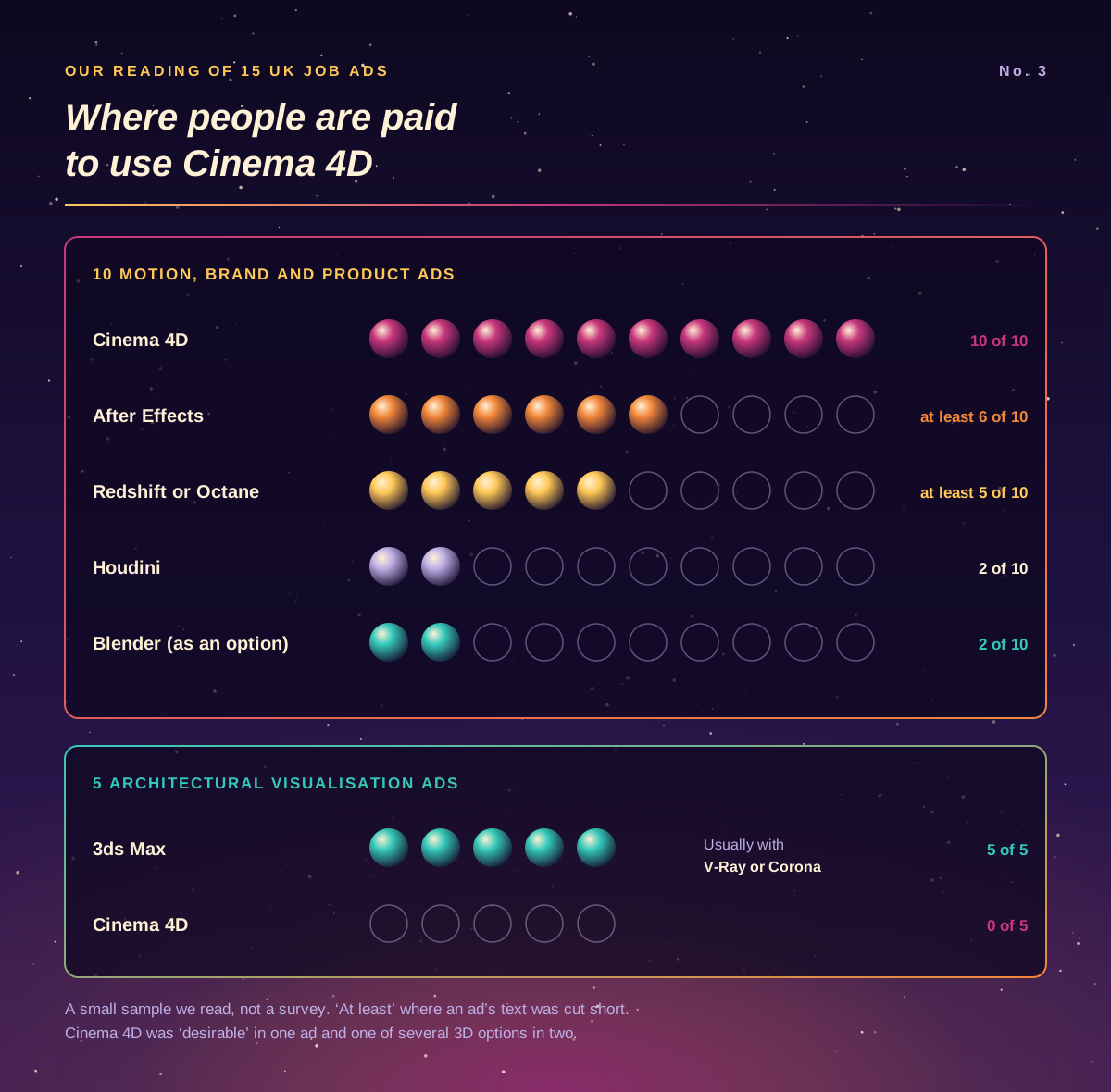
Software websites tell you where a program could be used. Job ads tell you where people are paid to use it. We read 15 UK ads for 3D and motion roles, ten in motion, brand and product work and five in architectural visualisation. It’s a small sample, not a survey, but a few patterns stood out:
Cinema 4D was named in all ten motion, brand and product ads, from a branding agency’s packaging visualiser to a Soho studio making work for social, TV and digital billboards. In one it was “desirable” rather than essential, and in two it was one of several acceptable 3D apps.
It rarely travels alone. At least six of those ten also asked for After Effects, and at least five wanted Redshift or Octane, both GPU renderers.
Product work often starts from client CAD. Two ads described turning manufacturers’ CAD files into photoreal CGI for launch films and social cut-downs.
Heavy simulation brings in Houdini. The two ads built around particle and fluid effects asked for Houdini alongside Cinema 4D, not instead of it.
Architecture practices hire for 3ds Max. All five architectural visualisation ads asked for 3ds Max, usually with V-Ray or Corona. None mentioned Cinema 4D.
Blender is appearing as an alternative. Two generalist CGI ads listed it as an option next to Cinema 4D.
Our takeaway: Cinema 4D is strongest where 3D meets brand, motion and marketing, and anyone aiming at that work should plan to learn After Effects as well. Our After Effects Beginner course is the usual partner to the Cinema 4D one.
Four briefs, four answers
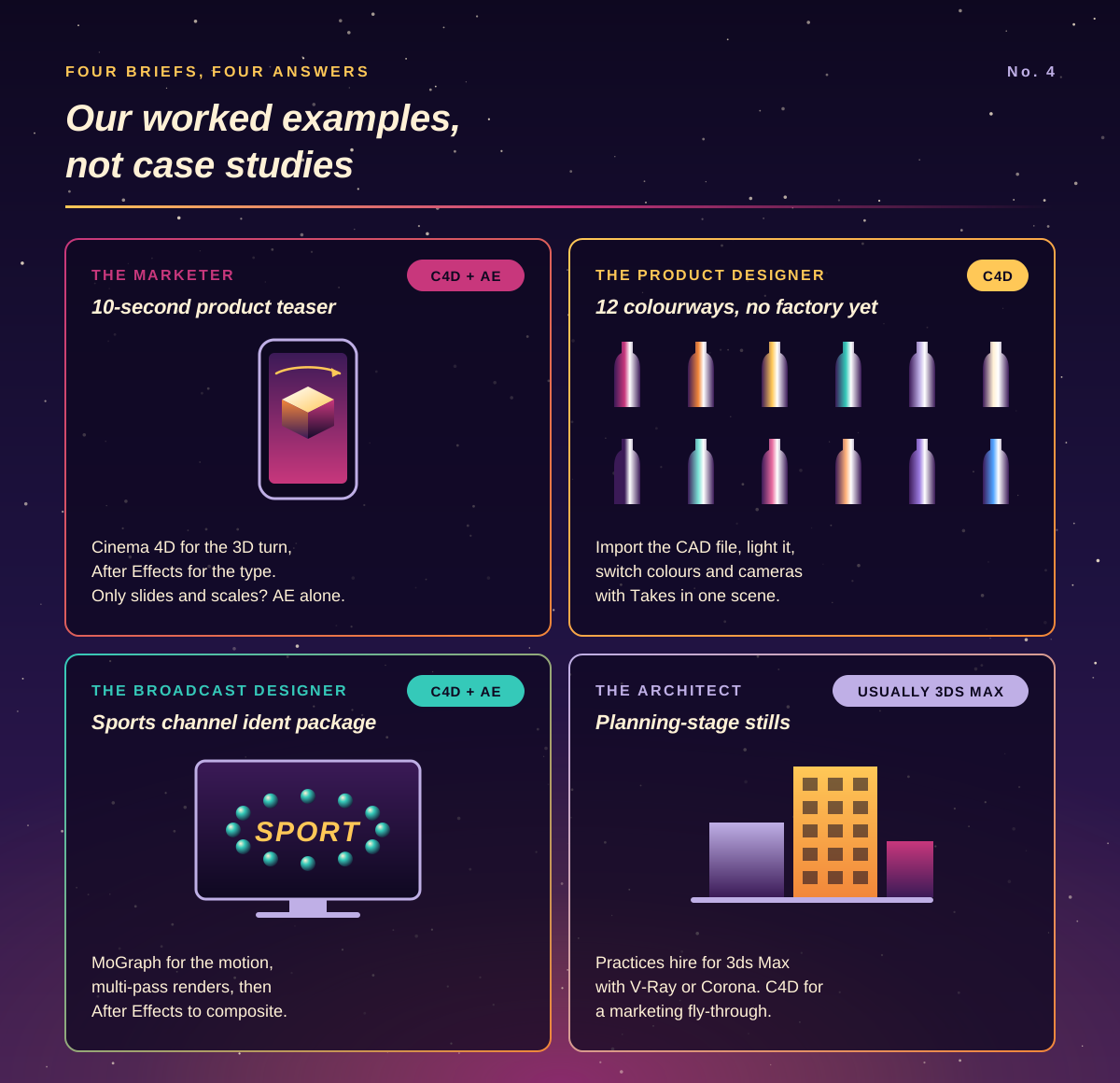
Here’s how we’d approach four briefs a beginner might be handed. They’re our own worked examples rather than case studies.
The marketer: a ten-second product teaser for social media. If the product only needs to slide, scale and sparkle, After Effects alone may be enough; see what you can make after an After Effects beginner course. If it needs to turn in 3D, catch the light and land on a plinth, build or import it in Cinema 4D, render it, and add the type in After Effects. The two-day Cinema 4D Beginner course covers modelling, materials, lights, cameras and rendering for a shot like this.
The product designer: twelve colourways of a new water bottle for a retailer’s website, before the factory has made one. Import the CAD file, set up materials and studio lighting, and use Takes to switch colours and camera angles within a single scene. It’s cheaper to change than a photo shoot, and the images stay consistent.
The broadcast motion designer: an ident and stings package for a sports channel. This is Cinema 4D’s home ground: MoGraph for the motion, multi-pass renders for control, and After Effects for compositing and type. Our guide to the Cinema 4D and After Effects workflow covers the hand-off between the two.
The architect: planning-stage stills for a housing scheme. To be honest, we’d point most architects to 3ds Max with V-Ray or Corona, because that’s what practices hire for; our 3ds Max Beginner course is the place to start. Cinema 4D makes more sense if the brief is a marketing fly-through with animated graphics, or you already use it for motion work. Our Cinema 4D vs 3ds Max comparison goes into the details.
Cinema 4D, Blender, Maya or 3ds Max?
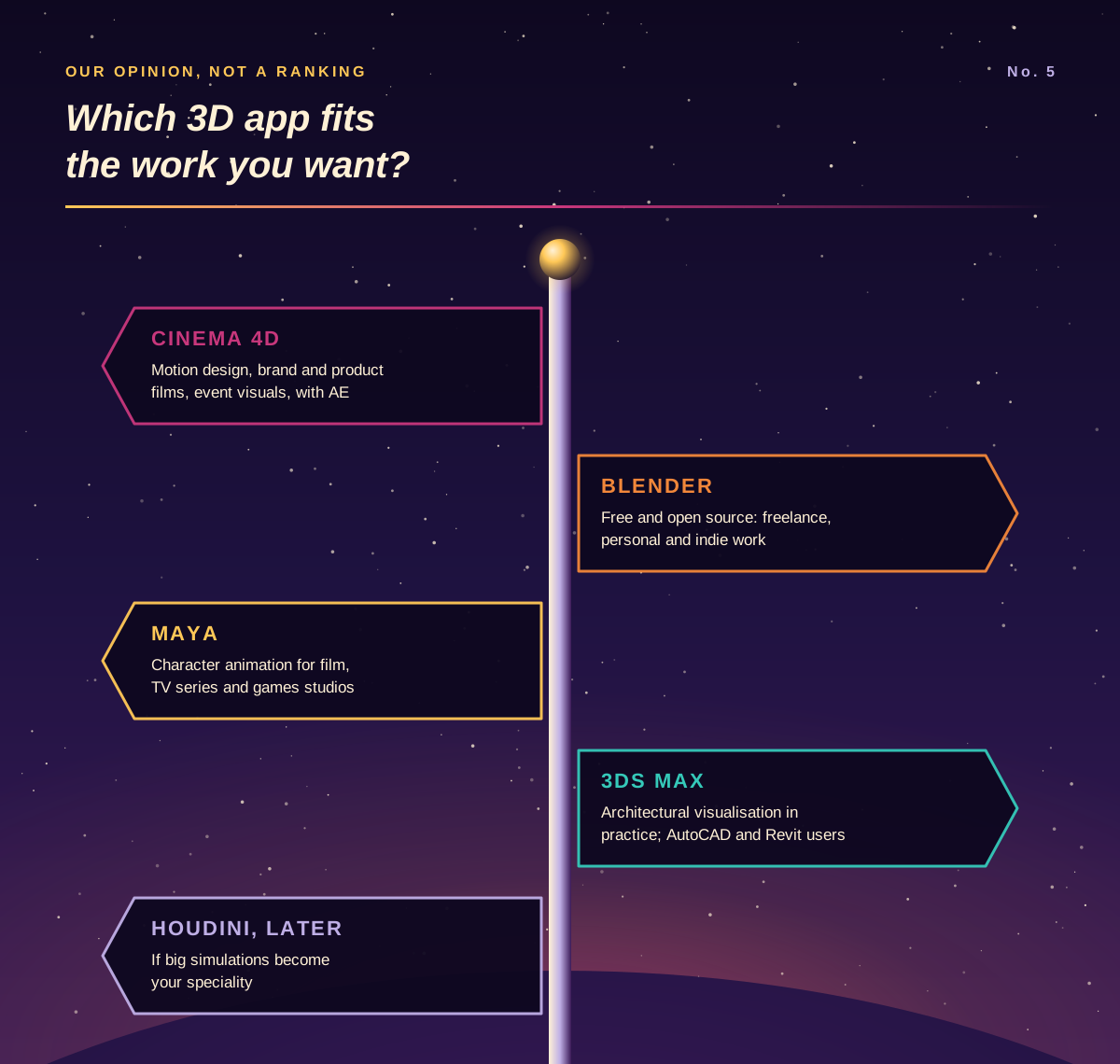
All four can model, animate and render, so the right choice depends on the work you want. Here’s our rule of thumb. It’s opinion, not a ranking:
Cinema 4D if you want motion design, brand animation, product films or event visuals, especially alongside After Effects. It was the 3D app every motion-studio ad above asked for, and Maxon describes it as the most approachable professional 3D software.
Blender if cost decides it, or you’re freelancing or making personal and indie work. It’s free and open source, and our Blender Beginner course covers the essentials.
Maya if you’re aiming at character animation for film, TV series or games studios, where it has long been the standard tool.
3ds Max if you’re heading into architectural visualisation in a practice, or you already work with AutoCAD and Revit.
Houdini is the specialist to look at later if large simulations become your thing.
Plenty of artists end up using two. The core skills carry over, because cameras, lighting, materials and animation curves follow the same principles in every 3D app.
From first render to client work: the learning path
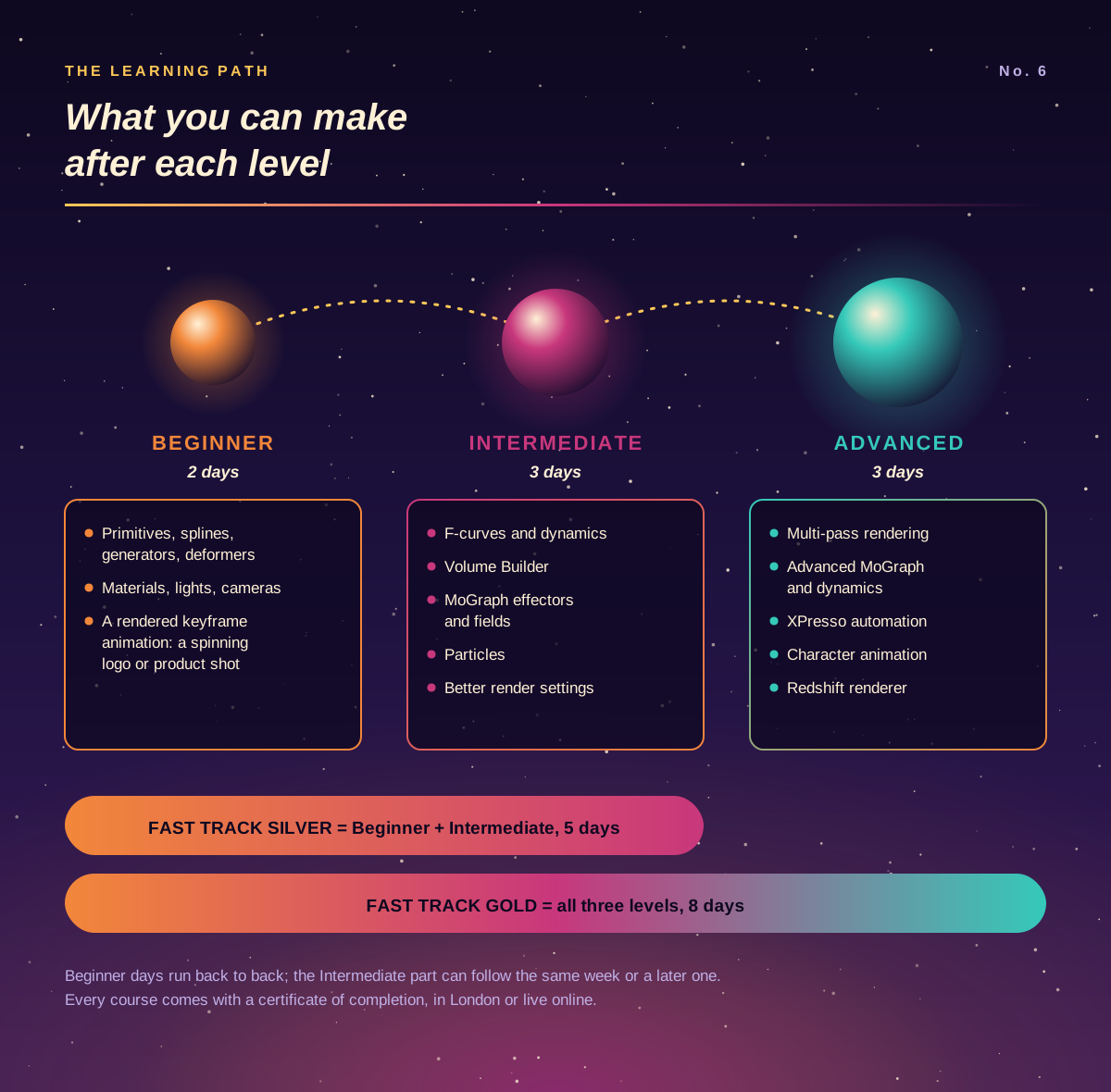
Most people learn Cinema 4D in roughly the order our courses follow, so here’s what you can make at each stage:
After Cinema 4D Beginner (two days): objects built from primitives, splines, generators and deformers, with materials, lights and cameras, and a short keyframed animation rendered out. A spinning logo or a simple product shot is a realistic first project.
After Cinema 4D Intermediate (three days): F-curve animation, dynamics with rigid bodies, Volume Builder modelling, MoGraph with effectors and fields, particles and better render settings. This is where most of the motion graphics work described above opens up.
After Cinema 4D Advanced (three days): multi-pass rendering for compositing, advanced MoGraph and dynamics, vertex maps, XPresso automation, character animation and the Redshift renderer.
If you’d rather do it in one go, Cinema 4D Fast Track Silver combines Beginner and Intermediate over five days, and Cinema 4D Fast Track Gold adds Advanced for eight days in all. The Beginner days run back to back, and the Intermediate part can follow in the same week or a later one. For a motion design career, the Motion Graphics Bundle: Beginner puts Cinema 4D together with After Effects, Photoshop and Illustrator. Every course comes with a certificate of completion, in London or live online. When you have a few projects, our tips for building a strong Cinema 4D portfolio will help you present them.
Trying Cinema 4D before you commit
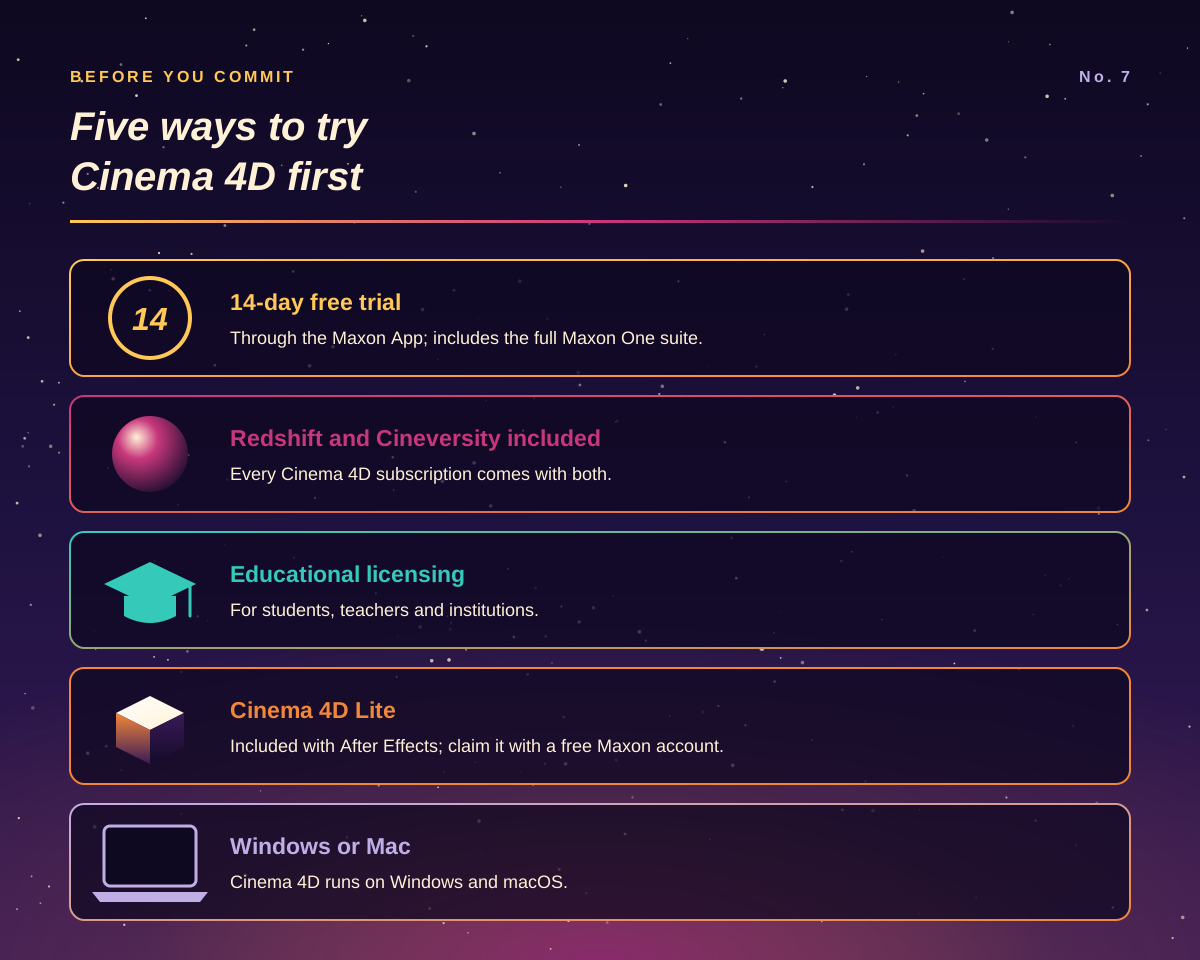
Free trial: Maxon offers a 14-day trial through the Maxon App, and it includes the full Maxon One suite.
What a subscription includes: every Cinema 4D subscription comes with the Redshift renderer and Cineversity, Maxon’s own training library.
Education: Maxon has educational licensing for students, teachers and institutions.
Already have After Effects? It includes Cinema 4D Lite, a cut-down version you activate with a free Maxon account.
Your computer: Cinema 4D runs on Windows and macOS.
Docklands Media is a Maxon Authorised Training Centre and is also authorised by Adobe, Autodesk, Blackmagic Design and Certiport. If you’re still weighing up whether 3D is for you, our 10 reasons to learn Cinema 4D is a lighter read to finish on.