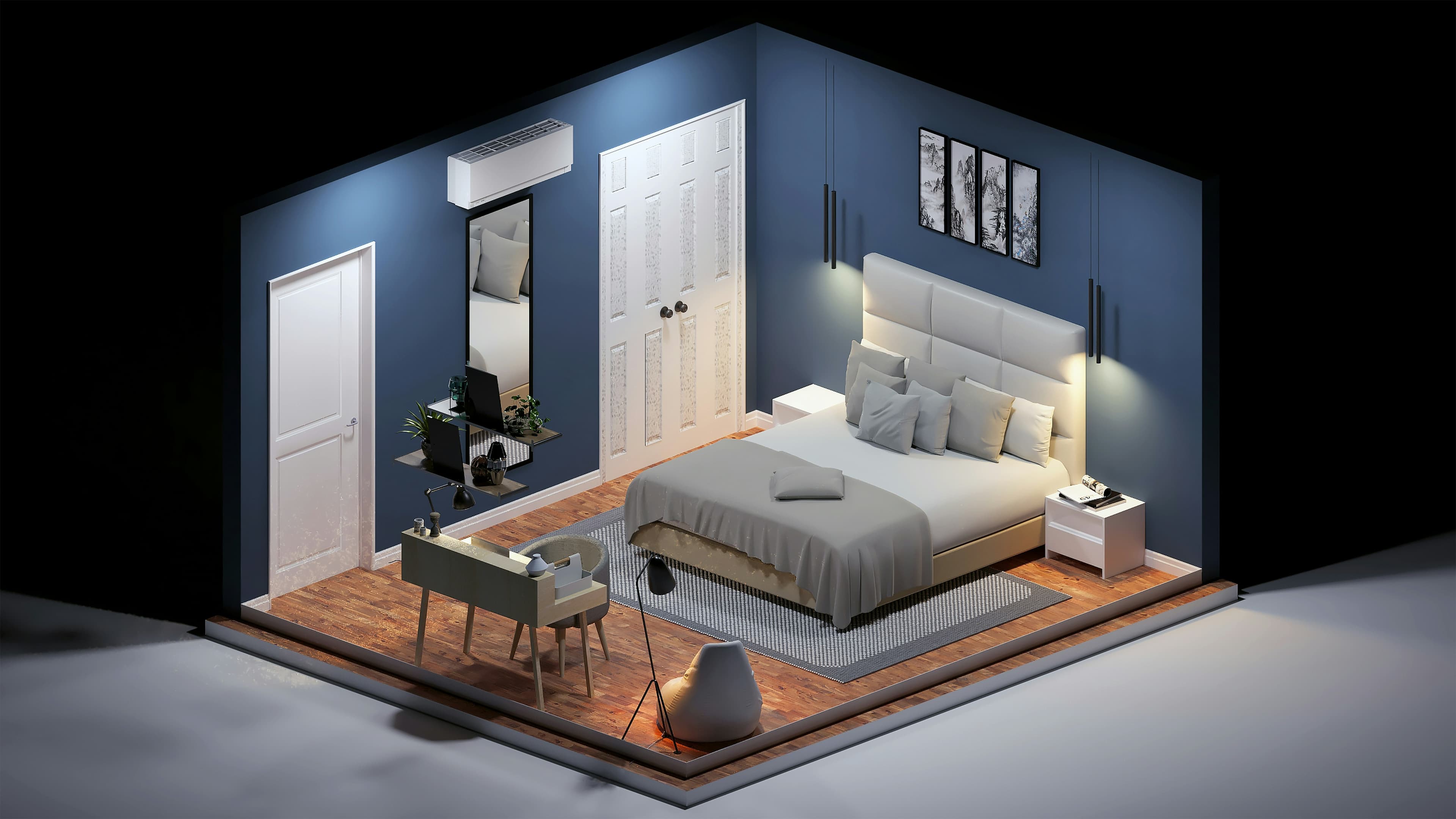
Build a solid foundation in 3D design with this two-day Beginner 3ds Max course. Learn essential modelling, texturing, lighting, and animation techniques through hands-on projects. Develop the skills to create professional 3D scenes. Book your place and start your 3D journey.

Autodesk 3ds Max is one of the most powerful tools in 3D design, animation, and visualisation. This beginner course provides a complete introduction to the software, equipping you with the essential knowledge to create professional-quality 3D models and scenes from scratch.
You’ll start by learning how to navigate the 3ds Max interface, set up projects, and manage your workspace efficiently. From there, you’ll explore key modelling techniques such as spline, Boolean, and modifier-based modelling, gaining hands-on experience building complex geometry with precision and flexibility.
The course then moves on to materials, lighting, and cameras — showing you how to create realistic textures, set up natural and artificial lighting systems, and frame your work for the best visual impact. Finally, you’ll learn the basics of animation, bringing your models to life with smooth motion and cinematic walkthroughs.
Delivered in small, interactive groups at our London training studios or live online, the course focuses on practical, real-world exercises to help you learn by doing. By the end of the course, you’ll have a solid foundation in 3D design and the confidence to start producing your own models, renders, and animations using Autodesk 3ds Max.
Here is what you will learn on this 3ds Max course in more detail. Click the topics below to explore what is covered in each section.
Before creating 3D models, it’s essential to understand how to navigate and customise the 3ds Max interface. In this section, you’ll explore the workspace, learn how to manage projects efficiently, and configure important settings that form the basis of a productive workflow.
Identifying key interface areas and shortcuts
Working with the Scene Explorer for scene control
Setting up project folders for asset management
Configuring units, preferences, and visual styles
Navigating 3D space effectively
Building strong 3D models begins with mastering essential modelling techniques. You’ll learn how to use parametric geometry, modifiers, splines, and Boolean operations to create detailed and complex shapes quickly and accurately.
Compositing modelling with procedural geometry
Non-destructive modelling using modifiers
Creating 3D forms with splines and extrusion tools
Combining shapes using Boolean operations
Introduction to editable mesh modelling
Adding materials and textures brings realism to your 3D objects. This section explores how to create, apply, and manage materials, control texture mapping, and use lighting interaction to achieve lifelike surfaces.
Creating, applying, and scaling materials
Using image references for accurate design
Working with transparency, reflection, and glow
Controlling texture projection with UVW Map modifiers
Applying multiple materials to complex objects
Cameras are vital for composition and presentation in 3D scenes. Here, you’ll learn how to set up, control, and animate cameras to create realistic viewpoints and cinematic shots that showcase your models effectively.
Creating target and free cameras
Adjusting focal length and exposure
Locking and framing camera positions
Building camera rigs for animation paths
Lighting defines the realism and mood of your 3D scenes. In this section, you’ll learn how to use daylight systems, artificial lights, and HDRI environments to create dynamic, professional-quality renders.
Building daylight systems with real-world accuracy
Working with spot, area, and photometric lights
Applying colour filters and textured lighting
Using HDRI images for global illumination
Adjusting render settings for quality and realism
Once your scene is ready, animation brings it to life. This section covers the essentials of motion, from animating simple objects to creating smooth camera walkthroughs and rendering animated sequences.
Understanding animation principles in 3ds Max
Animating objects using keyframes
Creating camera walkthroughs with paths
Building smooth camera movements
Rendering animations into video format
Every Docklands Media course comes with a range of added benefits to support your learning at no extra cost.
Receive an official certificate of completion to validate your training. Ideal for portfolios, CVs, or proving your skills in 3ds Max.
Access our email and phone support for a lifetime. Contact us with any technical questions related to what you have learned on your 3ds Max course.
Need a refresher? Retake the same 3ds Max course for free within 24 months. A great way to solidify your learning or get up to speed with new software updates.
Receive training notes, project files, and 7-day access to instructor-led video tutorials. Perfect for reinforcing key lessons and practising at your own pace.
We're committed to providing the best training experience possible. That's why we offer a range of discounts and flexible payment options to make your 3ds Max course more accessible and affordable.
Get discounted rates when booking for two or more people, or if you're enrolling from a charity. Save 5–15% depending on your group size or institution type.
Book your 3ds Max course at least three months in advance and get 10% off. Secure your place early and save on top-quality creative training.
If you're not fully satisfied on the first day of your 3ds Max course, let us know. We'll do our best to make it right—or refund you in full. No hassle, no risk.
Spread the cost of your training over 3, 6, or 12 months. Our instalment plans help make creative learning more accessible, with interest rates as low as 5%.

James is an established artist and instructor, who loves combining traditional techniques and digital techniques together. He specialises in 3D visualisation, interior design, games and architecture.
Hear directly from professionals and teams who’ve trained with us, sharing their experiences and the impact our training has had on their creative journeys.
As well as creative individuals, we are also the preferred training provider for some of the most successful global brands and organisations.
Just a few of the common questions asked by our students.
No. The course is suitable for complete beginners as well as students with some prior 3D experience. You’ll start with the fundamentals and progress to more advanced modelling, animation, and rendering techniques.
We use the latest version of Autodesk 3ds Max to ensure you’re learning up-to-date tools, features, and industry-standard workflows. Older versions are mostly compatible, but updating is recommended.
Yes. All exercises are based on real-world projects, so you can apply what you learn directly to professional or personal creative work.
Absolutely. 3ds Max is widely used across multiple creative industries, and the skills you gain can be applied to film, television, games, and advertising projects.
Yes. The course covers polygon and spline modelling, object manipulation, keyframe animation, procedural animation, and camera techniques.
Yes. Projects completed during the course can be used to showcase your 3D modelling, animation, and visualisation skills to employers or clients.
For optimal performance, we recommend a modern computer with at least 16GB of RAM, a multi-core processor, a dedicated GPU, and sufficient storage for large 3D scenes.
Contact us today to learn more about our courses and how we can help you achieve your creative goals.
Docklands Media’s 3ds Max Beginner course is designed for individuals with little or no prior experience who want a clear, practical introduction to 3D modelling, animation, and rendering using Autodesk 3ds Max. This course is ideal for anyone exploring 3D for the first time or looking to add industry-relevant 3D skills to their creative or technical toolkit.
© 2026 Docklands Media. All rights reserved.