The short answer: most beginners can learn the Photoshop basics, such as layers, selections, cropping, colour correction and exporting, in about two days of structured training or two to four weeks of regular self-study. Becoming confident with everyday professional work like retouching and compositing usually takes one to three months of steady practice. If you're aiming for certification, a Photoshop Fast Track course prepares you to sit and pass the Adobe Certified Professional exam at the end of the course, in 5 or 8 days.
That's the headline. How quickly you get there depends on what you want to do with Photoshop, what you already know and how often you practise. This guide breaks the journey into stages, so you can see where you are and plan a sensible next step.
What affects how long it takes to learn Photoshop?
Photoshop is a big application, but nobody needs every tool on day one. Four things make the biggest difference to your timeline:
Your goal. Editing product photos or making social media graphics takes far less time to learn than high-end retouching or photo-real composites.
Your starting point. If you've used other design apps, or you understand photography basics such as exposure and white balance, you'll pick things up faster.
How you learn. Hopping between random video tutorials often leaves gaps. A structured route that starts with the fundamentals and builds on them is usually quicker.
How often you practise. Little and often beats occasional marathons. An hour or two a few times a week, on real projects, helps the shortcuts and workflows stick.
How long does each stage of learning Photoshop take?
The self-study times below are a realistic guide for someone practising a few hours a week on their own. Some people move faster and some take longer, and that's fine. Structured training is much quicker: each course level takes two or three days, and a Fast Track takes you through the levels in one go, ending with the option to sit the Adobe Certified Professional exam.
Skill level | Typical time | What you can do | Matching course |
|---|---|---|---|
Getting started | 2 days of training, or 2–4 weeks of self-study | Find your way around the workspace, use layers and simple masks, make selections, crop and resize, correct brightness and colour, add text and export files | Photoshop Beginner (2 days) |
Confident everyday user | 1–3 months of regular practice | Work non-destructively with adjustment layers and Smart Objects, retouch skin, use Content-Aware tools, combine several images and manage image size and resolution | Photoshop Intermediate (3 days) |
Advanced user | 3–6 months of regular practice | Build complex composites, handle difficult selections and masks, use a Camera Raw workflow, automate tasks with actions, create mock-ups and use AI features such as Neural Filters | Photoshop Advanced (3 days) |
Adobe Certified Professional | At the end of a Fast Track course: 5 days (Silver) or 8 days (Gold) | Sit the 50-minute Adobe Certified Professional exam straight after your course, with your skills fresh from intensive, hands-on training | Fast Track Silver (5 days) or Fast Track Gold (8 days) |
Beyond these stages, real mastery is open-ended. Professional retouchers and compositors keep refining their skills for years, and Photoshop keeps adding new tools. The good news is that useful, paid-work skills arrive much earlier than mastery.
Can you learn Photoshop in a week?
You can learn the basics in a week, yes. A two-day beginner course covers the fundamentals most people use every day: the interface, layers, selections, masks, basic retouching, text and exporting. By the end, you'll have a solid foundation for simple real-world jobs, like cleaning up product photos or making a social media graphic.
What a week won't give you is fluency. Speed comes from repetition, so plan to use Photoshop regularly for the next few weeks. Give yourself small, real tasks, such as a poster for an event, a set of edited holiday photos or a banner for work, and you'll be surprised how quickly the tools become second nature.
Is Photoshop hard to learn?
Photoshop isn't hard so much as big. Most beginners feel overwhelmed by the number of panels and tools, not by any single technique. Once a handful of core ideas click, the rest of the application makes much more sense:
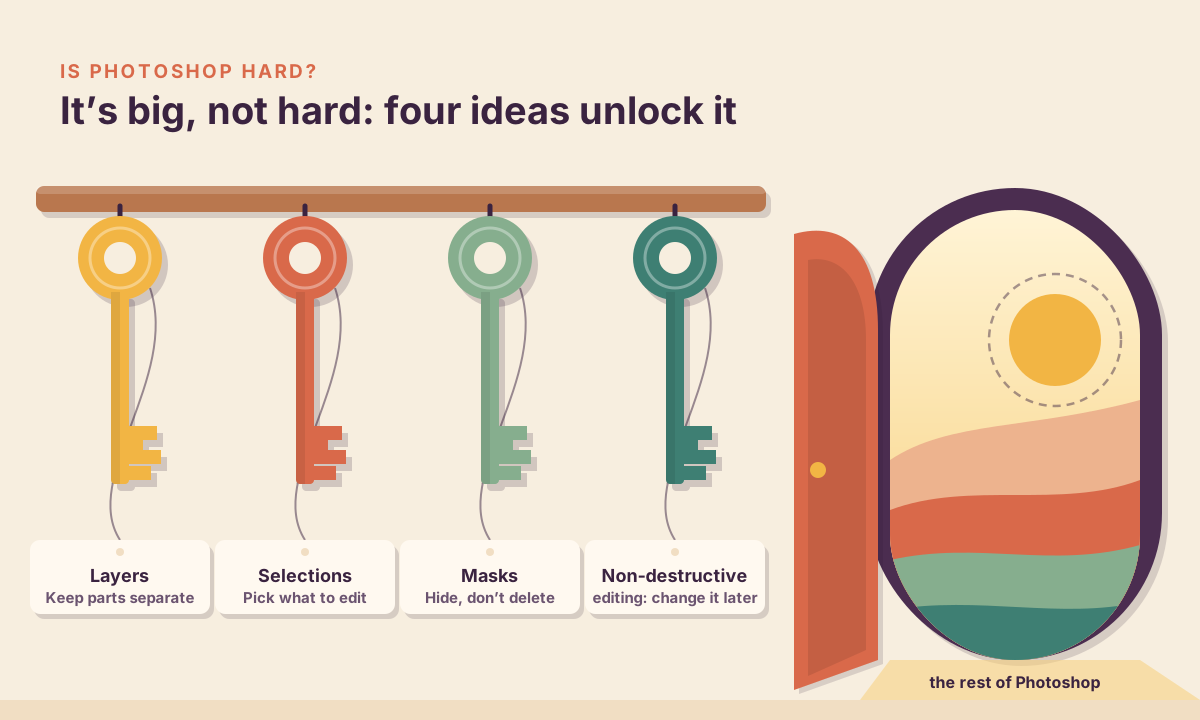
Layers, which keep each element of your image separate so you can change it later.
Selections, which tell Photoshop exactly which part of the image you want to work on.
Masks, which hide and reveal parts of a layer without deleting anything.
Non-destructive editing, using adjustment layers and Smart Objects, so you can always go back and make changes.
AI tools have also made some jobs quicker. Adobe's current exam objectives for Photoshop include generative AI prompt writing, Sky Replacement and the Remove tool's Find Distractions option. These tools speed up tasks that used to take careful manual work, but you still need the fundamentals to judge the results and fix what the AI gets wrong. Our guide to how to use Photoshop AI covers these features in more detail.
How long does it take to become an Adobe Certified Professional in Photoshop?
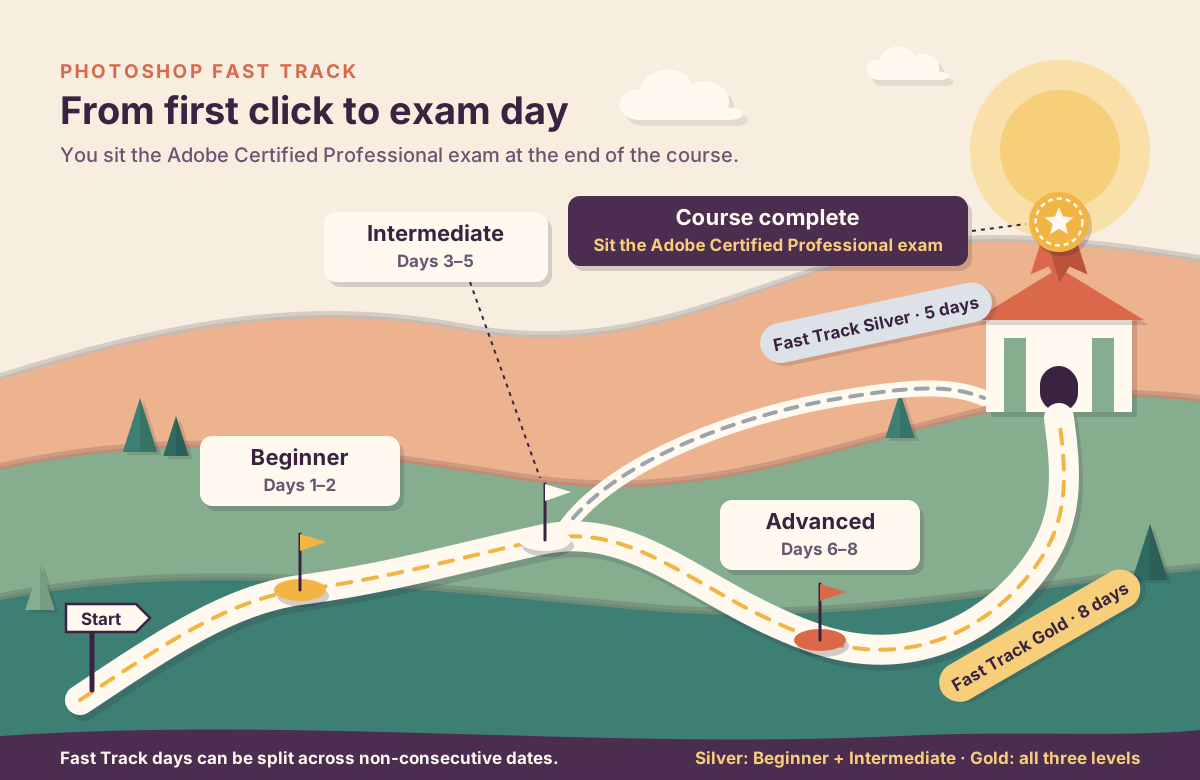
With a Photoshop Fast Track course, you can go from the basics to sitting the Adobe Certified Professional exam at the end of the course: 5 days for Fast Track Silver or 8 days for Fast Track Gold. Fast Track courses are designed to prepare you to sit and pass the exam, and you take it when your training finishes, while everything is fresh.
Adobe recommends hands-on experience with Photoshop before you take the exam, and intensive Fast Track training is built around exactly that: you spend every day working through real tasks in the app, with a trainer on hand to answer questions. After you pass, keep using Photoshop on real projects to build speed and depth.
The exam itself, called Visual Design Using Adobe Photoshop, is delivered through Certiport:
It lasts 50 minutes and mixes selected-response questions with live-in-the-app tasks, where you complete real tasks in Photoshop.
Certiport lists 30–35 questions for the Photoshop exam.
You need a score of 700 out of 1,000 to pass.
The certification is valid for three years from the date of issue.
The Photoshop exam guide covers six areas: working in the design industry; project setup and interface; layers, masks and adjustments; adding content to a document; modifying visual elements; and publishing digital media. The first area isn't about tools at all. It covers design principles, copyright and licensing, and working with clients, so it's worth studying even if you're already quick in the app.
What's the quickest way to learn Photoshop?
Whether you teach yourself, take a course or do both, these habits save the most time:
Learn in order. Get comfortable with layers, selections and masks before moving on to compositing or advanced retouching. Skipping the basics is the most common reason people stall.
Practise on real projects. Use your own photos and briefs from work, a side project or a local club. Real projects show you what you don't know yet.
Learn the key shortcuts early. Brush size, zoom, undo, and switching between common tools will soon save you minutes on every job.
Work non-destructively from the start. Adjustment layers and masks make it easy to experiment, and clients will always ask for changes.
Get feedback. A trainer or an experienced colleague can spot in seconds a habit that would take you weeks to notice.
What should career changers focus on?
If you're learning Photoshop for a new job, think about the role you're aiming for. Photographers and retouchers need deep image-editing and colour skills. Marketing and social media roles need fast, consistent graphics and good exporting habits. Graphic design roles usually expect Illustrator and InDesign too, and our guide to the differences between Photoshop, Illustrator and InDesign explains how the three fit together.
Whichever route you choose, build a small portfolio as you go. Five or six strong before-and-after examples or finished designs will tell an employer more than a list of tools. An Adobe Certified Professional credential can then back that portfolio up with an industry-recognised standard.
Learning Photoshop with Docklands Media
Docklands Media is an authorised training partner of Adobe, Autodesk, Maxon, Blackmagic Design and Certiport. Our Photoshop courses run at our London training centre or live online, at three levels: Photoshop Beginner (2 days), Photoshop Intermediate (3 days) and Photoshop Advanced (3 days). If you'd like to cover more ground at once, Photoshop Fast Track Silver combines Beginner and Intermediate over 5 days, and Photoshop Fast Track Gold covers all three levels over 8 days. Fast Track courses prepare you to sit and pass the Adobe Certified Professional exam at the end of the course, and they can be split across non-consecutive dates if you can't take several days off in a row.
Every course includes a certificate of completion, available through our student portal. You can also add the Adobe Certified Professional exam for Photoshop when you book, and sit it at the end of your course.