Photoshop

Adobe Photoshop Training:
Fast Track Gold

Beginner + Intermediate + Advanced Levels

Become a Photoshop expert in this eight-day intensive course. Learn everything from photo editing and retouching to compositing, 3D tools, and neural filters. Master professional techniques and create stunning visuals with confidence.

Adobe Photoshop Training: Fast Track Gold

Course Overview

The Photoshop Fast Track Gold course is an eight-day intensive program combining beginner, intermediate, and advanced levels. Join us in London or participate live from anywhere online for a comprehensive learning experience that takes your Photoshop skills to the professional level.

Throughout the course, you will learn Photoshop fundamentals, intermediate techniques, and advanced methods, including layers, masking, compositing, retouching, colour correction, and creative effects. Hands-on exercises guided by our expert instructors provide practical experience and reinforce learning through real-world projects.

By the end of the Fast Track Gold course, you will have mastered Photoshop across all skill levels, with the confidence and expertise to complete complex, professional-quality projects independently.

Read more

Dates

Next course starts on:9 Nov 2026
This course runs across three levels. Start dates for each level are listed below.

Beginner Level

2 consecutive days
9 Nov 2026
14 Dec 2026
9 Feb 2027
5 Apr 2027
1 Jun 2027
26 Jul 2027
13 Sept 2027
15 Nov 2027
Show more

Intermediate Level

3 consecutive days
11 Nov 2026
16 Dec 2026
11 Feb 2027
7 Apr 2027
3 Jun 2027
28 Jul 2027
15 Sept 2027
17 Nov 2027
Show more

Advanced Level

3 consecutive days
21 Dec 2026
17 Feb 2027
7 Jun 2027
20 Sept 2027
24 Nov 2027
Show more
If the training dates listed here don't suit your schedule, let us know and we can arrange a tailored training bundle for you where we can customise both the content and the dates of the courses. To find more about our Tailored Training courses,click here.

Outline

Here is what you will learn in the Adobe Photoshop Training: Fast Track Gold in more detail. Click the topics below to explore what is covered in each section.

Certifications

This bundle includes courses that prepare you for industry-recognized certification exams.

ACP Exam Logo

Along with your certificate of completion, you’ll have the option to take the official Adobe Certified Professional (ACP) exam for £175 + VAT. This globally recognised certification highlights your creative expertise and proves your job-ready skills. Select the exam option when booking to include it with your course.

Testimonials

Hear directly from professionals and teams who’ve trained with us, sharing their experiences and the impact our training has had on their creative journeys.

Photoshop 1
Photoshop 2
PS / AI / ID
PS / AI / ID / AE

The best investment I’ve made in my design career

This Advanced Adobe Photoshop training was comprehensive and inspiring. From advanced compositing to creative workflows, the course gave me everything I needed to push my design work to a higher level.

AT
Abigail TurnerSenior Art Director

Photoshop at a professional standard

The Advanced Photoshop course gave me a much deeper understanding of masks, smart objects, and advanced retouching. These Photoshop skills are directly useful for my video editing projects.

HW
Harry WhiteVideographer

Took my Photoshop confidence to the highest level

I already knew the basics, but this Advanced Photoshop course taught me to create polished visuals, ad campaigns, and special effects. The Adobe Photoshop training was intensive but so rewarding.

ER
Ella RogersSocial Media Specialist

Photoshop training that goes beyond the basics

The Advanced Adobe Photoshop course focused on tools that help in motion graphics, like advanced layer effects and textures. This training gave me creative techniques I now use in animation projects.

SG
Samuel GreenAnimator

Exactly what I needed for advanced Photoshop editing

The Advanced Photoshop course showed me industry-standard retouching techniques used in fashion photography. I can now handle skin retouching, colour grading, and high-end compositing with confidence.

MP
Megan PhillipsFashion Photographer

Highly detailed and professional

The Advanced Adobe Photoshop training was full of insider tips and advanced workflows. I learned to master Photoshop tools I had always avoided, like actions and 3D features. Now I feel like a true Photoshop pro.

SQ
Samir QadirFreelance Designer

Advanced Photoshop training with brilliant teaching

I use Photoshop daily for campaigns, and this Advanced Photoshop course taught me advanced retouching, batch processing, and creative effects. It’s made my marketing materials look much more professional.

WT
William ThorntonMarketing Manager

The best Photoshop course I’ve taken

This Advanced Adobe Photoshop training was thorough, detailed, and incredibly hands-on. I learned matte painting, advanced selections, and non-destructive editing — all essential for VFX projects.

SJ
Samuel JamesVisual Effects Artist

Great Photoshop Course

The Advanced Photoshop course gave me professional skills like advanced masking, image blending, and typography effects. These skills made my portfolio stand out and directly helped me land freelance work.

GW
Georgia WardGraphic Design Graduate

Perfect for professionals looking to master Photoshop

I use Photoshop every day, but the Advanced Photoshop training helped me discover shortcuts, automation scripts, and advanced export options I never knew about. It has already saved me hours of work on big projects.

JP
Jonathan PriceUX Designer

Pushed me creatively and technically

The Advanced Adobe Photoshop course covered creative techniques like digital painting, advanced brush control, and custom textures. This Photoshop training opened up a whole new world for my illustration work.

RC
Rebecca ClarkeArtworker

Advanced Photoshop training with real impact

I wanted to take my photo editing to the next level. The Advanced Photoshop course introduced me to frequency separation, advanced colour grading, and retouching workflows used by professionals. My photos now look industry standard.

MH
Marcus HillPhotographer

Photoshop mastery for real-world projects

The Advanced Photoshop course was challenging but incredibly rewarding. I can now create complex photo composites, advanced text effects, and high-end retouching for clients. This Adobe Photoshop training gave me the confidence to handle demanding design briefs.

AC
Adam CollinsCreative Director

The Advanced Photoshop course took my skills to a professional level

This Advanced Adobe Photoshop training pushed me far beyond the basics. I learned advanced compositing, smart filters, and automation tools that have made my workflow faster and more creative. Highly recommended if you want to master Photoshop at a professional level.

HP
Holly PetersonSenior Graphic Designer

So much value packed into this course

Great course to learn how to design flyers, posters, and promotional images for my business. The hands-on training gave me skills that I use every single week. I’m very happy I took this Photoshop course.

EM
Ella MorrisSmall Business Owner

Took my Photoshop skills from basic to professional

I joined the Intermediate Photoshop course to learn image compositing and advanced filters. The training was practical, clear, and directly applicable to my video projects. I now feel confident using Photoshop alongside my video editing software.

BG
Benjamin GrayVideographer

Photoshop finally feels natural to me

I always used Photoshop at a very basic level. After taking the Intermediate Photoshop course, I can now create posters, edit event photos, and apply creative text effects without hesitation. The training was fantastic.

CF
Charlotte FosterPR Consultant

Great structure and teaching style

The Intermediate Adobe Photoshop training was well-paced and easy to follow. The course taught me how to make more advanced interface elements, icons, and layouts. Perfect for anyone in digital design.

HD
Hugh DavisUI Designer

Brilliant Photoshop training

The Intermediate Photoshop course was challenging but very rewarding. It gave me deeper knowledge of masks, adjustment layers, and retouching tools. This training has already improved my university projects.

MK
Megan KingStudent – Graphic Design

Highly recommend this Intermediate Photoshop course

I use Photoshop for architectural presentations, and this Intermediate training gave me advanced tools like perspective warping and smart object editing. My renders now look much more polished.

GT
George ThompsonArchitect

Hands-on Photoshop training with great results

The course was very practical and project-focused. I learned how to combine multiple images, work with colour correction, and create graphics for my channel. I now feel like I’ve unlocked the real power of Adobe Photoshop.

JA
Joseph AllenContent Creator

Really improved my confidence with Photoshop

I had been using Photoshop for years but never properly understood certain tools. The Intermediate Adobe Photoshop course filled in the gaps. From masks to smart filters, I can now use Photoshop much more confidently in my animation projects.

LS
Liam ScottAnimator

Exactly the Photoshop course I was looking for

This Intermediate Photoshop course taught me how to create polished banners, infographics, and branded content for campaigns. The Adobe Photoshop training was structured, clear, and full of practical examples.

JA
Jessica AdamsDigital Marketing Executive

Took my photo editing skills to the next level

I knew the basics of Photoshop, but the Intermediate Photoshop training taught me advanced editing, filters, and blending techniques. Now I can deliver much higher-quality images to my clients.

EW
Ethan WalkerFreelance Photographer

Photoshop skills I can use every day

This Photoshop course helped me improve presentations for my clients. Learning advanced layer techniques and perspective corrections has made my visuals look much more professional. This Photoshop training was extremely valuable for my design career.

CE
Chloe EdwardsInterior Designer

A big step up from the beginner course

The Intermediate Photoshop course really bridged the gap for me. I learned how to create complex web graphics, work with masks, and use Photoshop shortcuts that save hours of time. This training is perfect if you want to move beyond Photoshop basics.

SC
Simon ClarkeWeb Designer

Perfect balance between theory and practice

The Intermediate Adobe Photoshop course focused on practical projects that were relevant to my job. I now know how to create better marketing materials with advanced text effects, photo composites, and cleaner layouts. This Photoshop training was exactly what I needed.

NH
Natalie HughesMarketing Manager

Intermediate Photoshop training boosted my workflow

As a photographer, the Photoshop course taught me professional retouching techniques and how to use adjustment layers properly. This training has made my editing workflow so much faster and more efficient.

TR
Tom RichardsPhotographer

Built on everything I learned in the beginner course

The Intermediate Adobe Photoshop course was exactly what I needed after finishing the beginner level. It covered more advanced tools like smart objects, layer styles, and complex selections. This Photoshop training helped me take my design work to a much higher level.

RB
Rachel BennettGraphic Designer

The best way to start with Photoshop

The Beginner Adobe Photoshop course gave me all the Photoshop basics I needed: layers, masks, and image editing techniques. Now my architectural presentations look much more polished and professional thanks to this training.

AF
Alexandra FinchJunior Architect

Clear, structured and easy to follow

I enrolled in the Beginner Adobe Photoshop training to improve my digital teaching materials. The course explained how to work with text, images, and adjustments in Photoshop clearly and at the right pace. I now feel confident creating professional slides and handouts using Photoshop basics.

DM
David MorganTeacher

Very practical and hands-on Photoshop training

The Beginner Photoshop course was exactly what I needed for editing fashion photography. We learned retouching, colour correction, and layout basics using Adobe Photoshop in a very practical way. This Photoshop training for beginners is highly recommended for students and creatives.

PC
Peter CarterFashion Student

Finally understood Photoshop basics

I had tried to learn Photoshop on my own but always got confused. The Beginner Adobe Photoshop course explained photo editing, text, and layout tools step by step. Now I can design marketing materials quickly and professionally. This beginner Photoshop training is perfect for anyone in marketing who wants to upskill.

HS
Hajar SaidiMarketing Executive

Beginner Photoshop course exceeded expectations

I joined the Beginner Adobe Photoshop course to learn the basics of digital illustration. The training covered Photoshop essentials like brushes, layers, and colour adjustments in a very easy-to-follow way. This beginner Photoshop training gave me confidence to start creating illustrations digitally for the first time.

HC
Hannah CooperFreelance Illustrator

Photoshop finally makes sense!

I tried learning Photoshop through YouTube but always got lost. The Beginner Adobe Photoshop training gave me a structured, step-by-step approach. I can now create branded social media posts and edit images confidently. This Photoshop course for beginners is a must if you want to learn Photoshop properly.

AB
Andre BaptisteSocial Media Manager

A solid foundation to build on

The Beginner Adobe Photoshop course gave me the core Photoshop skills I needed for design presentations. From retouching to working with layers and text effects, everything was explained clearly. I now feel confident using Photoshop and can’t wait to continue with the Intermediate Photoshop course.

JB
Joseph BlackwellInterior Designer

Clear, concise and very enjoyable

I bought a DSLR recently and wanted to learn basic editing. The Beginner Photoshop course was exactly what I needed. It covered photo editing essentials in Adobe Photoshop, like retouching, lighting adjustments, and file exports. This beginner Photoshop training has already improved my photography workflow.

KB
Kevin BrownPhotographer (Beginner)

Excellent teaching style

The Beginner Adobe Photoshop training was structured so well. Complicated Photoshop tools were broken down into easy steps, and the class size meant I could always ask questions. I never once felt left behind. If Photoshop has always seemed overwhelming, this beginner course makes it feel manageable.

ML
Monica LewisPR Executive

Highly practical and beginner-friendly

This Beginner Photoshop course focused on real-world Photoshop skills. We learned how to make YouTube thumbnails, banners, and other graphics step by step. It wasn’t just theory — everything was practical and hands-on. If you want to learn Photoshop basics for content creation, this training is perfect.

JP
James ParkerContent Creator

Learned so much in such a short time

Running an online shop, I needed to edit product images but didn’t know where to begin. The Beginner Adobe Photoshop course taught me how to crop, adjust colours, and clean up photos so they look professional. This Photoshop training for beginners has already saved me money because I can do edits myself.

LT
Laura ThompsonSmall Business Owner

Great introduction to Photoshop

I only needed Adobe Photoshop for basic web graphics, but the Beginner Photoshop training delivered much more. From image resizing to retouching and file formats, the course made sure I had the key Photoshop skills I needed for my work. A fantastic Photoshop course for absolute beginners.

AH
Ahmed HassanWeb Developer

Exactly what I needed as a beginner

I joined the Beginner Adobe Photoshop course to improve the presentation boards for my university projects. The training covered Photoshop essentials like working with images, text, and effects in a very approachable way. Now I can edit and present my designs at a much higher standard thanks to these Photoshop basics.

ER
Emma RobertsArchitecture Student

Meet Your Instructors

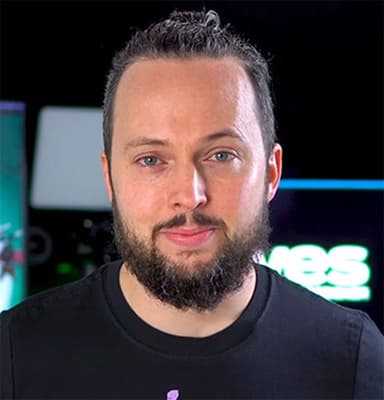
Martin Perhiniak

Martin Perhiniak

Martin is a Certified Adobe Design Master and an outstanding teacher. He has been voted as one of the top ten Adobe instructors in the world. He is among the most popular creatives and design instructors in the industry

Szabina Zoller

Szabina Zoller

Szabina is one of the most talented and loved instructors, specialising in Adobe's design applications. As well as being an Adobe Certified Pro, her love for sharing her knowledge with others is what makes her an exceptional teacher.

Clients

As well as creative individuals, we are also the preferred training provider for some of the most successful global brands and organisations.

4
Accenture
Amazon
American Express
Apple
Army
Arsenal FC
BBC
Bentley
Boeing
Cabinet Office
Canary Wharf Group
Chanel
Chelsea
Cisco
Costa
Currys
Deloitte
Disney
DK
Dyson
Excel
F1
Figma
Financial Times
Food Standards Agency
Fujifilm
Global
Google
GOV.UK
Harrods
Heathrow
HSBC
IBM
Itsu
ITV
Jaguar
JCDecaux
4
Accenture
Amazon
American Express
Apple
Army
Arsenal FC
BBC
Bentley
Boeing
Cabinet Office
Canary Wharf Group
Chanel
Chelsea
Cisco
Costa
Currys
Deloitte
Disney
DK
Dyson
Excel
F1
Figma
Financial Times
Food Standards Agency
Fujifilm
Global
Google
GOV.UK
Harrods
Heathrow
HSBC
IBM
Itsu
ITV
Jaguar
JCDecaux
4
Accenture
Amazon
American Express
Apple
Army
Arsenal FC
BBC
Bentley
Boeing
Cabinet Office
Canary Wharf Group
Chanel
Chelsea
Cisco
Costa
Currys
Deloitte
Disney
DK
Dyson
Excel
F1
Figma
Financial Times
Food Standards Agency
Fujifilm
Global
Google
GOV.UK
Harrods
Heathrow
HSBC
IBM
Itsu
ITV
Jaguar
JCDecaux
John Lewis
Just Eat Takeaway
Lush
Macmillan Cancer Support
Mercedes
Metropolitan Police
Microsoft
Ministry of Defence
NATO OTAN
NHS
Nokia
Pandora
Penguin Random House
Pfizer
PlayStation
Porsche
Post Office
Red Bull
Royal Air Force
Savills
Sky
SMG
Sony
Specsavers
Tate
The Independent
The Times
Ticketmaster
TikTok
Turner
UK Parliament
Vevo
Wetherspoon
Wex
Wickes
Wise
World Duty Free
John Lewis
Just Eat Takeaway
Lush
Macmillan Cancer Support
Mercedes
Metropolitan Police
Microsoft
Ministry of Defence
NATO OTAN
NHS
Nokia
Pandora
Penguin Random House
Pfizer
PlayStation
Porsche
Post Office
Red Bull
Royal Air Force
Savills
Sky
SMG
Sony
Specsavers
Tate
The Independent
The Times
Ticketmaster
TikTok
Turner
UK Parliament
Vevo
Wetherspoon
Wex
Wickes
Wise
World Duty Free
John Lewis
Just Eat Takeaway
Lush
Macmillan Cancer Support
Mercedes
Metropolitan Police
Microsoft
Ministry of Defence
NATO OTAN
NHS
Nokia
Pandora
Penguin Random House
Pfizer
PlayStation
Porsche
Post Office
Red Bull
Royal Air Force
Savills
Sky
SMG
Sony
Specsavers
Tate
The Independent
The Times
Ticketmaster
TikTok
Turner
UK Parliament
Vevo
Wetherspoon
Wex
Wickes
Wise
World Duty Free

FAQs

Just a few of the common questions asked by our students.

  • If you're joining either the beginner level or one of the Fast Track bundles, then no, you do not need to have any experience with Photoshop at all. If you're joining an intermediate level training, then you're expected to be confident and comfortable with the content covered on the beginner level. If you're joining an advanced level training, then you should be comfortable with the content covered on the beginner and intermediate levels.

Enquire

Fill out the contact form and a member of our team will get back to you shortly—usually within minutes. Whether you're looking to book a course or just need advice, we're happy to assist.

Docklands Media’s Adobe Photoshop Fast Track Gold training is our most comprehensive Photoshop course, designed for those who want full mastery of the software. This intensive programme combines beginner, intermediate, and advanced training into one complete learning journey.

© 2026 Docklands Media. All rights reserved.