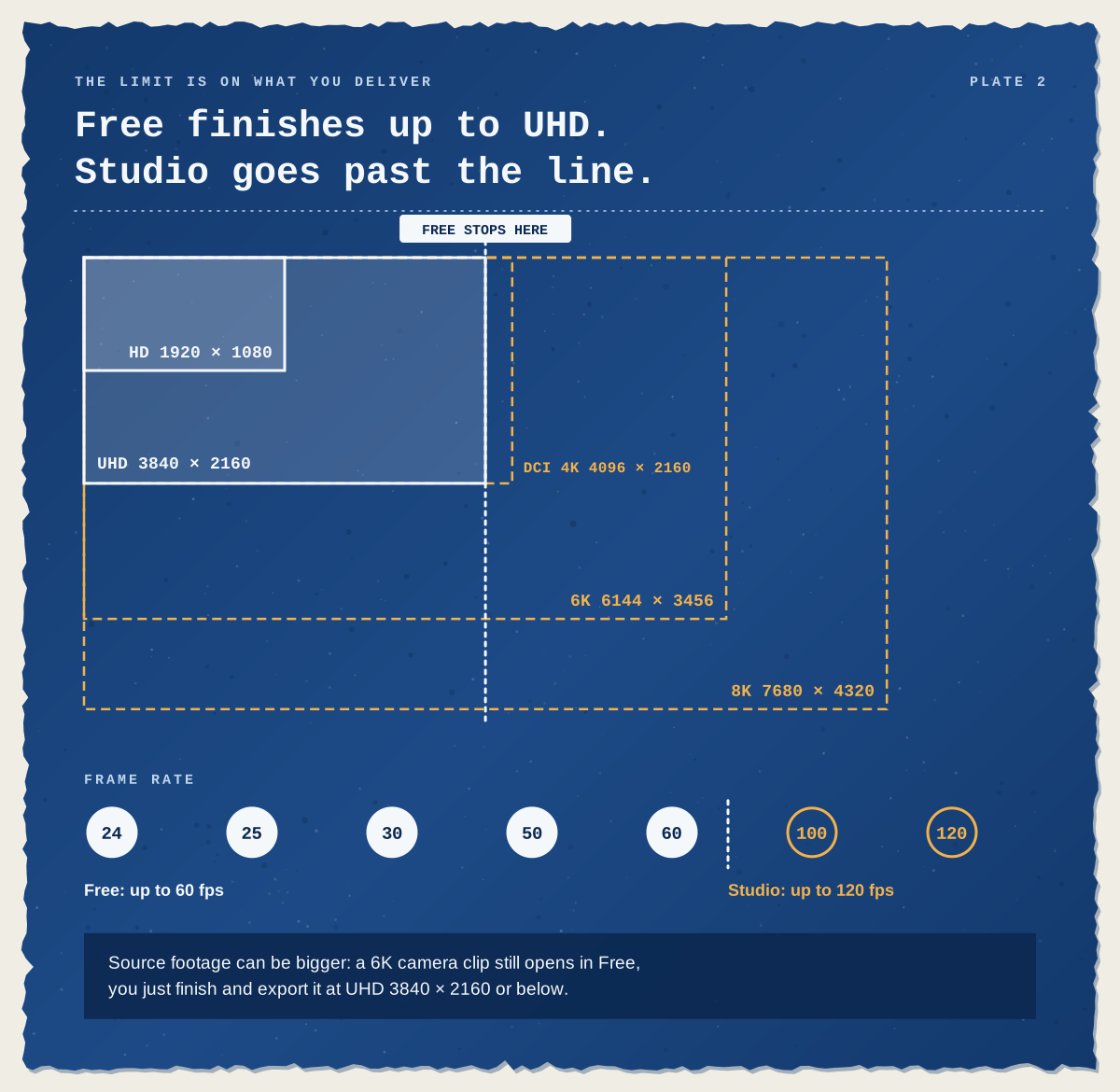
Ask around and someone will tell you the free version of DaVinci Resolve is a trial: use it for a month, then the watermark arrives. That isn’t how it works. DaVinci Resolve is free to download and keep, with no time limit, no subscription and no watermark on your exports. You get editing, colour grading, Fusion effects and Fairlight audio in one program, and you can edit and deliver at up to Ultra HD 3840 × 2160 at 60 frames per second.
DaVinci Resolve Studio is the paid version, bought once rather than by subscription. It lifts those resolution and frame-rate limits and adds the AI tools, noise reduction, extra effects and wider camera-format support. The trial myth does have a grain of truth: the free version can show a watermark, but only when you use a Studio-only feature. As it turns out, that’s a handy way to decide whether you need to pay at all.
What do you actually get for free?
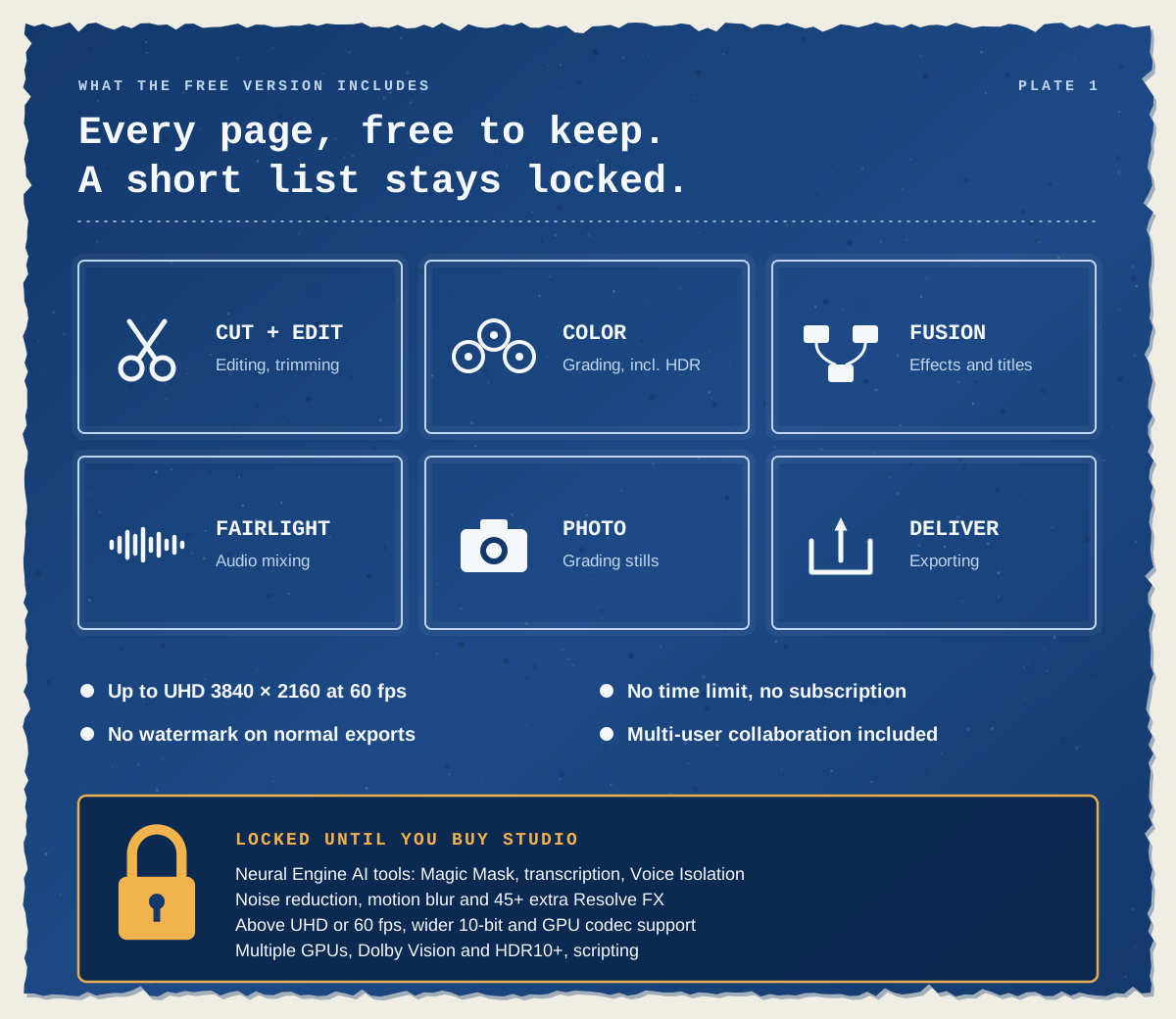
More than most people expect. Every page is there: Cut and Edit for editing, Color for grading, Fusion for visual effects and titles, Fairlight for audio, the Photo page for stills and Deliver for exporting. Blackmagic Design’s own product page also lists multi-user collaboration and HDR grading as free, which some older comparison articles still miss.
Blackmagic’s installer notes describe the free version as having the same processing as Studio. What’s held back is a defined list of features, not image quality, so a grade made in Free looks exactly the same when the project is opened in Studio. A handful of assisted tools are free as well, including Auto Color, Shot Matching, gyroscopic stabilisation and Fairlight’s Dialogue Leveler.
Free vs Studio: the differences that matter
Blackmagic publishes a long feature-by-feature comparison document. For most editors, these are the rows that decide it:
Feature | Free | Studio |
|---|---|---|
Cost | Free, no time limit | One-off licence |
Timeline and delivery resolution | Up to UHD 3840 × 2160 | Up to 32K |
Frame rate | Up to 60 fps | Up to 120 fps |
Watermark on exports | Only if a Studio-only feature is used | Never |
Noise reduction (temporal, spatial, UltraNR) | No | Yes |
AI tools: Magic Mask, transcription, text-based editing, IntelliScript, Voice Isolation, Smart Reframe, Speed Warp | No | Yes |
H.264 and H.265 GPU acceleration | Mac only | Mac, Windows and Linux |
Extra Resolve FX, such as Film Look Creator, film grain and object removal | No | 45+ extra effects |
Graphics cards used for processing | One | Several |
HDR | HDR grading | Adds HDR scopes, Dolby Vision and HDR10+ |
Collaboration | Multi-user projects | Adds remote grading and rendering |
Scripting and AI assistant integration | No | Yes |
Technical support | Community forums | Blackmagic Design support |
Two quieter details are worth knowing. The resolution cap applies to your timeline and the file you deliver, not your source footage, so a 6K camera clip still opens in Free; you just finish it at UHD. And after a recent update, Python scripting no longer runs in the free version, so a free add-on that relied on scripts may stop working when you update.
The watermark is your free trial
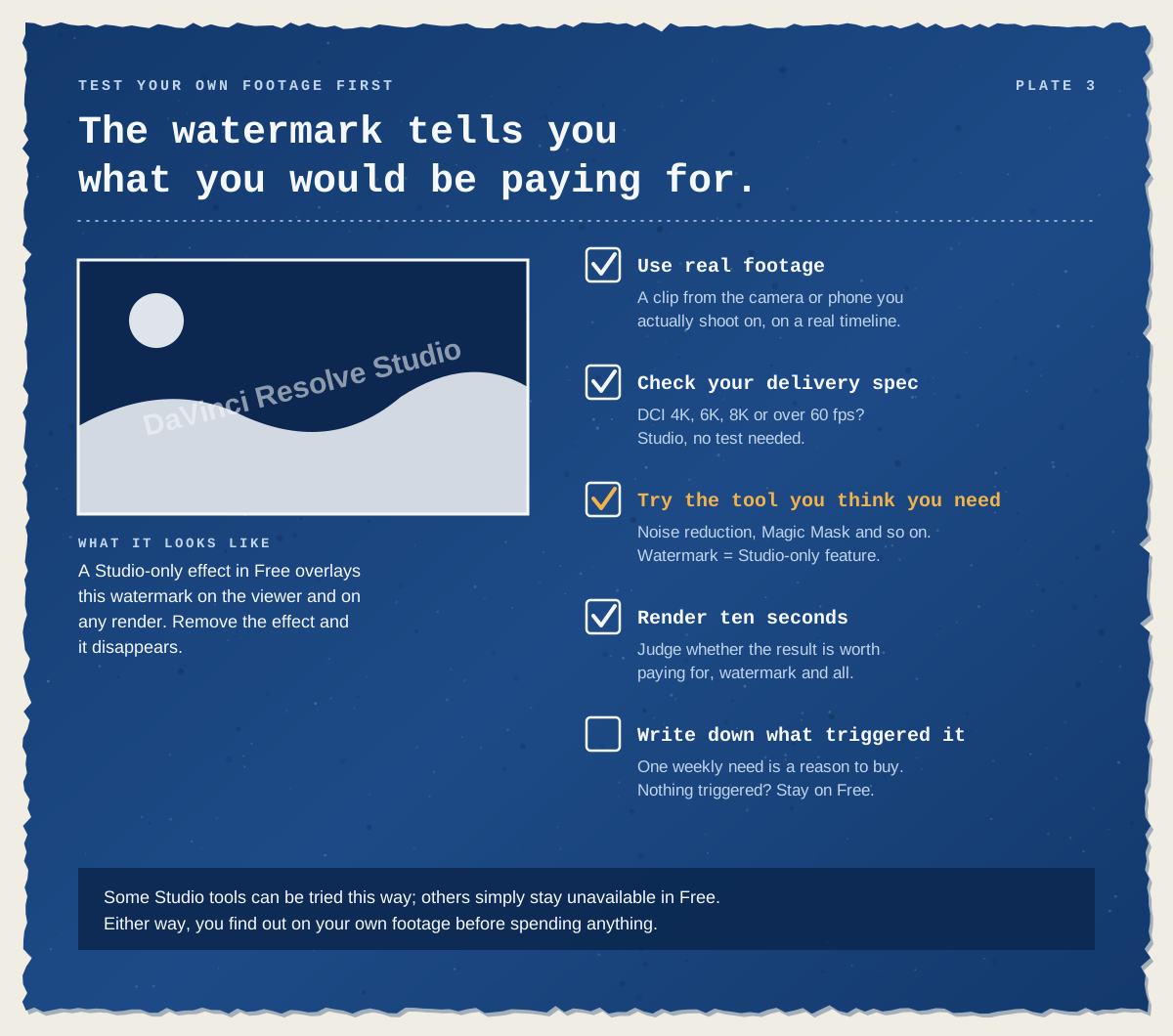
Most guides treat the watermark as a nuisance. We think it’s the most useful thing about the free version. Apply a Studio-only effect in Free and Resolve overlays the words “DaVinci Resolve Studio” across the picture, in the viewer and in anything you render. Delete the effect and the watermark goes with it. Users on Blackmagic’s forum describe it as an overlay notice, nothing more: the effect itself looks the same as it does in Studio.
That gives you a no-cost way to check Studio features on your own footage before you pay. Here’s the routine we’d suggest:
Use real footage. Put a clip from the camera or phone you actually shoot on into a timeline. If it won’t import or stutters badly, read the next section before blaming the edition.
Check your delivery spec. If clients ask for DCI 4K (4096 pixels wide), 6K, 8K or more than 60 fps, you need Studio. No test required.
Try the tool you think you need. Noise reduction on a dark shot, Magic Mask on a moving subject. If the watermark appears, it’s a Studio feature. Some Studio tools, such as transcription, simply aren’t available in Free.
Render ten seconds. Even with the watermark, you can judge whether the result is worth paying for.
Write down what triggered it. One feature you’d use every week is a good reason to buy. A list of things you might use one day usually isn’t.
Same clip, three computers: why playback often decides it
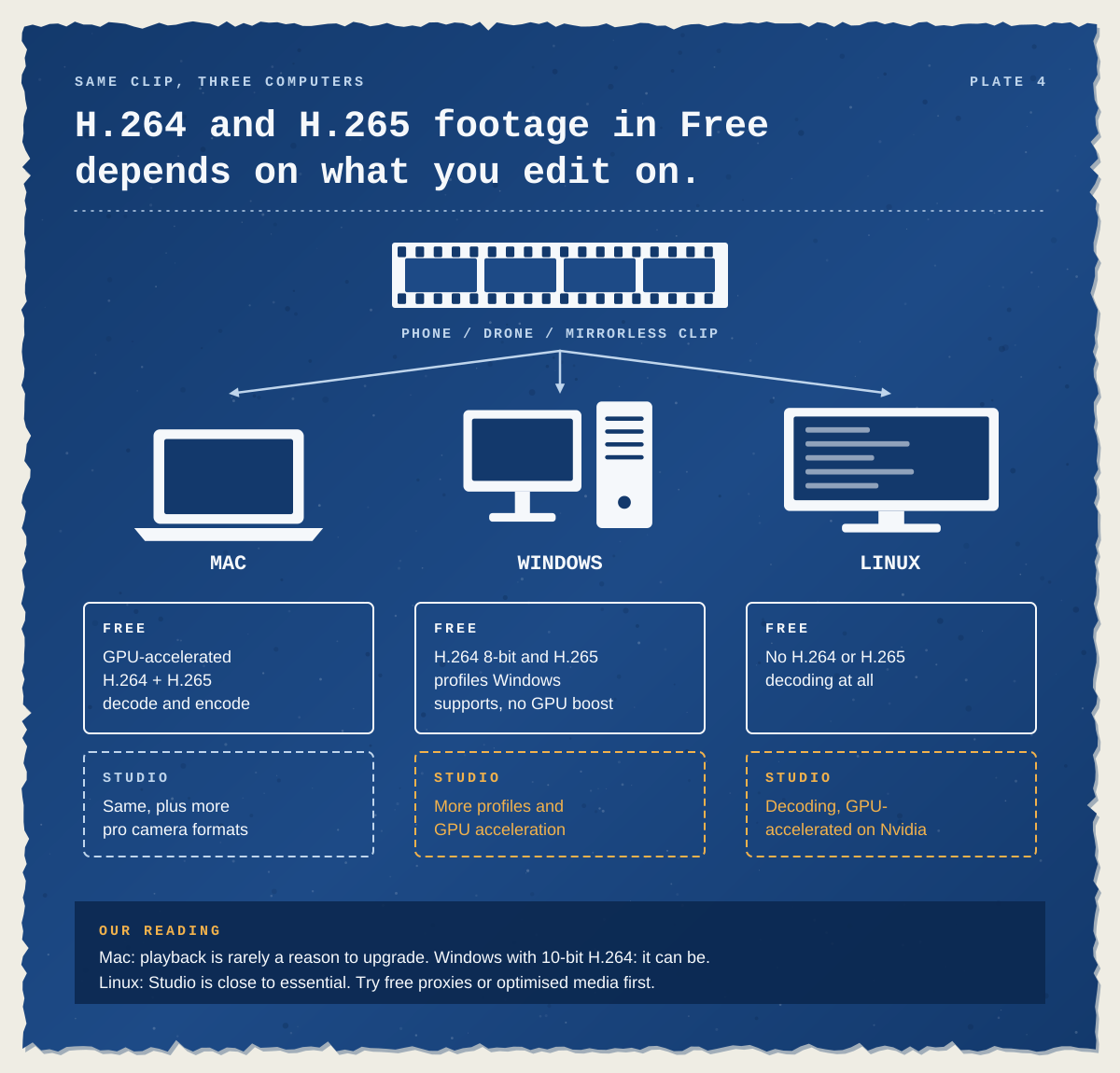
Plenty of people upgrade not for an effect, but because their timeline won’t play smoothly. Phones, drones and most mirrorless cameras record H.264 or H.265 (HEVC), compressed formats that take a lot of work to decode. Blackmagic’s codec list shows the free version handles them very differently depending on your computer:
Mac: H.264 and H.265 decoding and encoding are GPU-accelerated in both versions.
Windows: Free reads 8-bit H.264 and the H.265 profiles Windows itself supports. Studio adds more profiles and GPU acceleration. If H.265 files won’t open at all, check that Windows has its HEVC video extension installed, because Free relies on it.
Linux: Free can’t decode H.264 or H.265 at all. Studio can, with GPU acceleration on Nvidia graphics.
Our reading of this: on a Mac, playback alone is rarely a reason to upgrade. On a Windows PC fed 10-bit H.264 from a mirrorless camera, it can be the main reason. On Linux, Studio is close to essential for everyday camera footage. Before you buy for speed, try the free fix. Resolve’s proxy and optimised media options make lighter editing copies of heavy files, and both work in Free.
Which version suits the way you work?
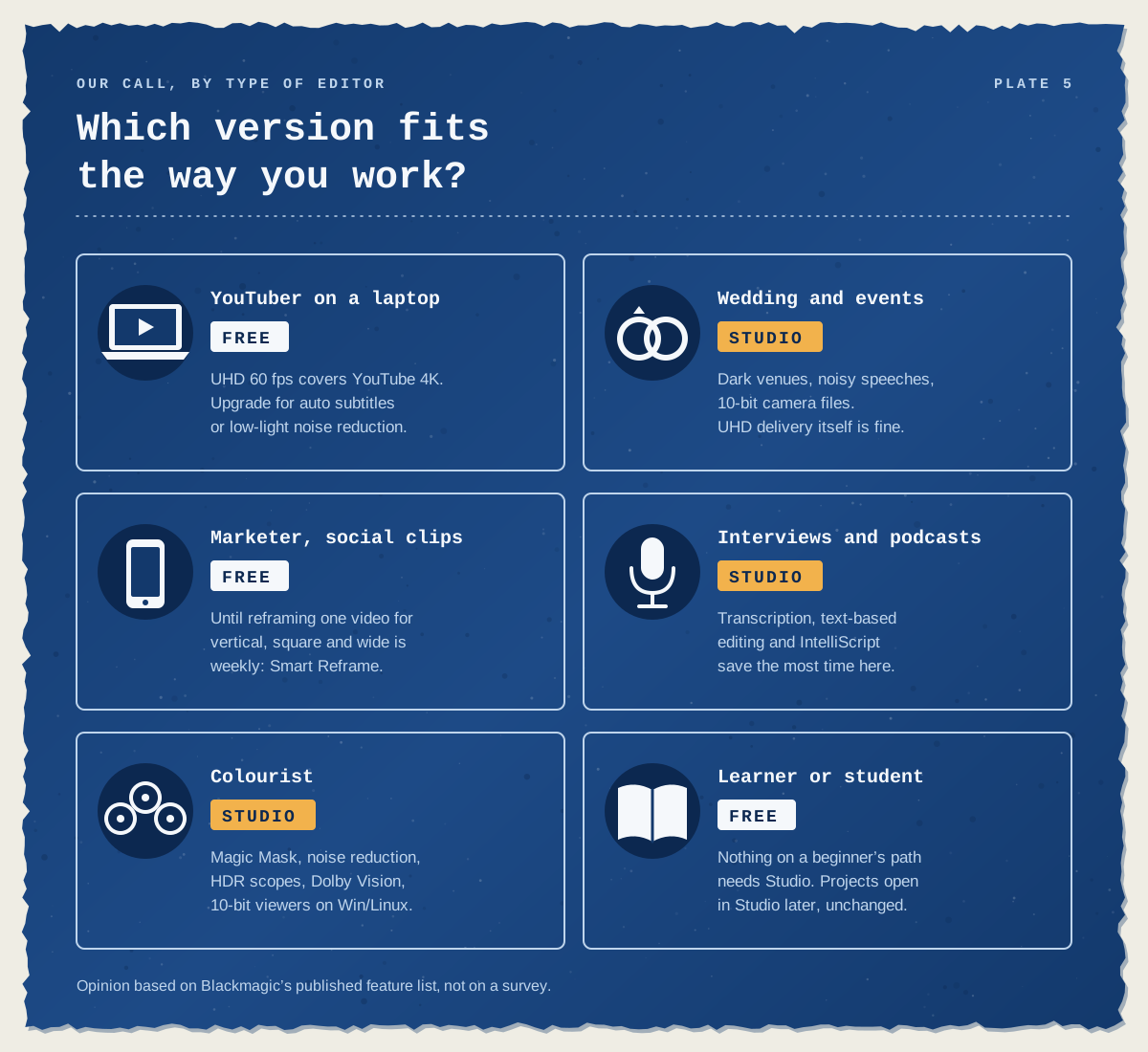
Here’s how we’d call it for six common situations. It’s our opinion, based on Blackmagic’s published feature list rather than any survey.
YouTuber editing on a laptop: Free. UHD at 60 fps covers a 4K YouTube upload. Upgrade if you come to rely on subtitles generated from audio, or need noise reduction for low-light shots.
Wedding and events editor: usually Studio. Dark venues mean noisy footage, speeches benefit from Voice Isolation, and 10-bit camera files play more smoothly on Windows. Delivering a UHD film to the couple is fine in Free, though.
Marketer making social clips: Free, until reformatting the same video for vertical, square and landscape becomes a weekly job. Smart Reframe, which does that automatically, is Studio-only.
Interview and podcast editor: Studio. Transcription, text-based editing and IntelliScript, which builds a first cut by matching a script to the recorded dialogue, save the most time on talking-head work.
Colourist: Studio. Magic Mask, noise reduction, HDR scopes, Dolby Vision delivery and, on Windows and Linux, 10-bit viewers.
Learner or student: Free. Nothing on a beginner’s path needs Studio, and projects open in Studio unchanged if you upgrade later.
When does Studio pay for itself?
Because Studio is a one-off purchase, the sums work differently from a subscription editor. Divide Studio’s price by the monthly fee you’d otherwise pay, and you have your break-even point in months. At the UK list prices we checked, Studio costs about the same as a year of a single-app Premiere plan. After that, each month is one you aren’t paying for.
Two caveats keep this honest. If Free already does everything you need, the cheapest option is still nothing at all. And the bigger saving is often time rather than money. If GPU decoding means you stop making proxies, or a transcript replaces scrubbing through an hour-long interview by hand, that may matter more than the licence fee. That’s reasoning, not a measurement: only your own projects can tell you how much time you’d save.

Buying Studio: the small print
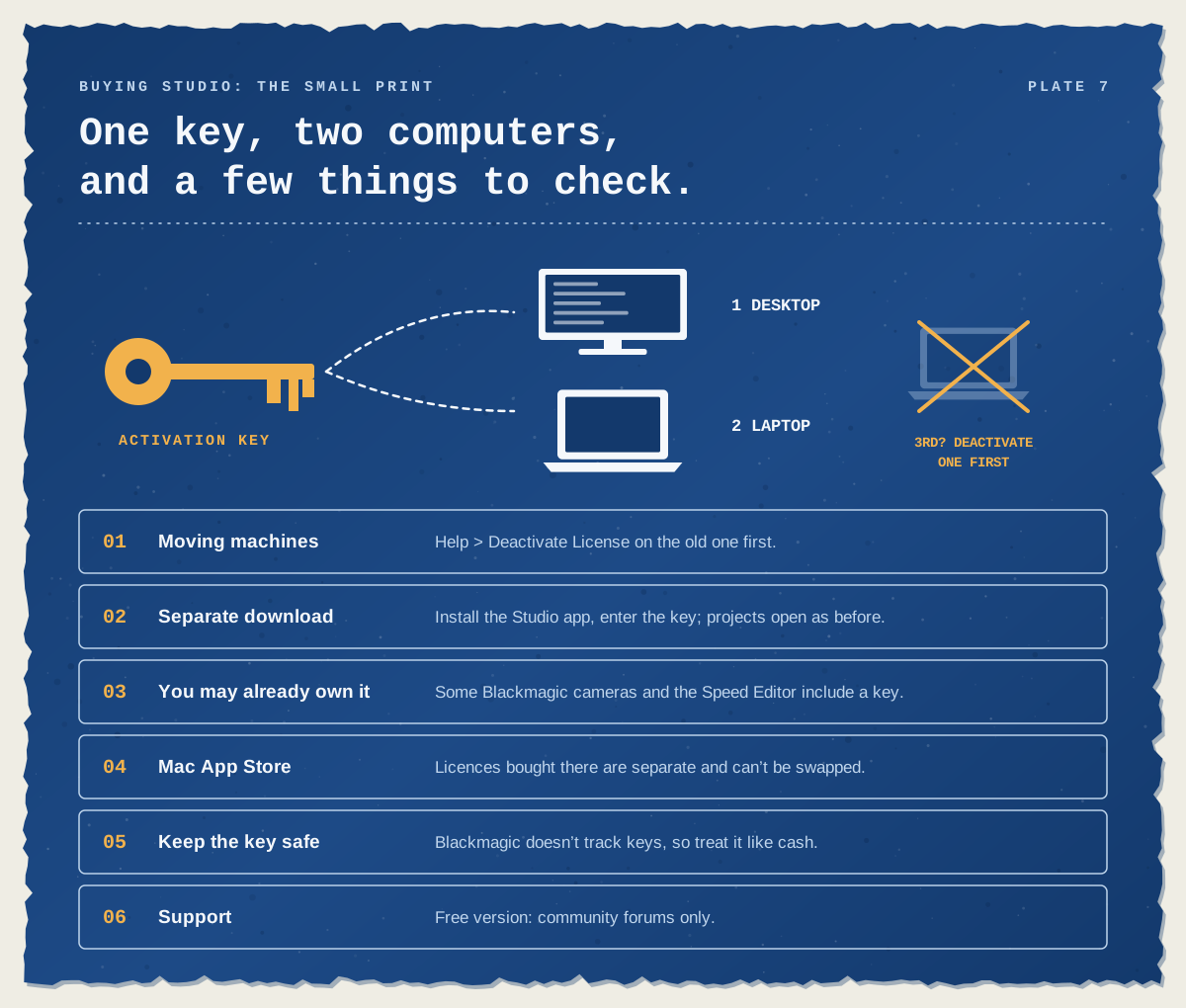
Two computers per key. An activation key can be active on two computers at once, on any mix of Mac, Windows and Linux. To move it, choose Help > Deactivate License on the old machine first. Blackmagic’s staff advise against relying on the automatic reset.
It’s a separate download. Buying a key doesn’t change the free app you have installed. Install DaVinci Resolve Studio, enter the key, and your existing projects open as before.
Check what you already own. Blackmagic cameras such as the Pocket Cinema Camera range, and the DaVinci Resolve Speed Editor keyboard, come with a Studio activation key.
Mac App Store licences are separate. A Studio licence bought through the App Store can’t be swapped for a Blackmagic key, and App Store installs leave out some features, such as the scripting API.
Keep the key safe. Blackmagic doesn’t track keys, so treat yours like cash and store a copy somewhere secure.
Learning Resolve before you spend anything
The free version is the right place to learn, and it’s where we’d suggest most people start. As an authorised Blackmagic Design training partner, we teach DaVinci Resolve in London and online. Our two-day DaVinci Resolve Beginner course covers organising media, editing, audio, titles, basic colour correction and exporting. Those are all tools in the free version, so you can keep practising at home without buying anything.
The three-day DaVinci Resolve Intermediate course moves on to multicam editing, Fairlight audio, node-based colour grading and an introduction to Fusion, and DaVinci Resolve Advanced goes into HDR, complex grading and delivery. If you’d like the whole route, DaVinci Resolve Fast Track Silver combines Beginner and Intermediate over five days, and Fast Track Gold runs to eight. The Beginner days run back to back, and the Intermediate part can follow in the same week or a later one. Every course comes with a certificate of completion, and our trainer is a Certified DaVinci Resolve Trainer. Docklands Media is authorised by Adobe, Autodesk, Maxon, Blackmagic Design and Certiport.
Still choosing between editors? Our comparison of Premiere vs DaVinci Resolve looks at cost, features and learning curve side by side.