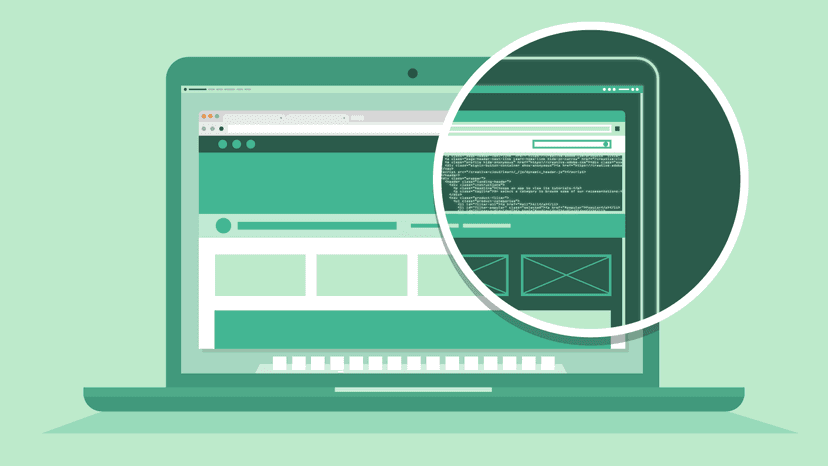
Learn the fundamentals of web design in this two-day Dreamweaver Beginner course. Explore site setup, HTML and CSS, layouts, interactivity, and site management through practical exercises. Gain the confidence to build professional websites. Start your web design journey today.

Adobe Dreamweaver is a powerful tool for building and managing professional websites. This beginner course provides a structured introduction to the software, ensuring you develop confidence in both the design and technical aspects of web creation. Delivered either at our London studio or via live online sessions, the course combines theory and practical exercises across two days to give you hands-on experience from the start.
Throughout the course, you’ll learn to navigate the Dreamweaver interface, create and structure web pages, and apply formatting with HTML and CSS. You’ll explore layout design, work with graphics, and integrate external tools like Photoshop and Flash. The course also covers navigation, forms, and site management, including file organization and publishing techniques.
By the end of the course, you’ll have a strong foundation in Dreamweaver, enabling you to confidently design, build, and maintain your own websites. Enrol today and start creating professional web projects with ease.
Here is what you will learn on this Dreamweaver course in more detail. Click the topics below to explore what is covered in each section.
Every Docklands Media course comes with a range of added benefits to support your learning at no extra cost.
Receive an official certificate of completion to validate your training. Ideal for portfolios, CVs, or proving your skills in Dreamweaver.
Access our email and phone support for a lifetime. Contact us with any technical questions related to what you have learned on your Dreamweaver course.
Need a refresher? Retake the same Dreamweaver course for free within 24 months. A great way to solidify your learning or get up to speed with new software updates.
Receive training notes, project files, and 7-day access to instructor-led video tutorials. Perfect for reinforcing key lessons and practising at your own pace.
We're committed to providing the best training experience possible. That's why we offer a range of discounts and flexible payment options to make your Dreamweaver course more accessible and affordable.
Get discounted rates when booking for two or more people, or if you're enrolling from a charity. Save 5–15% depending on your group size or institution type.
Book your Dreamweaver course at least three months in advance and get 10% off. Secure your place early and save on top-quality creative training.
If you're not fully satisfied on the first day of your Dreamweaver course, let us know. We'll do our best to make it right—or refund you in full. No hassle, no risk.
Spread the cost of your training over 3, 6, or 12 months. Our instalment plans help make creative learning more accessible, with interest rates as low as 5%.

Tareq is a fantastic web designer, programmer and an Adobe Certified Expert in al things web. He has helped thousands of people to learn how to program in HTML, CSS, JavaScript and XML.
Hear directly from professionals and teams who’ve trained with us, sharing their experiences and the impact our training has had on their creative journeys.
As well as creative individuals, we are also the preferred training provider for some of the most successful global brands and organisations.
Just a few of the common questions asked by our students.
No. Our Dreamweaver courses are designed for complete beginners through to those with some web-design experience. You’ll begin with fundamentals and progress to advanced layout and onboarding techniques.
Contact us today to learn more about our courses and how we can help you achieve your creative goals.
Start building professional websites with our Adobe Dreamweaver Beginner Training Course. Ideal for those new to web design or looking to strengthen their skills, this course introduces you to Dreamweaver’s tools and workflows, covering everything from setting up a site to designing and publishing responsive web pages.
© 2026 Docklands Media. All rights reserved.