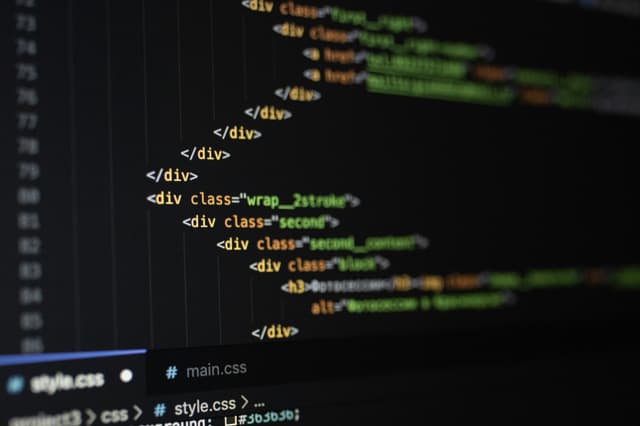
HTML & CSS Training: Beginner

Learn the foundations of web development in this two-day Beginner HTML & CSS course. Discover how to structure content, style pages, and create responsive layouts for any device. Build your first website through hands-on projects. Book your place today and kick-start your coding journey.

Course Promo

Course Overview

HTML and CSS are the foundational languages of the web, used to create and style web pages. This 2-day beginner course provides a structured introduction to these technologies, helping you understand both the technical and design aspects of web development.

Delivered at our London studio or via live online sessions, the course combines step-by-step instruction with hands-on exercises. You’ll learn HTML syntax, elements, and attributes to structure web pages, as well as CSS techniques for styling text, images, and layouts. Responsive design principles, CSS frameworks, and best practices for clean, maintainable code are also covered, providing a strong foundation for future learning.

By the end of the course, you’ll be able to create functional and visually appealing web pages, understand the basics of responsive design, and have the skills to start building your own web projects.

Read more

Dates

Next course starts on:No upcoming dates

Beginner Level

2 consecutive days
If these dates don't suit you, let us know and we can arrange a Tailored HTML & CSS Course, and change the content and the dates to fit.

Course Outline

Here is what you will learn on this HTML & CSS course in more detail. Click the topics below to explore what is covered in each section.

Start by learning the essentials of HTML and CSS to build a strong foundation in web development. This section introduces how both languages work together to structure and style websites. You will focus on:

• Introduction to HTML and CSS and their role in website creation

• Setting up a basic HTML document and creating a website structure

• Understanding the relationship between HTML content and CSS presentation

Learn how to create and structure your first web pages using core HTML elements. You will discover how to organise text, add links, and include images effectively. You will explore:

• HTML tags and elements for text, links, and images

• Building page hierarchy using headings and paragraphs

• Adding hyperlinks and image attributes for accessibility and clarity

Discover how to use CSS to bring your web pages to life through colours, fonts, and layouts. This section focuses on how to connect your HTML and CSS to achieve professional designs. You will learn:

• Introduction to CSS and how to use it to style HTML

• CSS selectors and properties for changing font, colour, and layout

• Best practices for writing clean and maintainable CSS code

Understanding how elements are positioned on a page is key to creating consistent and professional designs. You will practise:

• CSS layout techniques such as the box model, float, and positioning

• Managing element spacing, padding, and margins for balance

• Structuring page layouts for flexible and organised designs

Learn how to make your website look great across different screen sizes and devices. This section introduces the core principles of responsive design. You will focus on:

• Introduction to responsive design and creating a responsive website

• CSS media queries for responsive layouts

• Using Flexbox and Grid for layout and positioning

Forms are an essential part of most websites, allowing users to interact and submit information. This section shows you how to build and style forms effectively. You will explore:

• Working with forms and user input in HTML

• Structuring and styling forms using CSS

• Maintaining consistency and accessibility in form design

CSS frameworks provide ready-to-use styles and layout systems that speed up the design process. You will learn:

• Introduction to CSS frameworks like Bootstrap and Foundation

• Applying responsive grid systems to streamline design

• Combining frameworks with custom CSS for flexibility

Efficient debugging and version control are crucial for managing web projects effectively. You will focus on:

• Best practices for debugging and troubleshooting HTML and CSS code

• Basic introduction to version control with Git and GitHub

• Keeping your code organised and easy to maintain


What’s Included in Your Course

Every Docklands Media course comes with a range of added benefits to support your learning at no extra cost.

Course Certification

Course Certification

Receive an official certificate of completion to validate your training. Ideal for portfolios, CVs, or proving your skills in HTML & CSS.

Lifetime Support

Lifetime Support

Access our email and phone support for a lifetime. Contact us with any technical questions related to what you have learned on your HTML & CSS course.

Free Course Retake

Free Course Retake

Need a refresher? Retake the same HTML & CSS course for free within 24 months. A great way to solidify your learning or get up to speed with new software updates.

Course Materials & Videos

Course Materials & Videos

Receive training notes, project files, and 7-day access to instructor-led video tutorials. Perfect for reinforcing key lessons and practising at your own pace.

Offers & Discounts

We're committed to providing the best training experience possible. That's why we offer a range of discounts and flexible payment options to make your HTML & CSS course more accessible and affordable.

Group Bookings & Non-Profits

Group Bookings & Non-Profits

Get discounted rates when booking for two or more people, or if you're enrolling from a charity. Save 5–15% depending on your group size or institution type.

Early Bird Discount

Early Bird Discount

Book your HTML & CSS course at least three months in advance and get 10% off. Secure your place early and save on top-quality creative training.

Money-Back Guarantee

Money-Back Guarantee

If you're not fully satisfied on the first day of your HTML & CSS course, let us know. We'll do our best to make it right—or refund you in full. No hassle, no risk.

Instalment Plans

Instalment Plans

Spread the cost of your training over 3, 6, or 12 months. Our instalment plans help make creative learning more accessible, with interest rates as low as 5%.

Meet Your Instructor

Tareq Fadel

Tareq Fadel

Tareq is a fantastic web designer, programmer and an Adobe Certified Expert in al things web. He has helped thousands of people to learn how to program in HTML, CSS, JavaScript and XML.

Testimonials

Hear directly from professionals and teams who’ve trained with us, sharing their experiences and the impact our training has had on their creative journeys.

Practical and engaging fundamentals course

I found this course to be a valuable learning experience. It covered the fundamentals of HTML and CSS in a practical and engaging manner. The instructor provided clear explanations and was always available to assist with any questions.

AW
Alexander WalkerJunior Front-End Developer

Engaging instructor with clear explanations

The HTML & CSS Beginner course was well-paced and informative. I learned how to create and style web pages using industry-standard techniques. The instructor was engaging and provided clear explanations, making complex topics more accessible.

TR
Tamsin RothwellContent Developer

Solid foundation with practical examples

This course provided a solid foundation in HTML and CSS. I learned how to structure content and apply styles effectively. The instructor was knowledgeable and provided practical examples that enhanced my understanding of web design principles.

HE
Henry EvansSEO Analyst

Essential topics covered effectively

I found this course to be both informative and engaging. It covered essential topics such as HTML tags, CSS selectors, and layout techniques. The practical assignments helped reinforce my learning, and the instructor was always available to assist with any questions.

LC
Lily CarterJunior Web Designer

Great way to start learning web development

The HTML & CSS Beginner course was a great way to start learning web development. I gained hands-on experience in building and styling web pages. The instructor was knowledgeable and provided helpful feedback on assignments.

DR
Daniel RobinsonDigital Content Creator

Enjoyable and productive learning

The HTML and CSS course provided a clear and well-structured introduction to web development. I learned how to build clean page layouts and style them effectively, with clear explanations and examples that made the whole process easy to follow and enjoyable.

FC
Francesca ContiWeb Content Editor

Valuable learning experience

I found this course to be a valuable learning experience. It covered the fundamentals of HTML and CSS in a practical and engaging manner. The instructor provided clear explanations and was always available to assist with any questions.

BA
Benjamin AdamsJunior Front-End Developer

Well-paced with industry-standard techniques

The HTML & CSS Beginner course was well-paced and informative. I learned how to create and style web pages using industry-standard techniques. The instructor was engaging and provided clear explanations, making complex topics more accessible.

AM
Arjun MehtaContent Strategist

Thorough introduction to web design principles

This course provided a thorough introduction to HTML and CSS. I learned how to structure content and apply styles effectively. The instructor was knowledgeable and provided practical examples that enhanced my understanding of web design principles.

DK
Dmytro KovalenkoSEO Specialist

Practical approach with helpful feedback

I appreciated the practical approach of this course. It covered the basics of HTML and CSS in a way that was easy to understand. The instructor provided helpful feedback on assignments, and the course materials were comprehensive and well-structured.

AH
Amelia HarrisGraphic Designer

Great starting point for web development

The HTML & CSS Beginner course was a great starting point for my web development journey. I gained hands-on experience in building and styling web pages. The instructor's guidance was invaluable, and the course materials were well-organised and easy to follow.

SK
Simran KaurJunior Web Developer

Comprehensive overview of web fundamentals

This course offered a comprehensive overview of HTML and CSS. I learned how to create structured web pages and apply styles effectively. The instructor provided clear explanations and practical examples, making the learning experience enjoyable and productive.

ST
Sophia TurnerDigital Marketing Assistant

Informative and engaging curriculum

I found the HTML & CSS Beginner course to be both informative and engaging. The curriculum covered essential topics such as HTML tags, CSS selectors, and layout techniques. The practical assignments helped reinforce my learning, and the instructor was always available to assist with any questions.

SW
Samuel WalkerFreelance Web Designer

Excellent introduction to web design

This course was an excellent introduction to web design. I gained practical skills in creating and styling web pages. The two-day format was well-paced, and the instructor was knowledgeable and approachable. I now feel confident in my ability to build basic websites.

FC
Fiona ClarkeContent Manager

Solid foundation in web development

The HTML & CSS Beginner course provided a solid foundation in web development. I learned how to structure a webpage using HTML and style it with CSS. The hands-on exercises were particularly beneficial, allowing me to apply the concepts immediately. The instructor's clear explanations made complex topics more accessible.

JH
Jamal HassanMarketing Executive

Clients

As well as creative individuals, we are also the preferred training provider for some of the most successful global brands and organisations.

4
Accenture
Amazon
American Express
Apple
Army
Arsenal FC
BBC
Bentley
Boeing
Cabinet Office
Canary Wharf Group
Chanel
Chelsea
Cisco
Costa
Currys
Deloitte
Disney
DK
Dyson
Excel
F1
Figma
Financial Times
Food Standards Agency
Fujifilm
Global
Google
GOV.UK
Harrods
Heathrow
HSBC
IBM
Itsu
ITV
Jaguar
JCDecaux
4
Accenture
Amazon
American Express
Apple
Army
Arsenal FC
BBC
Bentley
Boeing
Cabinet Office
Canary Wharf Group
Chanel
Chelsea
Cisco
Costa
Currys
Deloitte
Disney
DK
Dyson
Excel
F1
Figma
Financial Times
Food Standards Agency
Fujifilm
Global
Google
GOV.UK
Harrods
Heathrow
HSBC
IBM
Itsu
ITV
Jaguar
JCDecaux
4
Accenture
Amazon
American Express
Apple
Army
Arsenal FC
BBC
Bentley
Boeing
Cabinet Office
Canary Wharf Group
Chanel
Chelsea
Cisco
Costa
Currys
Deloitte
Disney
DK
Dyson
Excel
F1
Figma
Financial Times
Food Standards Agency
Fujifilm
Global
Google
GOV.UK
Harrods
Heathrow
HSBC
IBM
Itsu
ITV
Jaguar
JCDecaux
John Lewis
Just Eat Takeaway
Lush
Macmillan Cancer Support
Mercedes
Metropolitan Police
Microsoft
Ministry of Defence
NATO OTAN
NHS
Nokia
Pandora
Penguin Random House
Pfizer
PlayStation
Porsche
Post Office
Red Bull
Royal Air Force
Savills
Sky
SMG
Sony
Specsavers
Tate
The Independent
The Times
Ticketmaster
TikTok
Turner
UK Parliament
Vevo
Wetherspoon
Wex
Wickes
Wise
World Duty Free
John Lewis
Just Eat Takeaway
Lush
Macmillan Cancer Support
Mercedes
Metropolitan Police
Microsoft
Ministry of Defence
NATO OTAN
NHS
Nokia
Pandora
Penguin Random House
Pfizer
PlayStation
Porsche
Post Office
Red Bull
Royal Air Force
Savills
Sky
SMG
Sony
Specsavers
Tate
The Independent
The Times
Ticketmaster
TikTok
Turner
UK Parliament
Vevo
Wetherspoon
Wex
Wickes
Wise
World Duty Free
John Lewis
Just Eat Takeaway
Lush
Macmillan Cancer Support
Mercedes
Metropolitan Police
Microsoft
Ministry of Defence
NATO OTAN
NHS
Nokia
Pandora
Penguin Random House
Pfizer
PlayStation
Porsche
Post Office
Red Bull
Royal Air Force
Savills
Sky
SMG
Sony
Specsavers
Tate
The Independent
The Times
Ticketmaster
TikTok
Turner
UK Parliament
Vevo
Wetherspoon
Wex
Wickes
Wise
World Duty Free

FAQs

Just a few of the common questions asked by our students.

  • No, the course is designed for complete beginners as well as those who already know the basics and want to move to the next level.

  • Yes. You'll go step-by-step through creating a structured HTML document, styling it with CSS, and progressively enhancing it with layout and responsive design.

  • Absolutely. You’ll learn how to use media queries, Flexbox, and CSS Grid to build layouts that adapt to mobile, tablet, and desktop screens.

  • Yes. The course emphasises semantic HTML, proper indentation, commenting, naming conventions, and CSS organisation for future maintainability.

  • Yes. You’ll learn to create simple animations, transitions, and hover effects to bring your designs to life.

  • Yes. The course introduces frameworks like Bootstrap or Foundation to show how they can accelerate responsive design workflows.

  • Yes. The practical skills and techniques are directly applicable to building professional websites or landing pages for clients.

Enquire

Contact us today to learn more about our courses and how we can help you achieve your creative goals.

Docklands Media’s HTML and CSS Beginner course is the ideal starting point for anyone who wants to learn how to build, structure, and style modern websites from scratch. Designed for complete beginners, this course requires no prior coding experience and provides a clear, practical introduction to the core technologies that power the web.

© 2026 Docklands Media. All rights reserved.