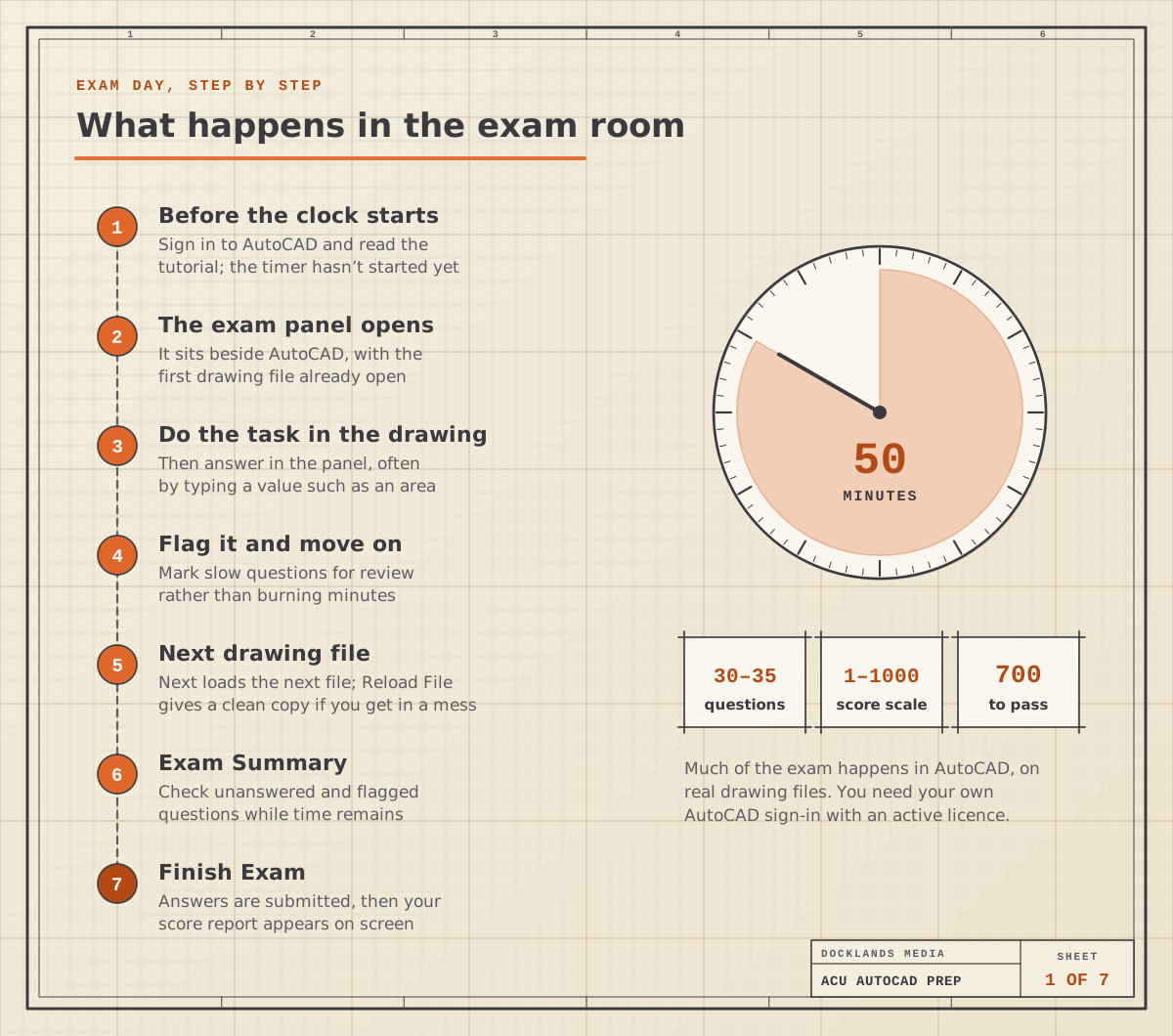
It’s the last afternoon of your course. You sign in to AutoCAD, read a short tutorial, and the clock starts. A panel opens down one side of the screen with a drawing file beside it: a floor plan with a kitchen that needs hatching. You hatch it, click the hatch, read its area in Properties and type the number into the panel. Next file. Forty-odd minutes later you press Finish Exam and a score out of 1,000 appears.
That’s the Autodesk Certified User exam for AutoCAD. It’s a hands-on 2D test: 30 to 35 questions in 50 minutes, spread across five areas (drawing, accuracy, editing, annotation, and layouts and printing), with 700 out of 1,000 needed to pass. Most of it is done inside AutoCAD itself, so the way to prepare is to practise the tasks, not to memorise menus.
We’re an Autodesk Authorised Training Centre and we run the exam as a Certiport Authorised Testing Centre, so this guide walks through what the exam room is like, which objectives catch people out, how the exam lines up with our AutoCAD Fast Track Gold days, and whether it’s worth taking for the work you do.
What happens in the exam room
Before anything is timed, you sign in to AutoCAD with an active licence and read the exam tutorial. Then the exam panel opens beside AutoCAD, with the first drawing file already loaded. Questions come in groups, one group per drawing file. Some are multiple choice; many ask you to do something in the drawing and then report a result, such as a length, a count or an area. The panel shows how many decimal places it wants, and it doesn’t care about capital letters or whether you type a comma or a full stop.
A few controls are worth knowing before the day:
Mark for Review flags a question so you can come back to it from the Exam Summary.
Reload File gives you a fresh copy of the current drawing if you’ve made a mess of it. Questions you’ve already answered aren’t affected.
Restart AutoCAD pauses the timer while the program restarts, so a crash doesn’t eat your minutes.
Calculator sits in the Tools menu, handy for checking a value.
Next moves you on to the next drawing file, so finish what you can in one file before you leave it.
With 50 minutes for up to 35 questions you have well under two minutes each. In our experience, the people who run out of time are the ones who fight one awkward question for five minutes. Flag it, move on, come back.
What does the exam actually cover?
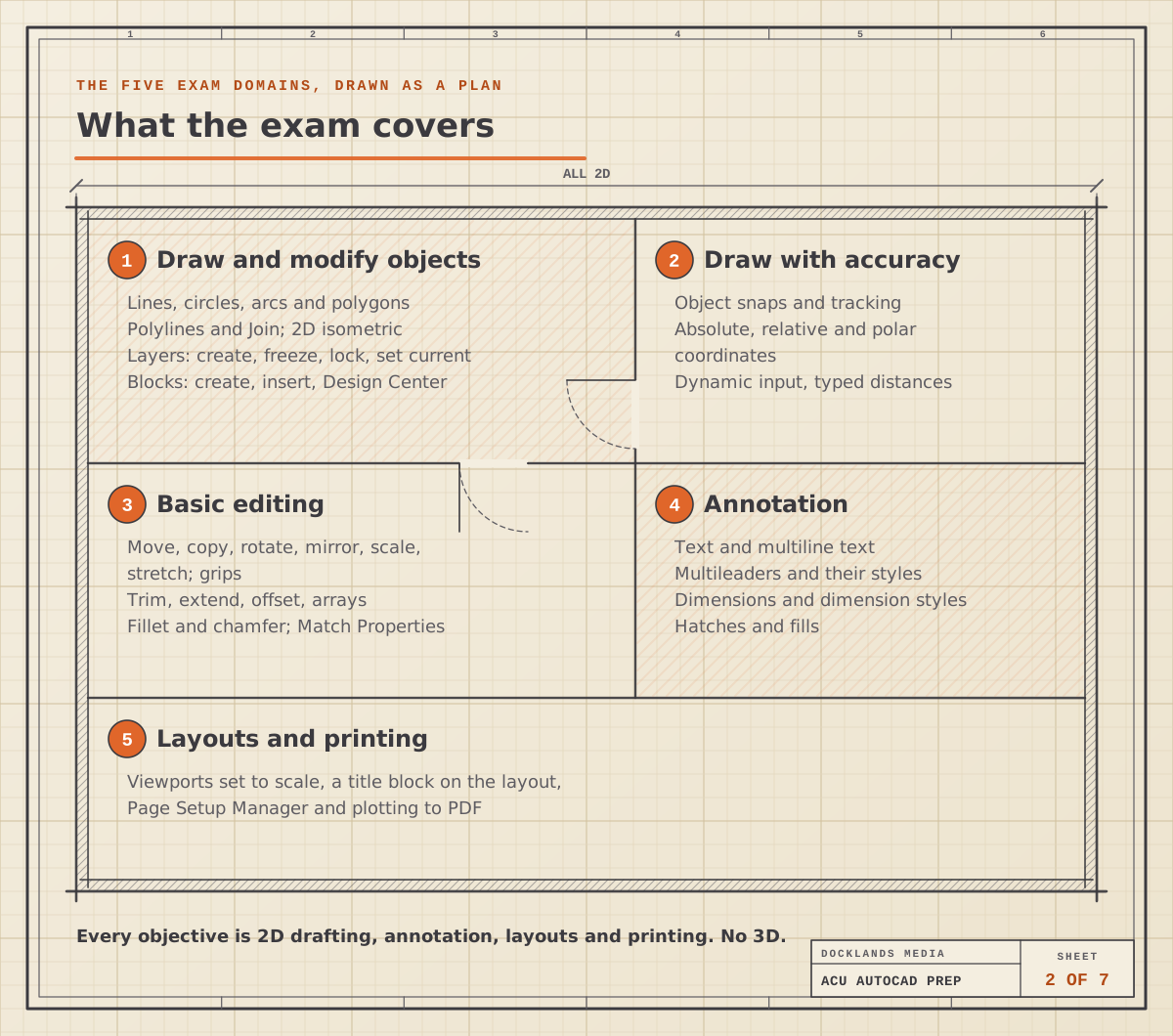
Five domains, all 2D. There’s nothing on 3D modelling, rendering or customisation.
Draw and modify objects: lines, circles, arcs and polygons, polylines and Join, 2D isometric drawing, selection windows, layers, and blocks inserted from the Design Center.
Draw with accuracy: object snaps and tracking, polar tracking, absolute, relative and polar coordinates, and dynamic input.
Basic editing: move, copy, rotate, mirror, scale and stretch, grips, trim, extend and lengthen, rectangular and polar arrays, offset, fillet and chamfer, plus Properties and Match Properties.
Annotation: single and multiline text, multileaders and their styles, linear, aligned, angular, radius and diameter dimensions, continued and baseline dimensions, dimension styles and hatches.
Layouts and printing: layouts and viewports, setting a viewport to scale, inserting a title block, Page Setup Manager and plotting to PDF.
The exam also assumes you know the basics around those domains: the interface, draw order, and inquiry commands such as Distance and Area, which you need to read off the answers.
The small objectives that catch people out
Most people who use AutoCAD at work are fine with lines, offsets and trims. The marks tend to slip away on features they rarely touch. From what we see on our courses, these are the ones to practise on purpose:
Polar coordinates, such as typing @500<30 for a line 500 long at 30 degrees.
M2P, the snap to the midpoint between two points, which plenty of daily users have never tried.
2D isometric drafting: switching the isoplane and drawing a box that looks 3D but isn’t.
Stretch with a crossing window, for moving a door opening without redrawing the wall.
Fillet with a zero radius to close a corner, and chamfer distances.
Copy with Base Point for pasting objects into exactly the right spot.
Multileader styles and hatch inherit, both easy to skip in real projects.
Page Setup Manager and viewport scale, because many offices have templates that do this for you.
How the exam lines up with our Fast Track days
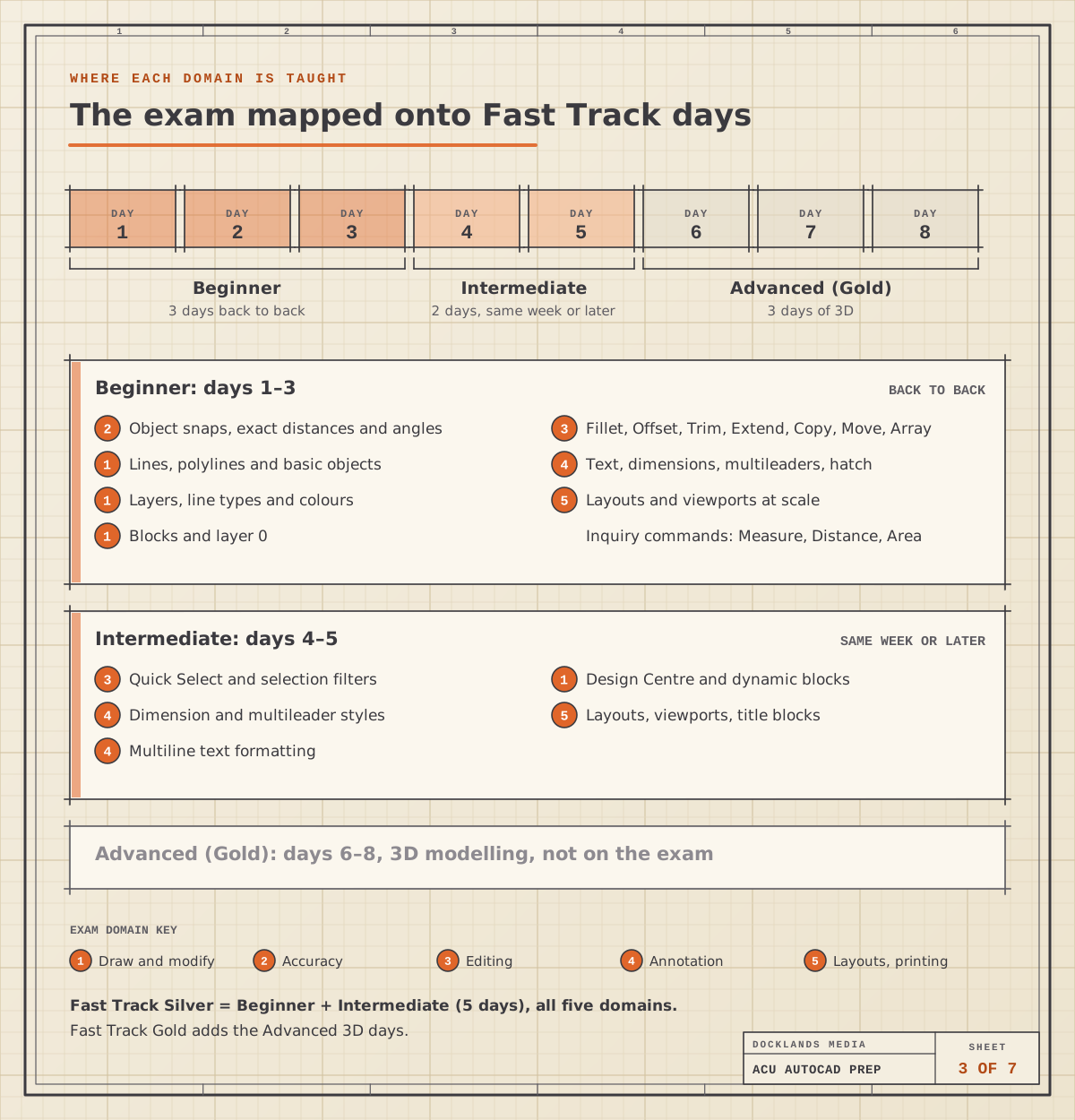
Our AutoCAD Fast Tracks are built to prepare you to take and pass the exam at the end of the course. Fast Track Silver combines AutoCAD Beginner and AutoCAD Intermediate over five days, which covers every exam domain. Fast Track Gold adds AutoCAD Advanced, three days of 3D modelling that go beyond the exam but matter for product and architectural work.
Exam domain | Sample tasks | Where it’s taught |
|---|---|---|
Draw and modify | Polylines, isometric drawing, layers, blocks | Beginner, with Design Centre and dynamic blocks in Intermediate |
Draw with accuracy | Snaps, tracking, typed coordinates | Beginner |
Basic editing | Stretch, arrays, fillet, chamfer, grips | Beginner, with Quick Select in Intermediate |
Annotation | Text, multileaders, dimensions, hatches | Beginner basics, then dimension and multileader styles in Intermediate |
Layouts and printing | Viewports to scale, title blocks, PDF | Beginner, then title blocks and layouts in Intermediate |
You don’t have to take all the days in one go. The Beginner days run back to back, and the Intermediate part can follow in the same week or a later one. If you’re wondering how long the whole skill takes to build, our guide to how long it takes to learn AutoCAD goes into that.
How the certification helps when you’re job hunting
CAD skills get judged on what you can draw. Expect to show sample drawings, and often to sit a short practical test at interview, where you’re given a file and asked to draw or edit something against the clock.
The certification helps on both fronts. It’s independent proof of your 2D skills, checked by someone other than you, which counts for most when you don’t have CAD work to show yet. And preparing for it takes you through the same tasks an interview test is likely to use: drawing to exact sizes, editing quickly, dimensioning cleanly and setting up a layout to scale. Add the digital badge to your CV and LinkedIn profile so it’s seen before you walk in.
Is it worth it for you?
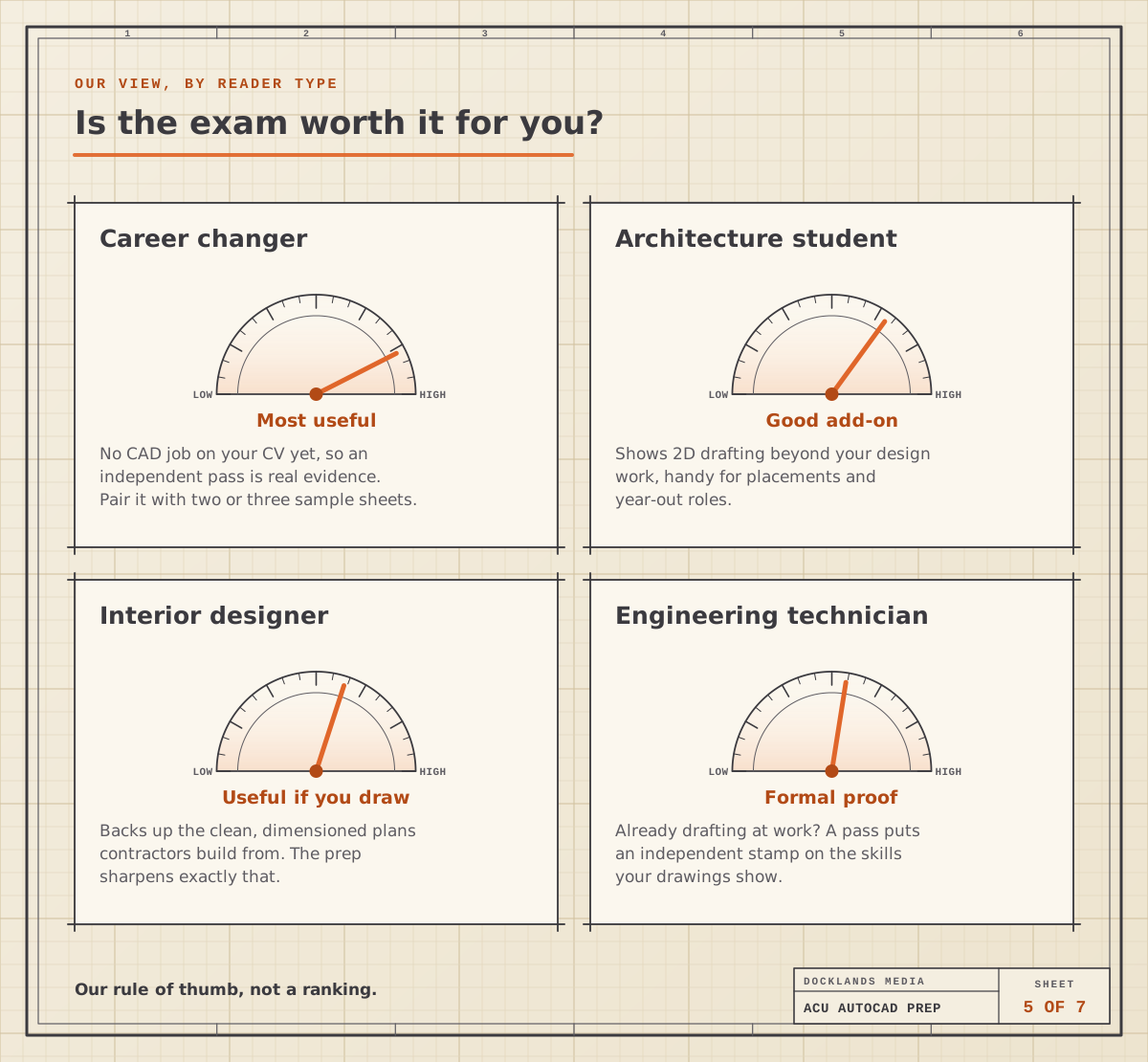
That depends on what you already have to show. As a rule of thumb:
Career changers get the most from it. With no CAD job on your CV, a pass is evidence someone else has checked. Pair it with two or three clean sample sheets.
Architecture and design students can use it to show drafting skills alongside design work, which helps with placements and year-out roles.
Interior designers who draw their own plans get formal proof of their 2D skills, and the preparation sharpens the dimensioned plans contractors build from.
Engineering technicians already drafting at work can put an independent stamp on the skills their drawings show, which is useful when you move jobs or bid for work.
If you also work in Adobe apps, the Adobe Certified Professional exam follows a similar hands-on approach for Photoshop, Illustrator and the rest.
Myth vs reality
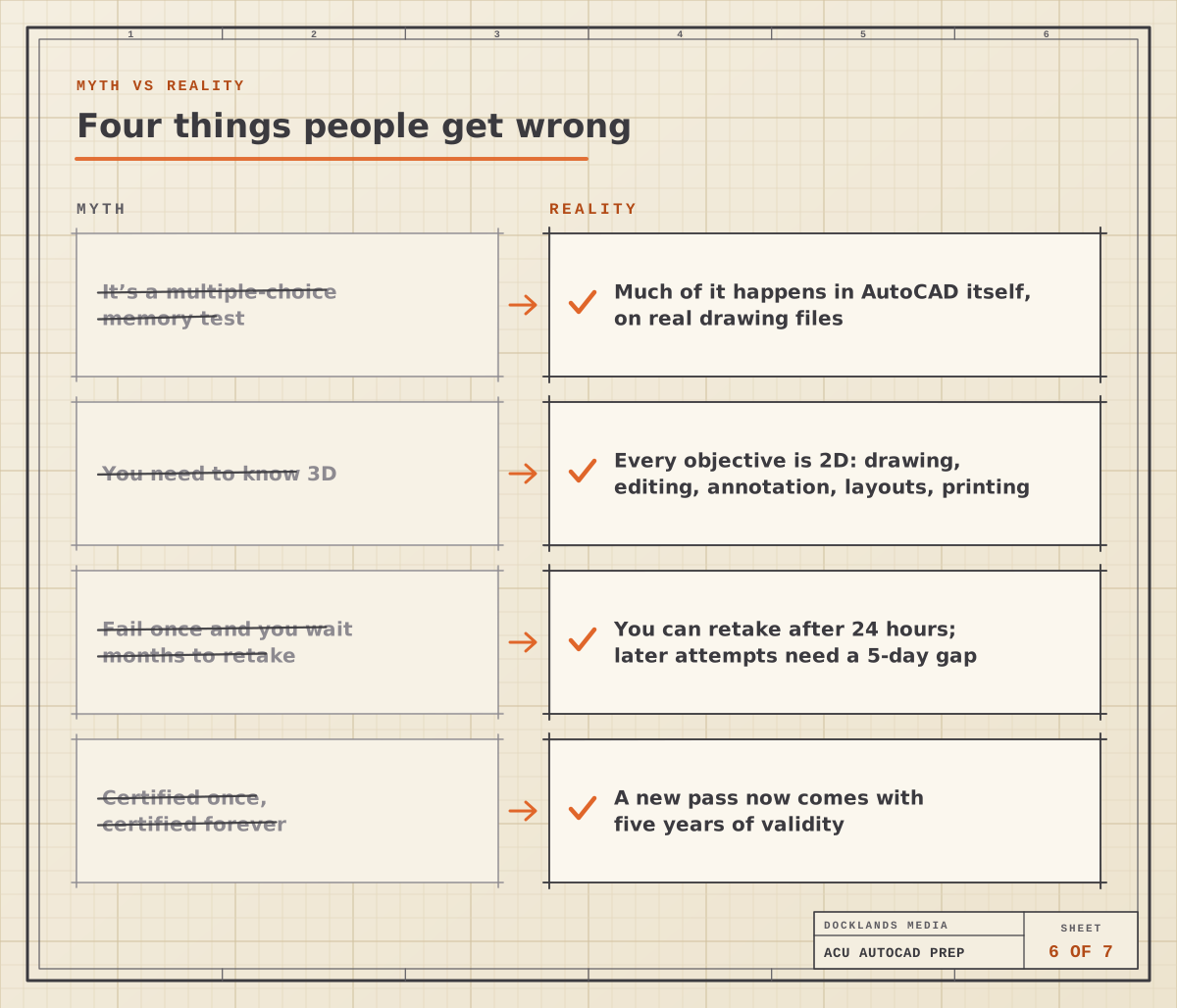
A few beliefs about the exam put people off, or send them in under-prepared:
Myth: it’s a memory test. Reality: much of it happens in AutoCAD, on real drawing files. Knowing where a button lives doesn’t help if you can’t use it.
Myth: you need 3D. Reality: every objective is 2D.
Myth: fail once and you wait months. Reality: you can retake after 24 hours, then there’s a five-day gap before each later attempt.
Myth: a pass lasts forever. Reality: a new pass is valid for five years.
Before you book: a self-check
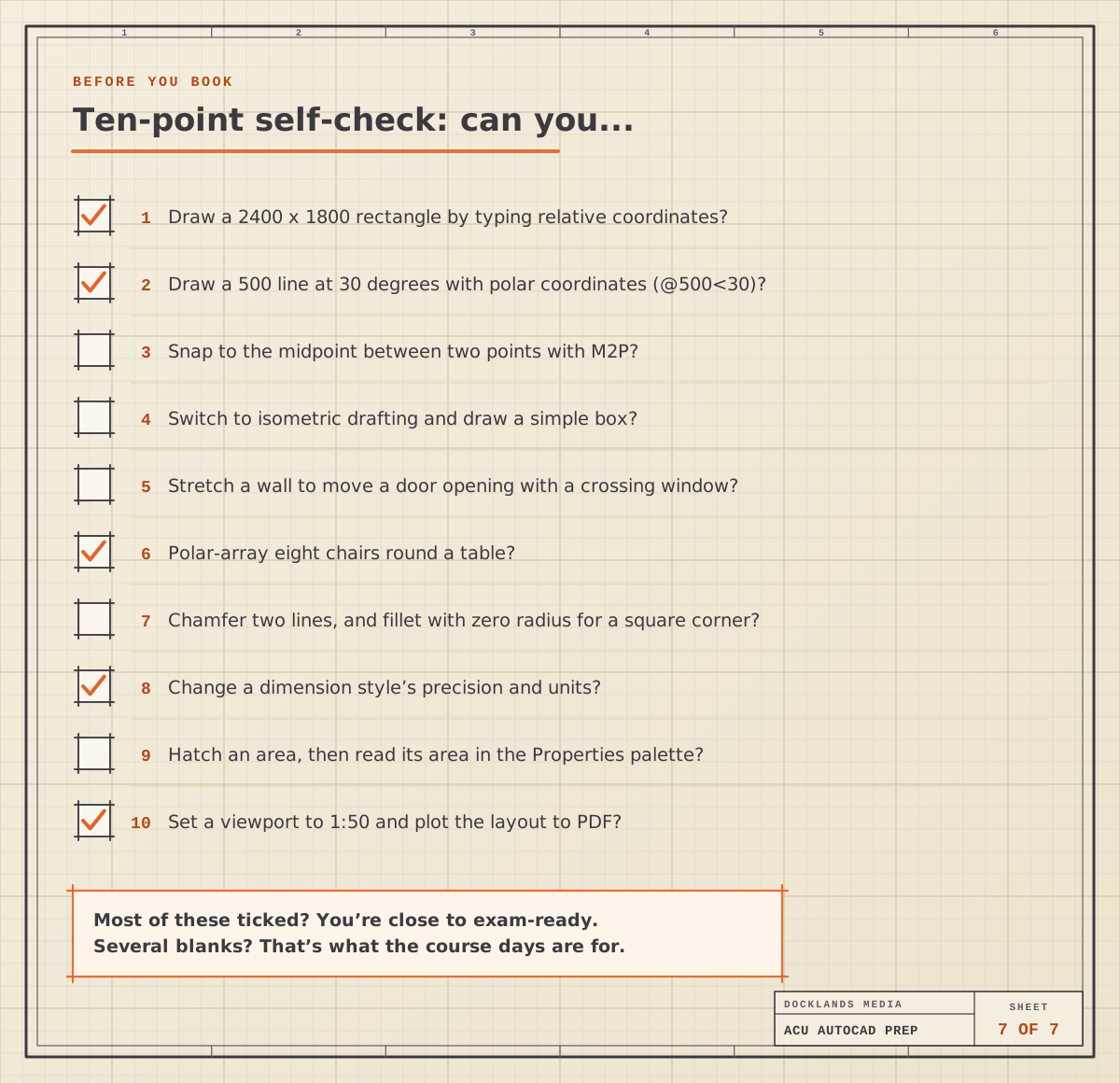
Run through this list in AutoCAD, not in your head. The values are just examples:
Draw a 2400 by 1800 rectangle by typing relative coordinates.
Draw a line 500 long at 30 degrees with polar coordinates.
Snap to the midpoint between two points with M2P.
Switch to isometric drafting and draw a simple box.
Stretch a wall to move a door opening.
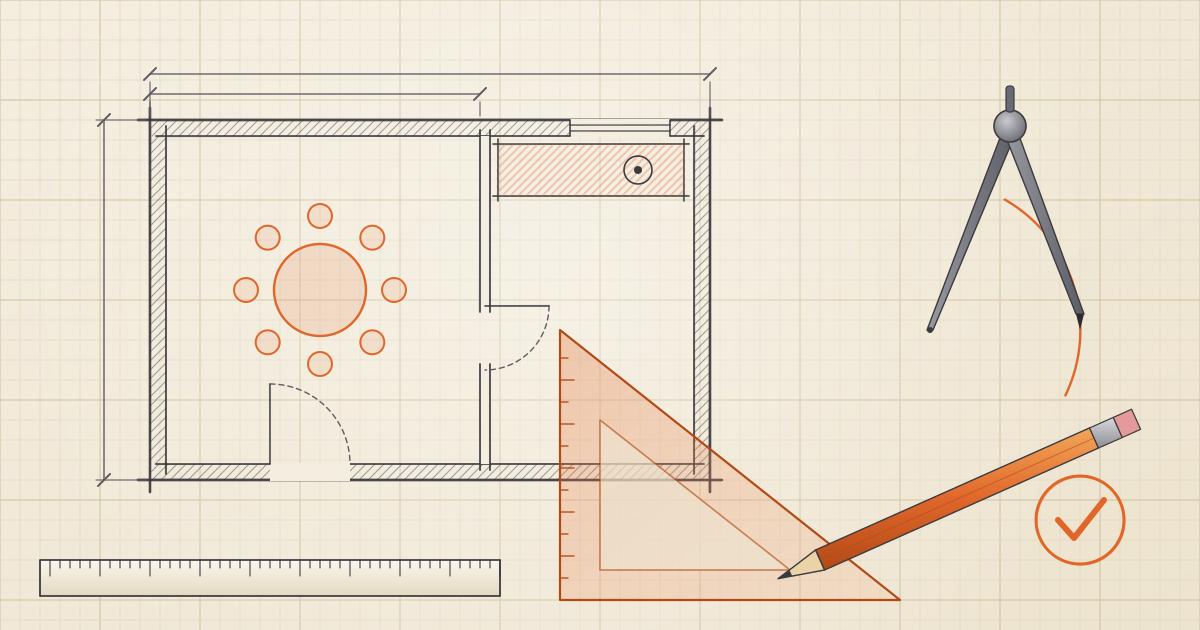
Polar-array eight chairs round a table.
Chamfer two lines, then fillet another corner with a zero radius.
Change a dimension style’s precision and units.
Hatch an area and read its area in the Properties palette.
Set a viewport to 1:50 and plot the layout to PDF.
If most of those are easy, you’re close. If several aren’t, that’s fine: those gaps are exactly what the course days are for. Exam software also has its own quirks, so read the free exam tutorial before the day so the panel isn’t a surprise.
Taking the exam with us
Docklands Media is an Autodesk Authorised Training Centre, and we’re also authorised by Adobe, Maxon, Blackmagic Design and Certiport. Every course includes a certificate of completion. On AutoCAD Fast Track Silver or Fast Track Gold you can add the official Autodesk Certified User exam when you book, and sit it at our London centre or online from home. If you’d rather build up level by level, start with AutoCAD Beginner and add Intermediate when you’re ready.