The short answer: most beginners can learn the AutoCAD basics, such as drawing accurately with object snaps, editing with Offset and Trim, organising layers, adding dimensions and printing to scale, in about three days of structured training or four to six weeks of regular self-study. Becoming confident with everyday professional drawings, including blocks, external references and sheet sets, usually takes one to three months of steady practice. If you’re aiming for certification, an AutoCAD Fast Track course (Silver or Gold) prepares you to take and pass the Autodesk Certified User exam at the end of the course, in 5 or 8 days.
Whether you’re starting out in architecture, interiors or engineering, your timeline depends on the drawings you need, what you already know and how often you practise. This guide breaks AutoCAD into clear stages so you can plan a sensible next step.
What affects how long it takes to learn AutoCAD?
AutoCAD has hundreds of commands, but everyday drawings use a few dozen. Four things make the biggest difference:
Your goal. Producing floor plans and simple layouts for an interiors studio takes far less time to learn than detailed construction drawings, mechanical parts or 3D models.
Your starting point. If you already understand technical drawing, scales and line types, or you’ve used another CAD or design app, AutoCAD will make sense sooner.
How you learn. Picking up random commands from videos often leaves gaps, especially around layers, scale and layouts. A structured route is usually quicker.
How often you practise. A lot of AutoCAD is muscle memory: typing commands, snapping to points and entering distances. Short, regular sessions on real drawings help it stick.
How long does each stage of learning AutoCAD take?
The self-study times below assume a few hours of practice a week on your own. Structured training is much quicker: each course level takes two or three days, and a Fast Track takes you through the levels in one go, ending with the option to take the Autodesk Certified User exam.
Learning stage | Typical time | What you can do | Matching course |
|---|---|---|---|
2D foundations | 3 days of training, or 4–6 weeks of self-study | Find your way around the interface, draw to real-world units with object snaps and coordinates, edit with Offset, Trim, Fillet and Array, add hatching, layers, text and dimensions, use simple blocks and print a layout to scale | AutoCAD Beginner (3 days) |
Confident 2D production | 1–3 months of regular practice | Work with dynamic blocks and attributes, external references (Xrefs), dimension and multileader styles, layer states, title blocks, sheet sets and tables linked to Excel | AutoCAD Intermediate (2 days) |
3D modelling and rendering | A further 2–3 months of practice | Build solid and surface models with Extrude, Revolve, Sweep, Loft and Press/Pull, work with the UCS, create sections and 2D views from 3D models, then add materials, cameras and lighting and render | AutoCAD Advanced (3 days) |
Autodesk Certified User | At the end of a Fast Track course: 5 days (Silver) or 8 days (Gold) | Take the 50-minute Autodesk Certified User exam straight after your course, with your skills fresh from intensive, hands-on training | Fast Track Silver (5 days) or Fast Track Gold (8 days) |
Beyond these stages, there’s always more to learn, such as CAD standards, toolsets and automation, but useful, paid-work skills arrive long before mastery.
Can you learn AutoCAD in a week?
You can learn the basics in a week, yes. Our three-day AutoCAD Beginner course covers the skills most people use every day: the interface, drawing with precision, editing, layers, hatching, text, dimensions, blocks and layouts. By the end, you can produce a clean, dimensioned 2D drawing, such as a floor plan or a simple part, and print it to scale.
What a week won’t give you is speed. That comes from repetition, so keep using AutoCAD for the next few weeks. Give yourself small, real tasks: measure and draw your own room or flat, lay out a kitchen, or redraw a plan or bracket from a PDF.
Is AutoCAD hard to learn?
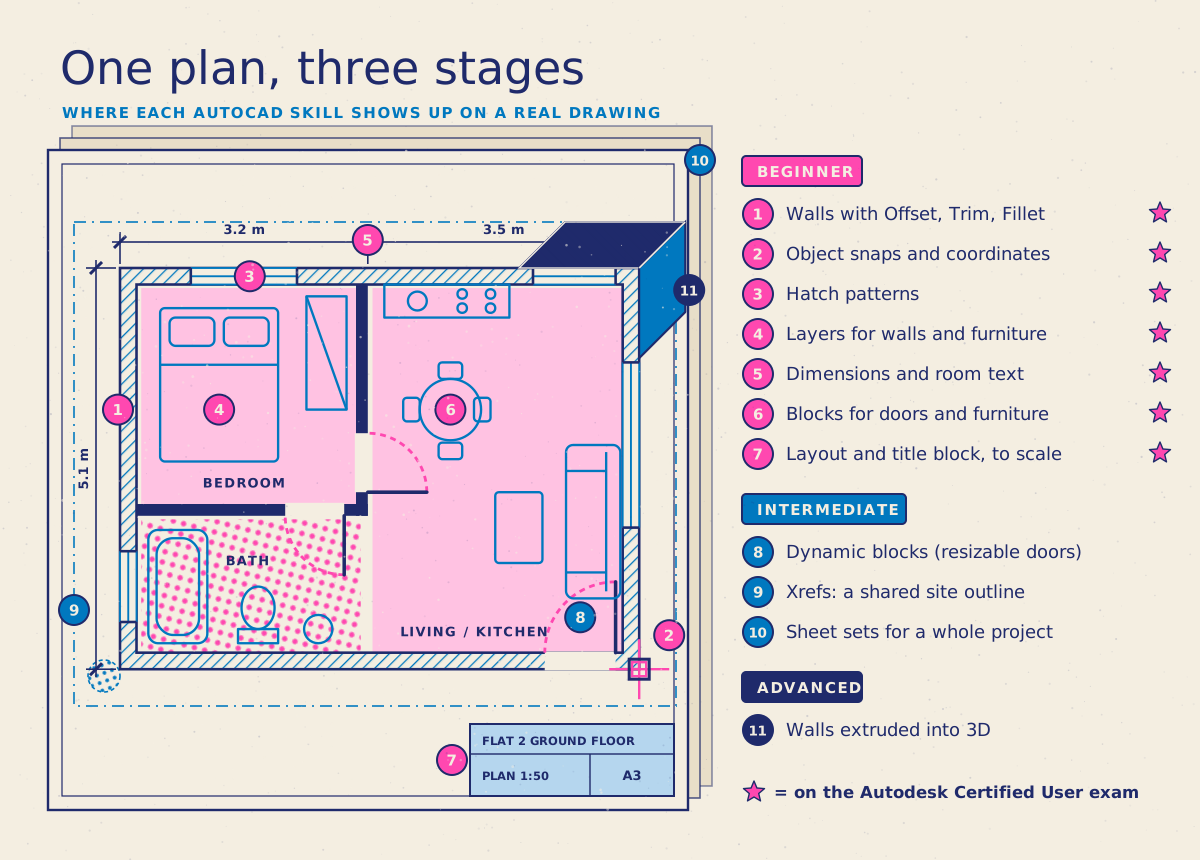
AutoCAD isn’t hard so much as precise. Beginners rarely struggle with any single command; they struggle when a drawing prints at the wrong scale or everything sits on one layer. Once a handful of core ideas click, the rest of AutoCAD makes much more sense:
Draw at full size. You draw everything at its real size in model space, in millimetres or metres, and choose the scale later when you print.
Precise input. Object snaps, coordinates and typed distances put every line exactly where it should be, rather than roughly where you clicked.
Layers. Walls, doors, furniture and dimensions each go on their own layer, so you can control how they look and switch them on and off.
Blocks. Reusable symbols, such as doors, windows and furniture, keep drawings consistent and quick to update.
Layouts. Paper-space layouts, viewports and title blocks turn your model into a sheet that prints at 1:50 or 1:100.
Should you learn 2D or 3D first?
Start with 2D. Much of the everyday drawing work in architecture, interiors and engineering, such as plans, elevations and details, is 2D, and AutoCAD’s 3D tools build on the same precise input, editing and layer skills.
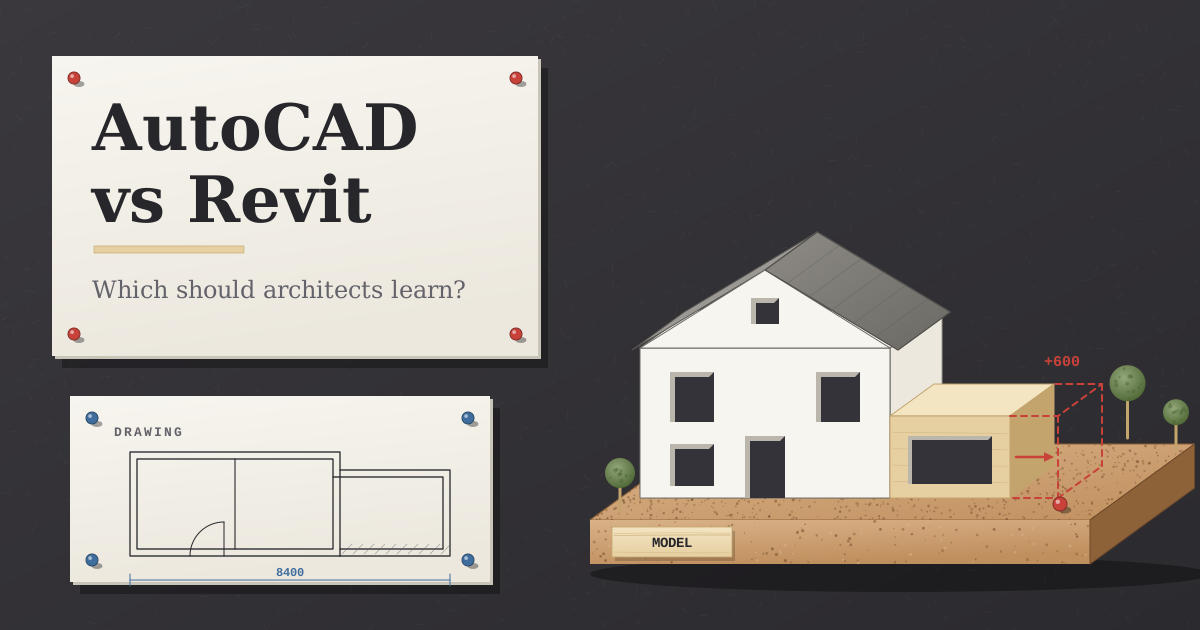
It’s also worth knowing which version you’ll use. AutoCAD LT is Autodesk’s lower-cost, 2D-only version: you can view 3D models in it, but not create or edit them. Full AutoCAD adds 3D modelling and rendering, plus industry toolsets such as Architecture and Mechanical. If you’re heading into architecture, you’ll probably also meet Revit, Autodesk’s BIM software for intelligent 3D building models. It’s common to learn AutoCAD first and add Revit Beginner later.
How long does it take to become an Autodesk Certified User in AutoCAD?
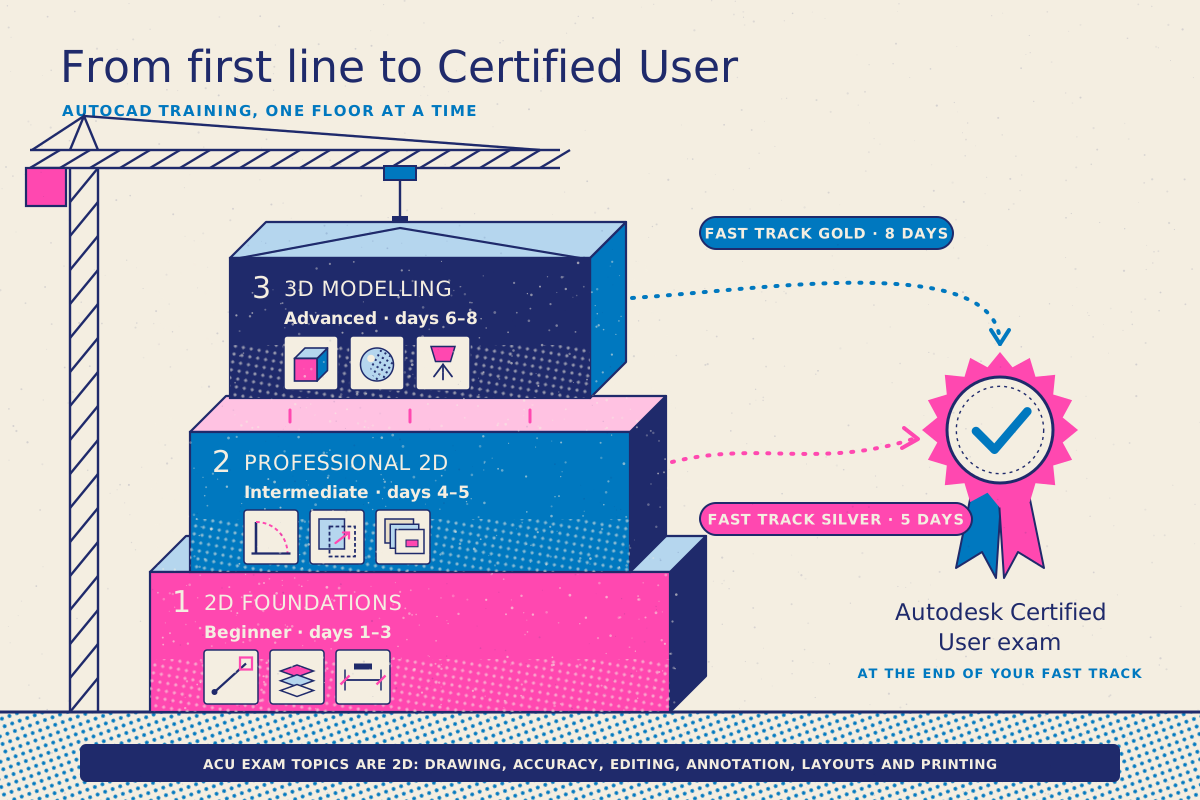
With an AutoCAD Fast Track course, you can go from the basics to taking the Autodesk Certified User (ACU) exam at the end of the course: 5 days for Fast Track Silver or 8 days for Fast Track Gold. Fast Track courses are designed to prepare you to take and pass the exam, which you sit when your training finishes, while everything is fresh. If you can’t take several days off in a row, a Fast Track can be split across non-consecutive dates.
The exam is delivered through Certiport, Autodesk’s exam provider for the Certified User programme:
It lasts 50 minutes and has 30–35 questions, mixing multiple-choice questions with performance-based tasks.
You need a scaled score of 700 out of 1,000 to pass.
It covers five areas: drawing and modifying objects, drawing with accuracy, basic editing, annotation, and layouts and printing.
All five areas are 2D skills, so Fast Track Silver, which combines the Beginner and Intermediate levels, covers what the exam tests. Fast Track Gold adds the 3D level for anyone who wants modelling and rendering too. Docklands Media is a Certiport Authorised Testing Centre, so you can take the exam at our London centre or online from home.
What’s the quickest way to learn AutoCAD?
Whether you teach yourself or take a course, these habits save the most time:
Learn the command line. Typing short aliases, such as L for Line, O for Offset and TR for Trim, is faster than hunting through the ribbon.
Set up a template. Save your units, layers, text styles and dimension styles once, and start every new drawing from it.
Draw real things. Measure a room or a piece of furniture and draw it at full size.
Print early. Set up a layout and print or export a PDF to scale, so you see how model space and paper space work together.
Practise little and often. Half an hour on most days beats one long session a month.
Autodesk’s free Get started with AutoCAD collection is a useful companion. You can try the software with a 15-day free trial, and eligible students and educators can get free educational access.
How can you learn AutoCAD in London or online?
Docklands Media is an authorised training partner of Adobe, Autodesk, Maxon, Blackmagic Design and Certiport. Our AutoCAD courses are led by Autodesk Certified trainers, in London or live online.
Start with AutoCAD Beginner (3 days) for 2D drafting, then move on to AutoCAD Intermediate (2 days) for dynamic blocks, Xrefs, sheet sets and data-linked tables. AutoCAD Advanced (3 days) covers 3D modelling, materials, lighting and rendering, and is taught on Windows.
To cover more in one go, AutoCAD Fast Track Silver (5 days) combines Beginner and Intermediate, and AutoCAD Fast Track Gold (8 days) covers all three levels. Both prepare you to take and pass the Autodesk Certified User exam at the end of the course. If you also want to create visuals, the 3D & CAD Bundle: Beginner (10 days) combines AutoCAD with 3ds Max, Cinema 4D and Photoshop.
Every course includes a certificate of completion, and you can add the Autodesk Certified User exam when you book AutoCAD Intermediate, AutoCAD Advanced or a Fast Track. Browse all our AutoCAD courses.